Chapter 8: Service Configuration Menu Mapping Port to Service
© Harmonic Inc. Manual p/n 101543/Ver 1.0 8-10 ProView 2900 Series/SW Version 1.94
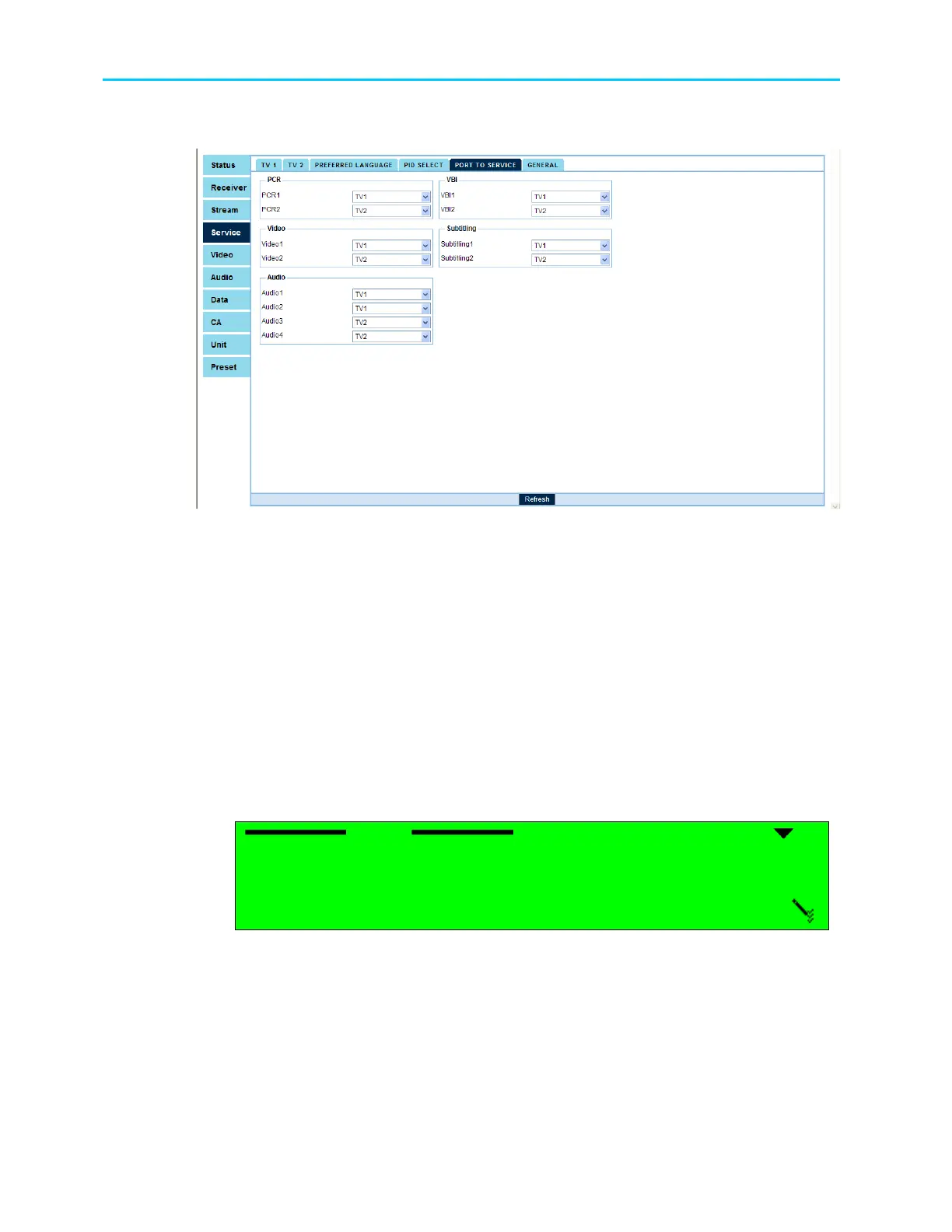
Figure 8-6 displays the corresponding Port to Service Menu (Web Management screen).
Figure 8-6: Port to Service Menu Screen
The available options are:
• PCR1, PCR2 (if applicable),
• Video1, Video2 (if applicable),
• Audio1, Audio2, Audio3 (if applicable), Audio4 (if applicable),
• VBI1, VBI2 (if applicable),
• Subtitling1, Subtitling2 (if applicable),
• LS Data RS232, HS Data RS-422
In order to map a port to service thru the front panel, perform the following:
Navigate to ConfigurationService Mapping Port to Service
Select one of the listed ports using the keypad. For example: PCR1.
After selection, the following menu screen lists all options for the selected port.
PCR1
PCR1 PCR1
PCR1
1
1 1
1
STAND ALONE
STAND ALONESTAND ALONE
STAND ALONE
2
2 2
2
TV1
TV1TV1
TV1
3
3 3
3
TV2
TV2TV2
TV2
The available options are:
• STAND ALONE – This mode indicates that you can assign the elementary stream PID.
In this mode, the elementary stream is independent of the services selected for
Decoder#1 and decoder#2.
• TV1 (and TV2, when available) – This mode indicates that the elementary stream is
related to the service assigned to Decoder#1 (or Decoder#2 for TV2).



 To Next Page