Chapter 8: Service Configuration Menu Service Configuration Menu Tree
© Harmonic Inc. Manual p/n 101543/Ver 1.0 8-2 ProView 2900 Series/SW Version 1.94
To access the Service Configuration menu in the front panel control interface go to
Configuration
Service.
The following screen displays the Service configuration menu from the ProView 2900 Front
Panel:
Service
Service Service
Service
1
11
1-
--
-2
22
2-
--
-3
3 3
3
1 TV1 Select
1 TV1 Select1 TV1 Select
1 TV1 Select
2 TV2 Select
2 TV2 Select2 TV2 Select
2 TV2 Select
3 Stand
3 Stand3 Stand
3 Stand-
--
-Alone Select
Alone SelectAlone Select
Alone Select
4 Preferred Language
4 Preferred Language4 Preferred Language
4 Preferred Language
5 PID Select
5 PID Select5 PID Select
5 PID Select
6 Mapping Port to Service
6 Mapping Port to Service6 Mapping Port to Service
6 Mapping Port to Service
7 General Config
7 General Config7 General Config
7 General Configuration
urationuration
uration+
++
+
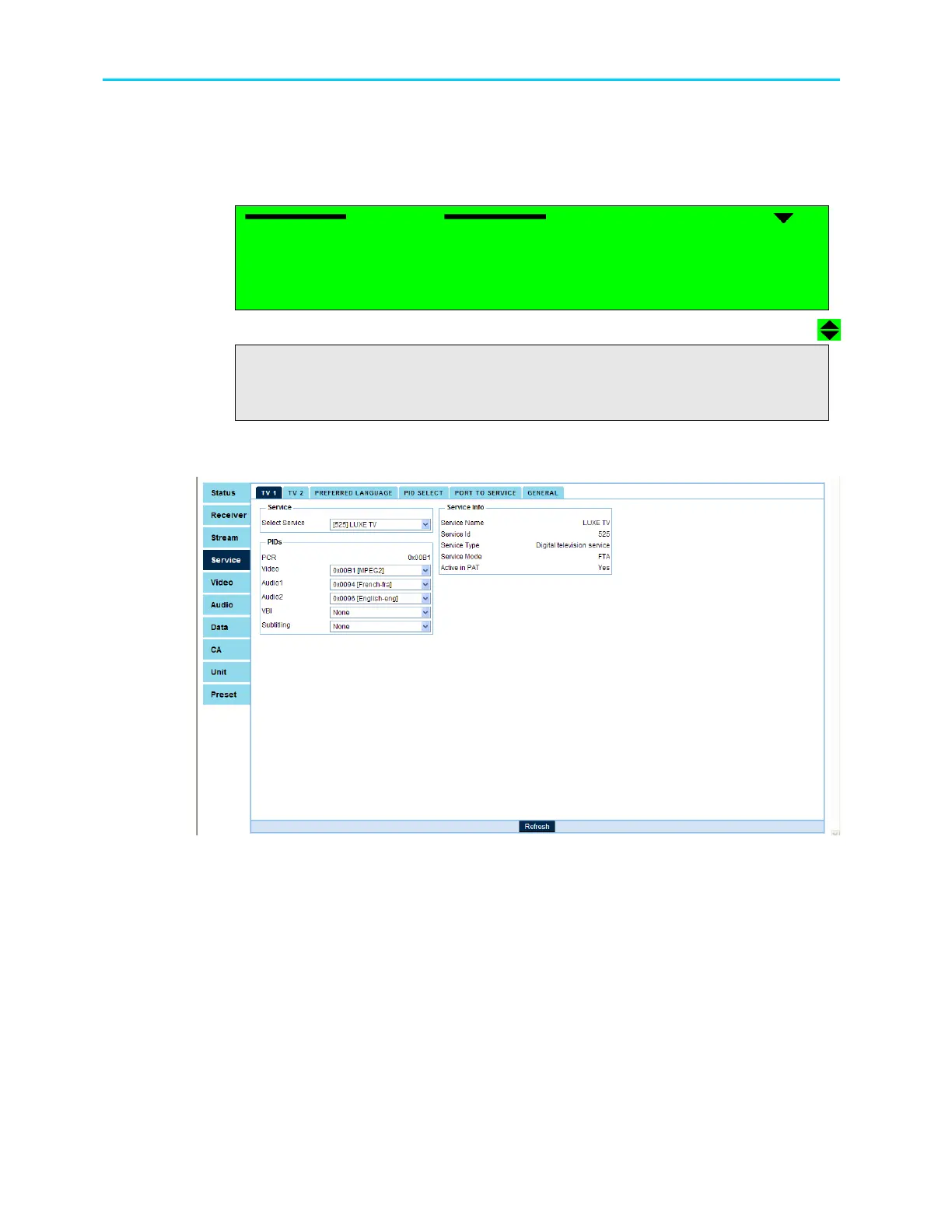
Figure 8-2 displays the corresponding Service Configuration Menu structure in the
ProView 2900 Web Management.
Figure 8-2: Web Manager Service Configuration Menu Screen
The Service Configuration menu provides access the the following parameters:
• TV1 (and TV2 Select, if applicable)
Enables assign a service from the incoming TS to a decoder. In the case of a dual
decoder, a user can assign two services from the incoming TS, one for each decoder
(see Section 8.2).
• Stand-Alone Select
This feature will be supported in the future software releases.
• Preferred Language
This group contains parameters that define the preferred language (see Section 8.4).



 To Next Page