Chapter 8: Service Configuration Menu PID Select
© Harmonic Inc. Manual p/n 101543/Ver 1.0 8-8 ProView 2900 Series/SW Version 1.94
The following screen displays the PID Select menu:
PID Select
PID Select PID Select
PID Select
1
11
1-
--
-2
22
2-
--
-3
33
3-
--
-4
4 4
4
01 Pcr1
01 Pcr101 Pcr1
01 Pcr1
1062
10621062
1062
03 Video1
03 Video103 Video1
03 Video1
1062
10621062
1062
0
00
04
44
4 Audio 1
Audio 1 Audio 1
Audio 1
1073
10731073
1073
0
00
05
55
5 Audio 2
Audio 2 Audio 2
Audio 2
101F
101F101F
101F
0
00
06
66
6 VBi 1
VBi 1 VBi 1
VBi 1
1064
10641064
1064
07
0707
07 Subtitling 1
Subtitling 1 Subtitling 1
Subtitling 1
1069
10691069
1069
08
0808
08 LS Data RS232
LS Data RS232 LS Data RS232
LS Data RS232
001F
001F001F
001F
09
0909
09 HS Data RS
HS Data RS HS Data RS
HS Data RS-
--
-422
422422
422
001F
001F001F
001F
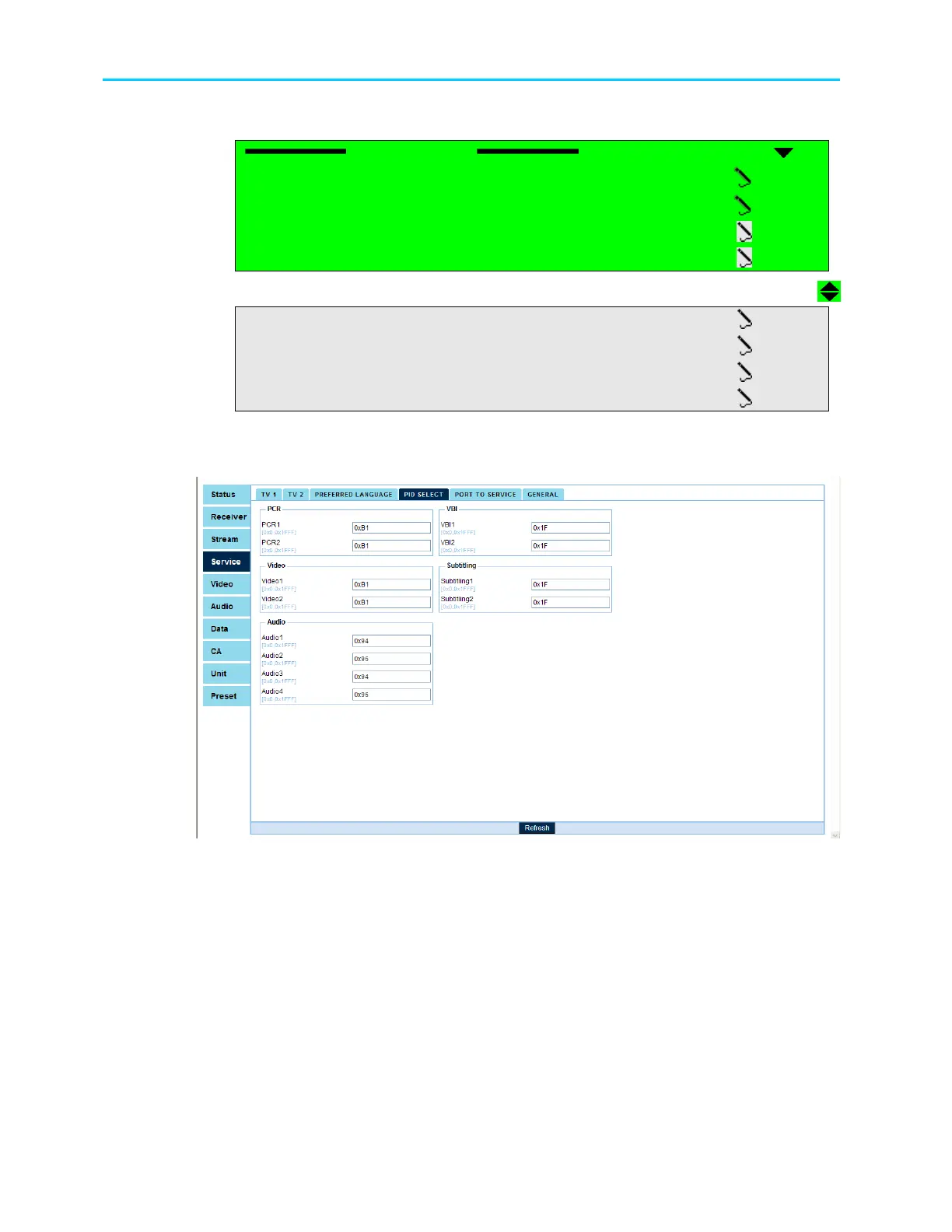
Figure 8-5 displays the corresponding PID Select Menu in the Web Management screen.
Figure 8-5: PID Select Menu Screen
The available options are:
• PCR1, PCR2 (if applicable),
• Video1, Video2 (if applicable),
• Audio1, Audio2, Audio3 (if applicable), Audio4 (if applicable),
• VBI1, VBI2 (if applicable),
• Subtitling1, Subtitling2 (if applicable),
• LS Data RS-232, HS Data RS-422
All PID-Assigning screens are identical in structure and functionality. The only difference is
the screen header, which changes according to the chosen port.



 To Next Page