EasyManua.ls Logo

Harmonic ProView 2900 - Page 232

Harmonic ProView 2900
237 pages
Print Icon
To Next Page IconTo Next Page
To Previous Page IconTo Previous Page
Loading...
Appendix C: Aspect ratio Configuration
© Harmonic Inc. Manual p/n 101543/Ver 1.0 C-4 ProView 2900 Series/SW Version 1.94
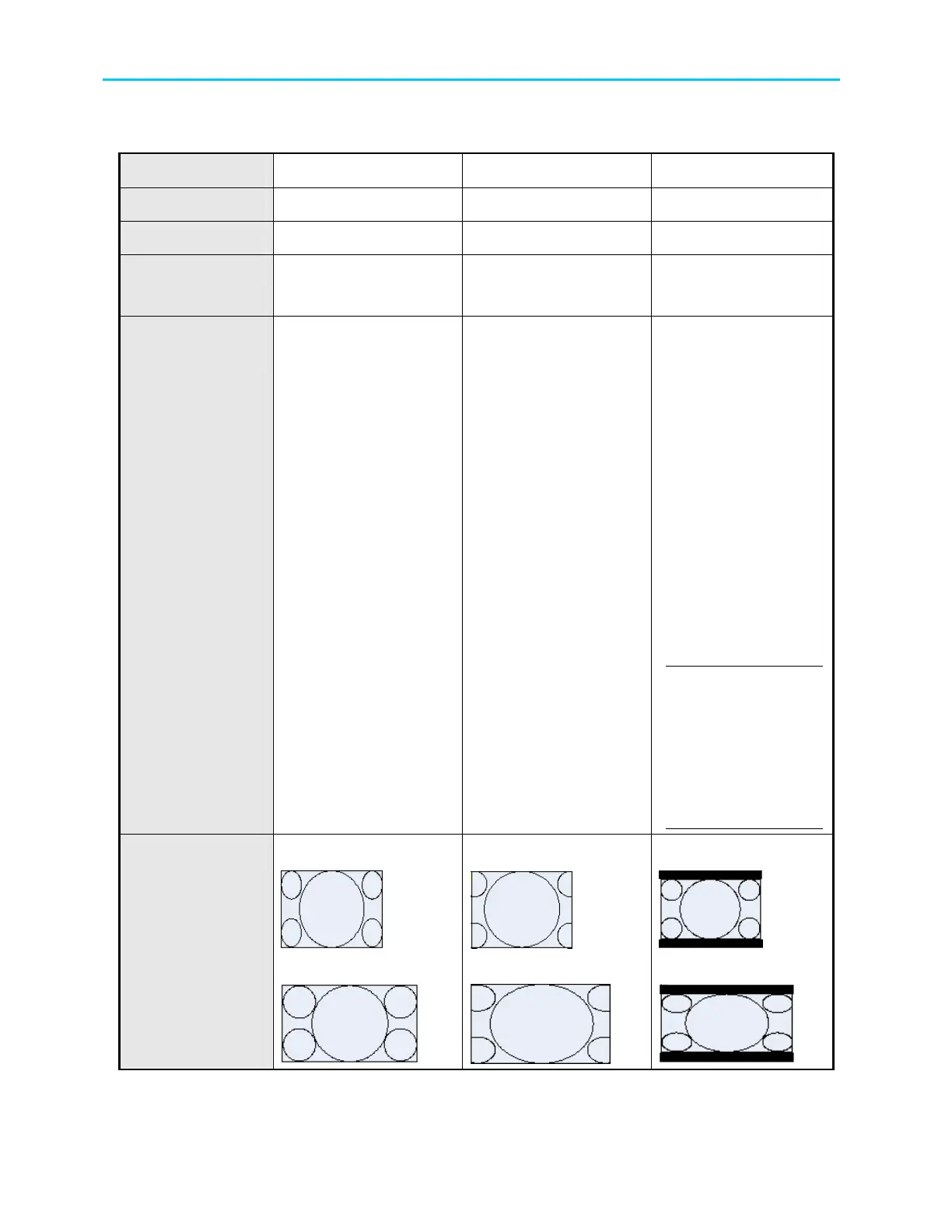
Table C-2: Table of Conversions - 16:9 Options
Stream
16:9 16:9 16:9
Monitor
16:9 4:3 4:3
Interpolation
Pan Scan Pan Scan Letter Box
WSS
TV Monitor or
Video Stream
TV Monitor or
Video Stream
TV Monitor or
Video Stream
Output
Description
No conversion
Always displays
Normal picture on
16:9 and tall and thin
on the 4:3 TV
WSS
16:9 Full Format
1110.0000.00.000
Can be output if WSS
is set as Video Stream
Conversion
horizontally up-
samples the central
portion of the picture
to fill the 720
WSS
4:3 Full Format
0001.0000.000.000
Can be output if WSS
is set as Monitor.
16:9 Full Format
1110.0000.000.000
can be output if WSS
is set as Video Stream
Conversion vertically
down-stamps the
picture and applies
black bar to the top
and bottom of the
screen
WSS
4:3 Full Format
0001.0000.000.000
can be output if WSS
is set as Monitor
16:9 Letter Box
1101.0000.000.000
can be output is
WSS is set as Video
Stream
NOTE
With 16:9 L/B
signalling as auto
sense, 16:9 monitor
can convert the
picture to Normal
16:9
Output Display
4:3
16:9
4:3
16:9
4:3
16:9

Table of Contents

Related product manuals