Chapter 5: Operation and Management ProView 2900 Preset Menu
© Harmonic Inc. Manual p/n 101543/Ver 1.0 5-7 ProView 2900 Series/SW Version 1.94
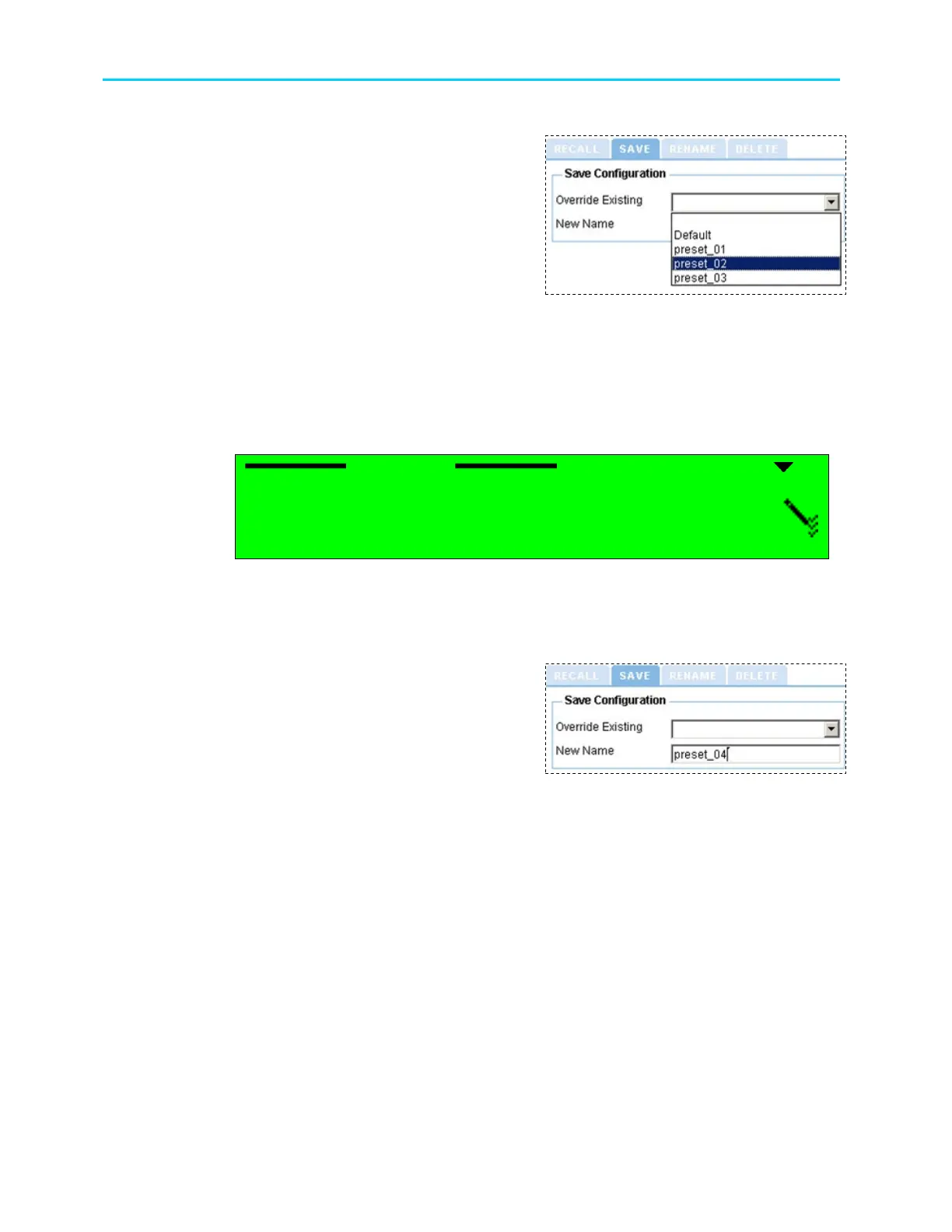
TO OVERWRITE AN EXISTING PRESET THROUGH THE WEB-INTERFACE:
1. From the management bar, click on
the Preset tab.
2. Click on Save tab.
3. Open the Overwrite Existing drop-
down menu. From the list select a
preset to overwrite.
5.2.2.2. Name a New Preset
New Name option allows saving the unit's current setup under a new name.
TO NAME A NEW PRESET THROUGH THE FRONT PANEL:
1. Access the New Name screen. From the front panel go to Root
Preset
Save
Current
New Name.
The following figure shows the front panel New Name edit screen:
New Name
New NameNew Name
New Name
|
||
|
3. Name the preset by using the keypad. To select a character, use the [Up] and [Down]
keys. To move between the characters, use the [LEFT] and [RIGHT] keys. To
save, press [ENTER].
TO NAME A NEW PRESET THROUGH THE WEB-INTERFACE:
1. From the management bar, click on
the Preset tab.
2. Click on Save tab.
3. Type a name for the preset in the
New-Name textbox.
4. Press [ENTER] to finish.



 To Next Page