Chapter 5: Operation and Management ProView 2900 Status Menu
© Harmonic Inc. Manual p/n 101543/Ver 1.0 5-14 ProView 2900 Series/SW Version 1.94
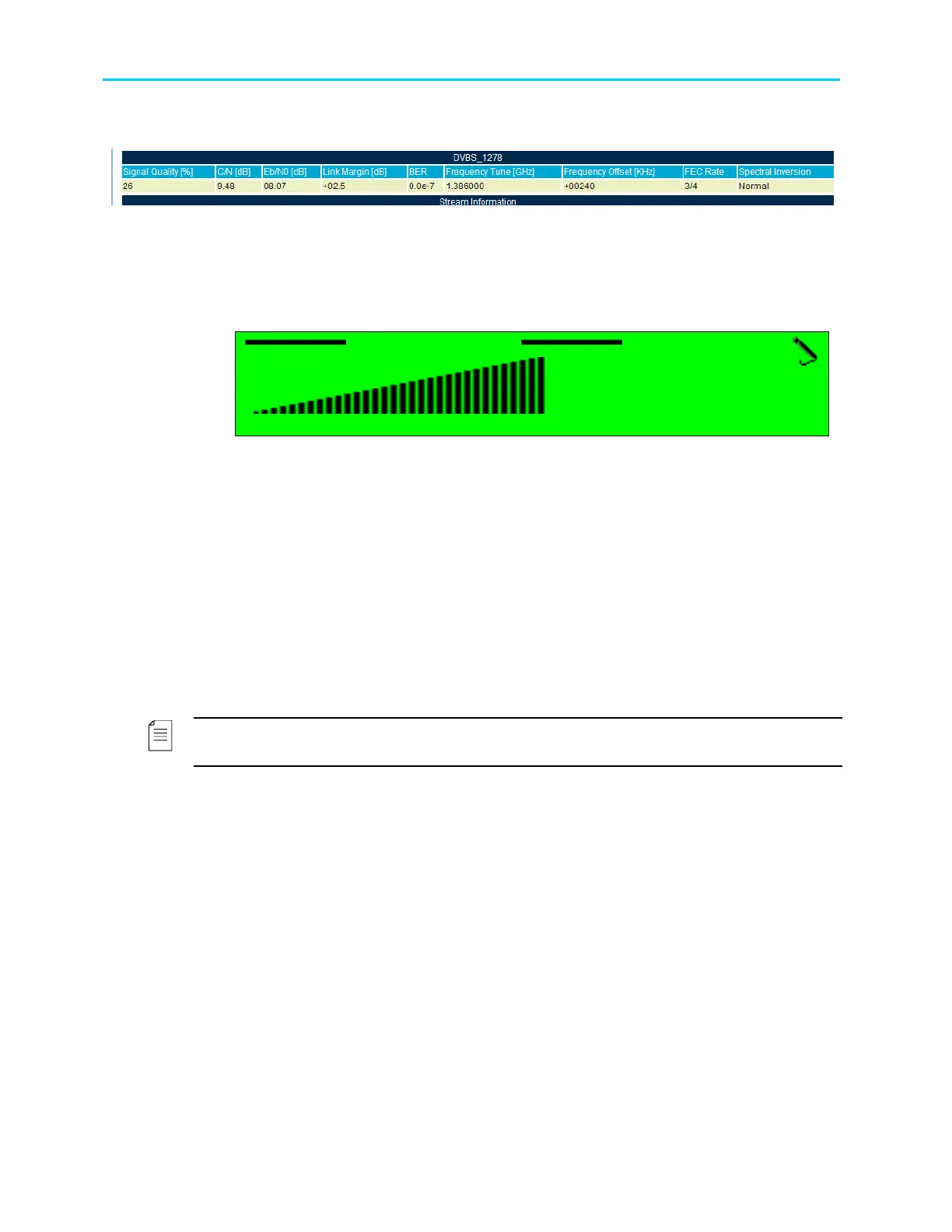
Figure 5-4 displays the corresponding DVB-S Status Web management screen.
Figure 5-4: ProView 2900 DVB-S Receiver Status Screen
The available options are:
• Signal Quality – Qualitative indicator of the received signal C/N relative to the maximum
C/N that can be measured without forcing the receiver to saturation.
The signal quality is calculated by: SQ[%]=C/N [dB]/36 *100
Signal Quality
Signal Quality Signal Quality
Signal Quality
100 [%]
100 [%]100 [%]
100 [%]
< 000
< 000 < 000
< 000 -
--
- 100 >
100 > 100 >
100 >
• C/N – Shows the Carrier to Noise ratio.
• Eb/N0 – Received signal Eb/N0 measurement
• Link Margin – Estimated C/N of the received signal relative to the C/N in EN 300-421 for
a given FEC rate
• BER – Uncorrected FEC bits errors. BER is measured over 10
7
symbols.
• Frequency Tune – The value is dependent on the mode selected in
Root
Configuration
Receiver
Freq Drift Compensation (see Section 6.2).
• When Frequency Drift Compensation is set On, the value of the frequency
tune displays the frequency of the incoming signal after frequency offset is set
Off.
• When Frequency Drift Compensation is set Off, the value of the frequency
tune displays the actual frequency.
NOTE
Displayed frequencies are L-Band frequencies.
• Frequency Offset - Displays the offset from the frequency as was set in
Configuration
Receiver
Frequency (see Section 6.2).
• When Frequency Drift Compensation is set to On, the frequency offset
displays the value 0.
• When Frequency Drift Compensation is set to Off, frequency offset displays
the value of the offset from the tuned frequency in KHz.
• FEC Rate – When FEC Rate mode is set to automatic (see FEC Rate parameter in
section 6.2), the value displayed is selected by the ProView 2900. The FEC rate can also
be configured manually to a specific rate by the operator.
• Spectral Inversion – When the Spectral Inversion mode is set to automatic (see Section
6.2), the value displayed is the one selected by the device. Otherwise, this parameter
displays the Spectral Inversion method that was selected manually.
5.4.1.2. DVB-S2 Receiver Status
To access the DVB-S2 Receiver status screen in front panel control interface go to
Status
Receiver.



 To Next Page