Appendix
H000002007-RDS User Manual │Version 5.0.0 (2018-09-17) │193
Probe Management
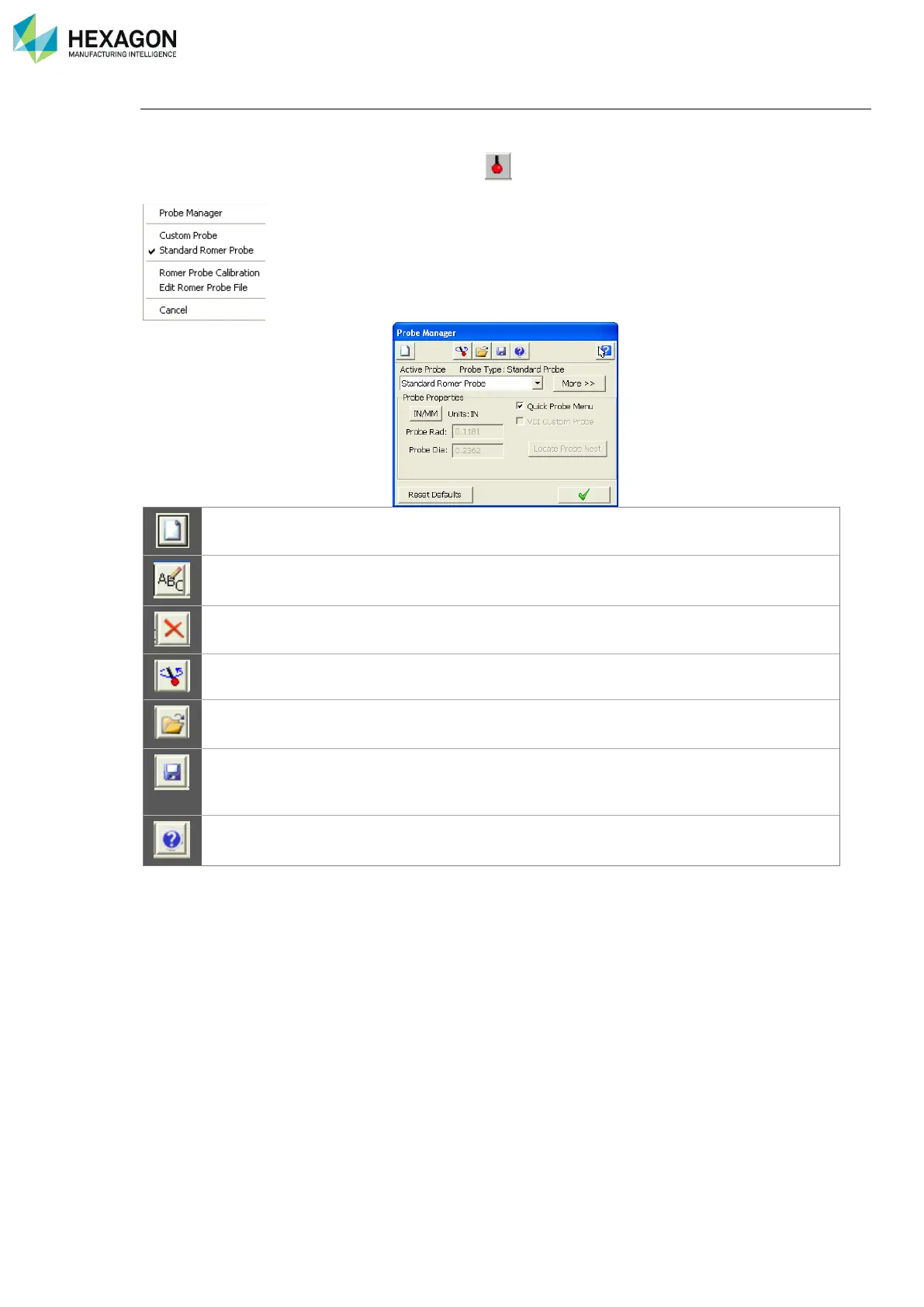
The Probe Manager allows the operator to create and manage Custom Probes. (Edit, duplicate, rename,
align …).
From the Device Manager select the Probe Icon to open the Probe Manager quick menu, and then
select Probe Manager to access the Probe Manager dialog.
Creates a new probe based on the current one. Simply rename it.
Available for Custom Probes only. All the probes must have a
unique name.
Available for Custom Probes only. Delete cannot be undone.
Opens RDS Data Collector.
To recall a saved Probe set (*.prb file).
Used to save the current Probe Set to an ASCII File (*.prb file).
This is useful to backup or archive your probes for loading or
restoring later.



 To Next Page