RDS Control Panel
H000002007-RDS User Manual │Version 5.0.0 (2018-09-17) │80
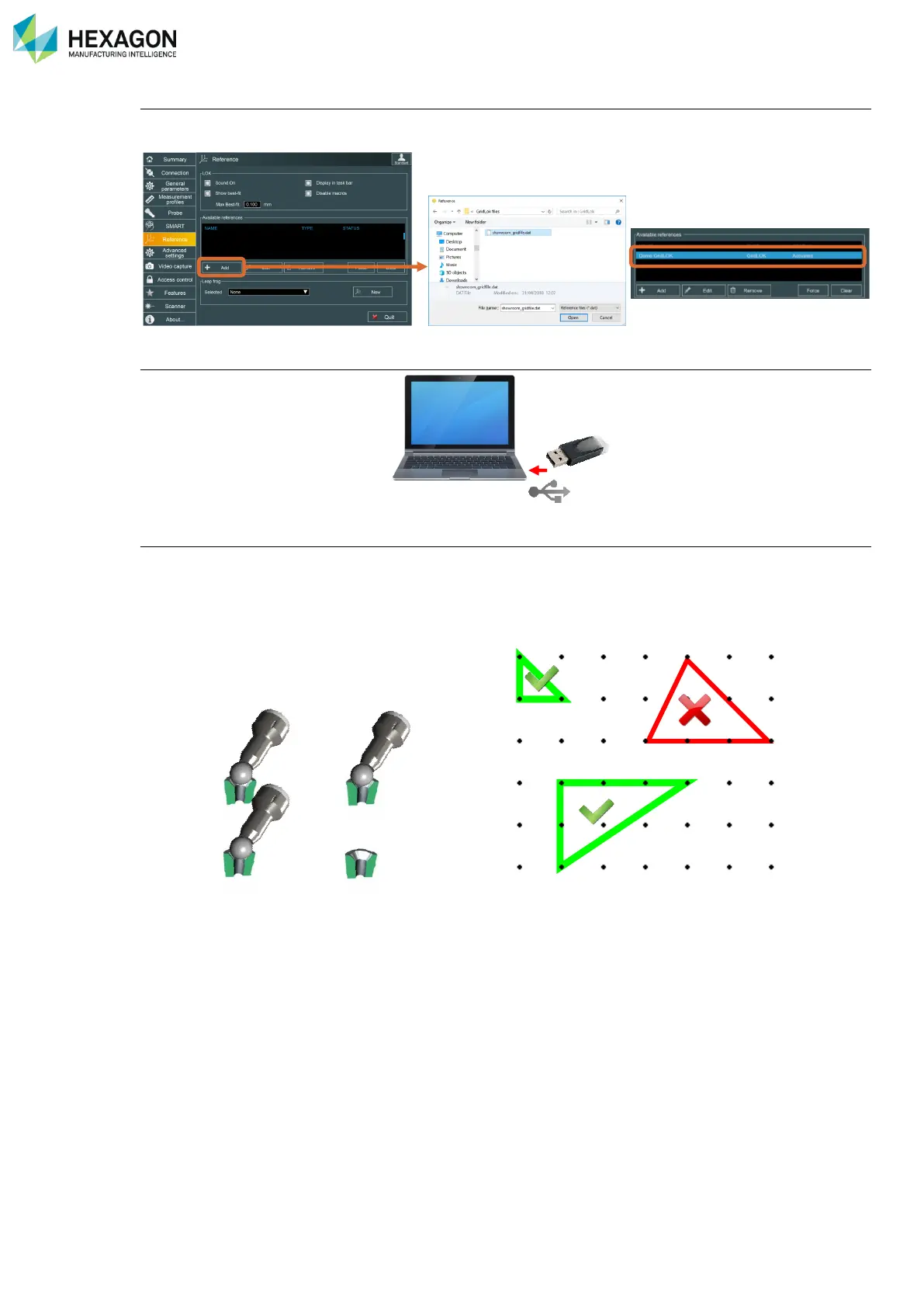
Load the configuration file on the arm
Open RDS control Panel, tab Reference, then Load the Alignment GridLOK file (*.dat): the GridLOK file is
then “Active” in the list of references. Save and Exit RDS
Plug-In the GridLOK dongle on the USB port of the computer.
GridLOK is then ready to use
At any moment, under any software or even out of any software mount the ball probe dedicated to the
GridLOK on the arm, and probe 3 GridLOK points. Attention, the three points must form a 90° triangle
For each point, no need to hit the button, simply keep the probe seated in the target a few second, until a
beep is emitted, then move to next target.



 To Next Page