RDS Control Panel
H000002007-RDS User Manual │Version 5.0.0 (2018-09-17) │81
Automatic calculation
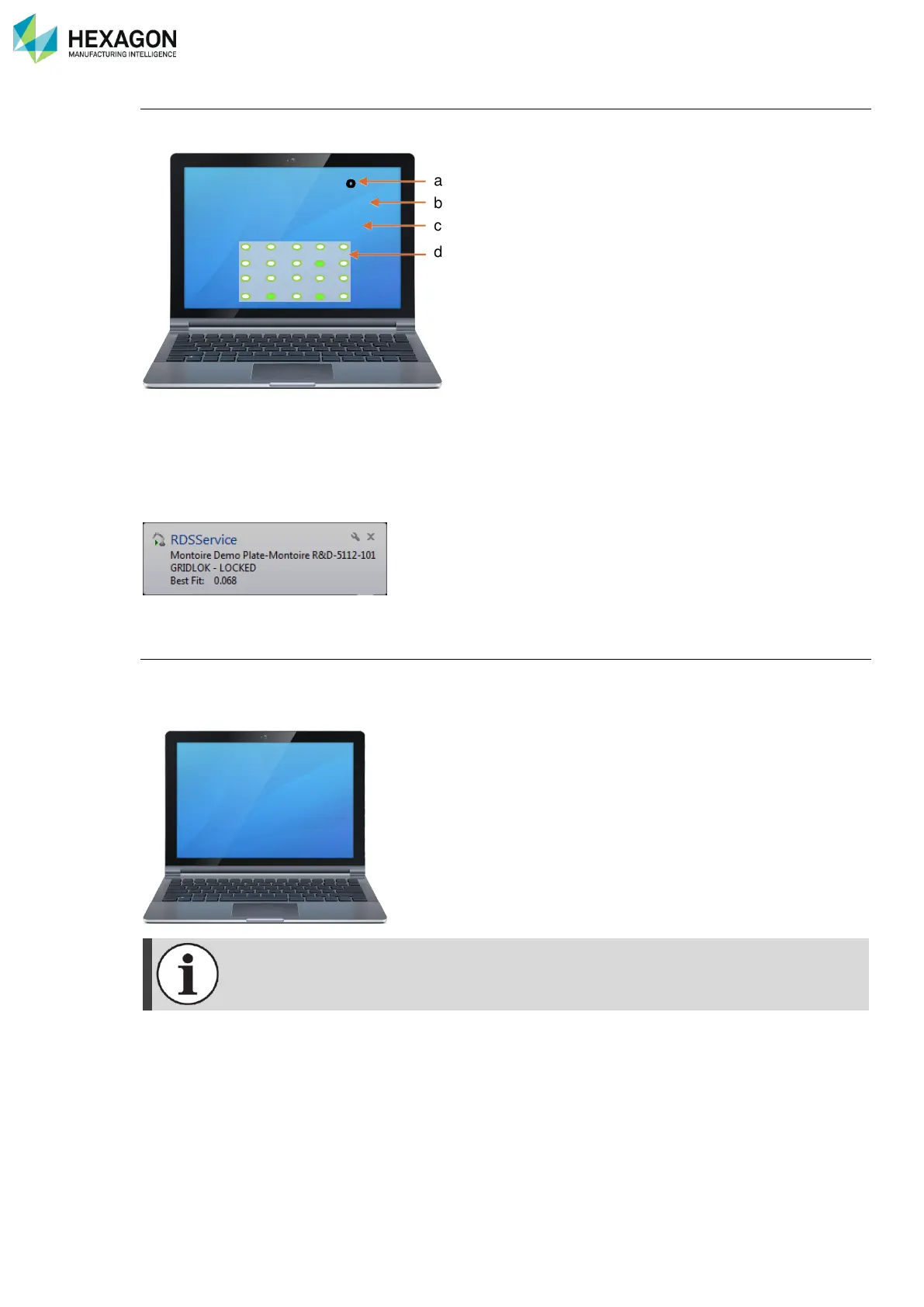
RDS calculates automatically the position of the arm on the workshop and display the best fit value on the
screen:
a. GridLOK Alignment file name
b. GridLOK status (Locked / Unlocked)
c. Best-fit value
d. Representation of the GridLOK targets, highlighting the measured ones
In RDS Control Panel, Reference tab, the GridLok reference appears as “Engaged”
The RDS status notification reminds then:
Back to machine reference
To come back to original Arm reference, take three times the point. Be sure to slightly pause between each
point, then RDS will display status information on the screen
Each time the arm is disconnected from RDS, the GridLOK is unlocked. Remeasure seats to
recalculate the GridLOK position.



 To Next Page