EasyManua.ls Logo

Hexagon RDS - Page 87

Hexagon RDS
208 pages
Print Icon
To Next Page IconTo Next Page
To Previous Page IconTo Previous Page
Loading...
RDS Control Panel
H000002007-RDS User Manual Version 5.0.0 (2018-09-17) 86
Image settings
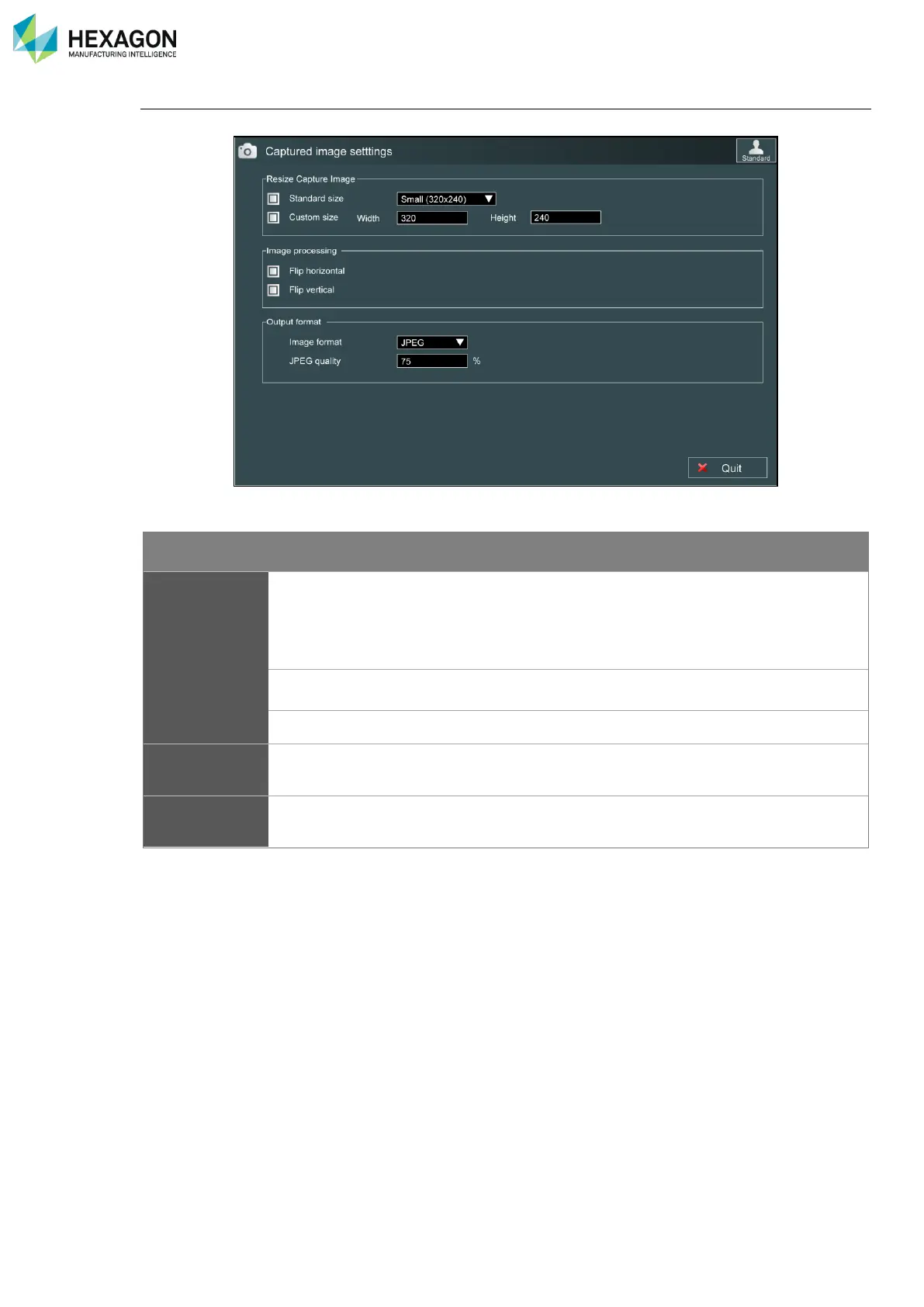
By clicking on “Image settings”, the user accesses to the parameters of the captured picture:
Resize captured image: definition of the resolution of the image (in pixels).
Item
Description
Values
Resize
captured image
Standard size
Predefined sizes
Tiny (160x120)
Small (320x240)
Medium (480x360)
Large (640x480)
Custom size
Used for other resolutions
Width / height
Custom resolutions
In pixels
Image
processing
Flip Horizontal
Flip vertical
Used to mirror the image
Output format
Format and quality of the shot picture
Jpeg
Bmp

Table of Contents

Related product manuals