User’s Manual INNOMAR Parametric Sub-Bottom Profilers / SESWIN 115
Innomar Technologie GmbH (2023-01) 115
8 Maintenance and Error Handling
In this chapter some problems are discussed, which could occur while operating the system. The
hints should help you to solve these issues by yourself. If you have other issues or questions,
please do not hesitate to contact INNOMAR directly or an authorised person.
Please check this chapter for any hints regarding your problem before contacting INNOMAR.
Please have also a look into the FAQ (section 13 on page 153).
In any case you should reboot the system (topside unit and control computer) and see if the
problem persists. For re-booting you should power-off the system for at least 1 minute. This is
also true for the control computer; a simple Windows restart is often not sufficient.
In case you need assistance from INNOMAR you should have the following information available:
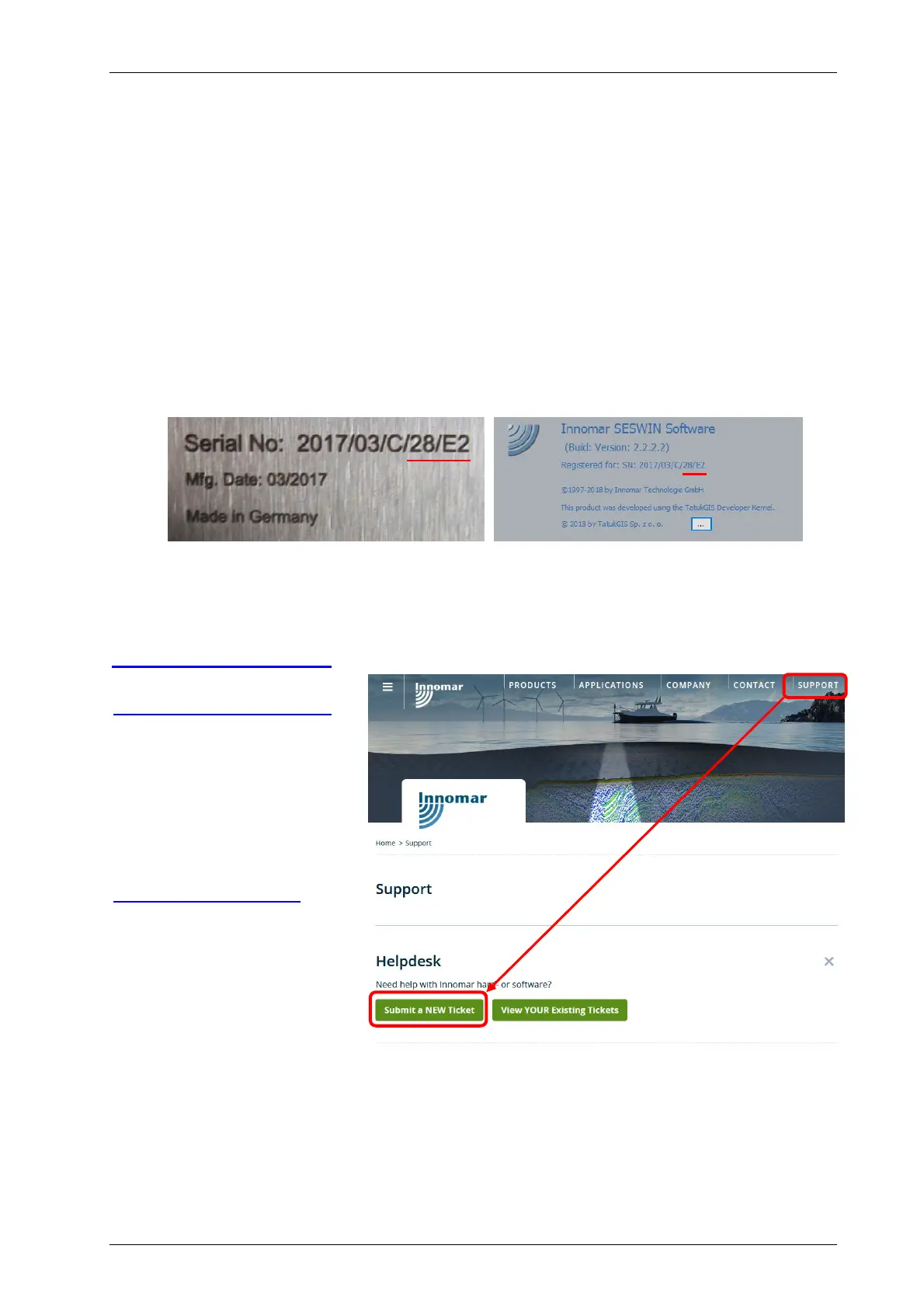
serial number of your system (can be read of the topside unit’s rear panel or from
SESWIN “System Setup – System Information”; the last two parts, a two-digit number
and a letter, is sufficient to identify the system)
logfile “_ses_sys.log” located in the SESWIN folder
a detailed description of the issue and how to reproduce it
Please use the Innomar Helpdesk / Ticket system on our website:
www.innomar.com/support
Emails to
support-ticket@innomar.com
will also go directly into the
ticket system.
Innomar Technologie GmbH
Schutower Ringstr. 4
D-18069 Rostock
Germany
support@innomar.com
Tel: +49 381 440 790
We strongly recommend for all users and technicians to attend the INNOMAR training courses as
appropriate, see section 1.5 on page 16.



 To Next Page