User’s Manual INNOMAR Parametric Sub-Bottom Profilers / SESWIN 75
Innomar Technologie GmbH (2023-01) 75
5.11.16 System Setup – Settings – Depth Output
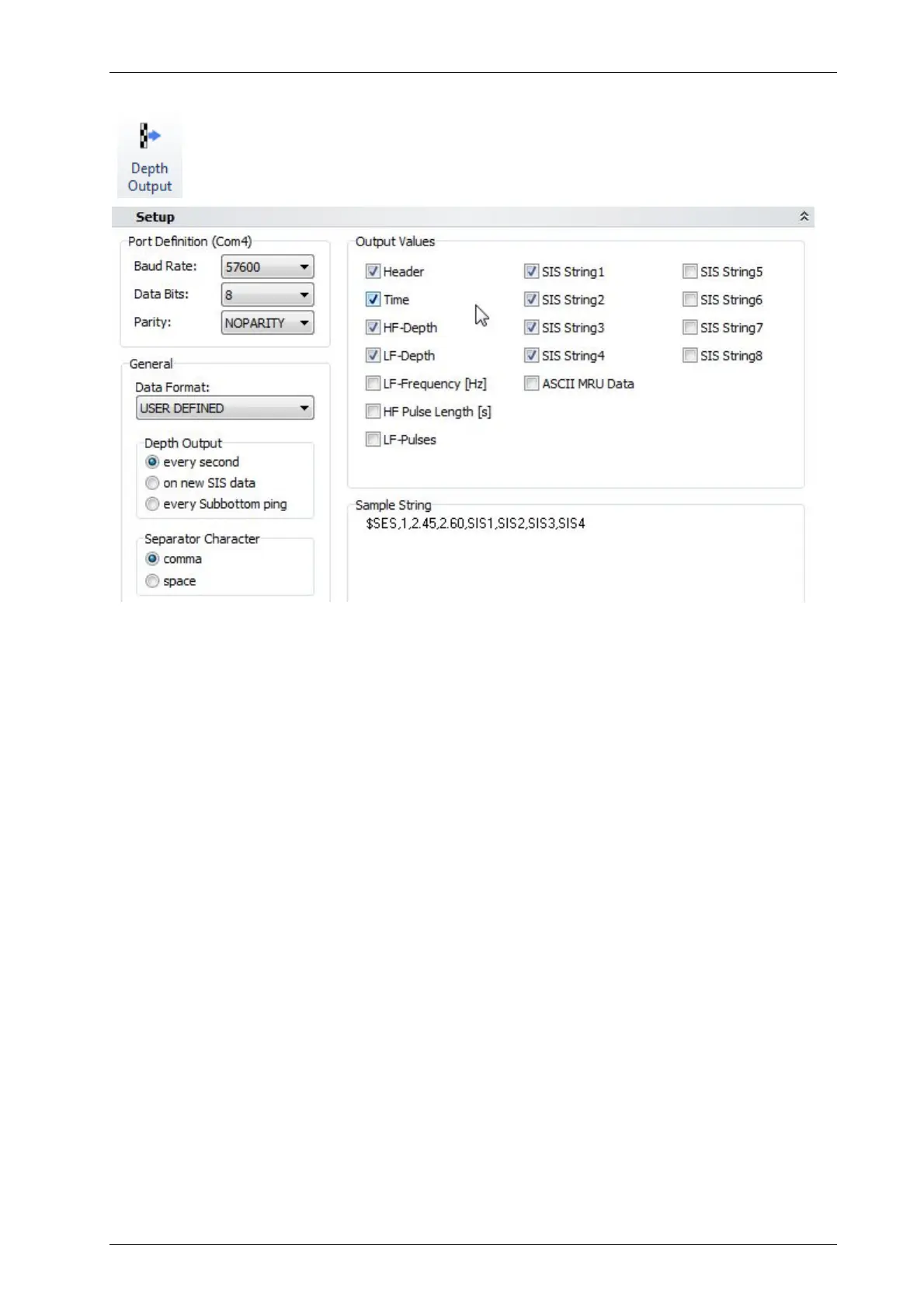
In this dialog the settings for the depth output (ASCII string) are made. You can send
the online calculated water depth values (HF- and LF-channel bottom track) and
position data via serial interface to other equipment.
Port Definitions: These parameters have to be set according to the receiving equipment you
want to transmit the data to: Baud Rate, Data Bits and Parity
General – Data Format: The system supports several data formats; an example is given in the
“Sample String” box.
For the USER DEFINED ($SES) format the values can be defined separately in the
“Output Values” group.
The NMEA DBS ($SDDBS), NMEA DBT ($SDDBT), DESO-25 and ECHOTRAC formats
simulate other echo-sounder data formats that are maybe recognized by third party
survey software.
The INNOMAR DEPTH ($SESDP) format contains not only depth values but also related
system parameters: $SESDP, time, transducer draught (cm), sound velocity (m/s), xx, HF
(kHz), HF depth (m), LF (kHz), LF depth (m).
General – Depth Output: Set the time interval for data output to the serial interface:
every second,
on new SIS data: on incoming navigation data only,
every SBP ping: continuously at SBP ping rate.
General – Separator Character: Select the separator for the USER DEFINED format.
Output Values: Set the contents of the output string of the USER DEFINED format by activating
the check boxes. The sentence header is “$SES”.
Sample String shows a sample of the defined output format.



 To Next Page