66 User’s Manual INNOMAR Parametric Sub-Bottom Profilers / SESWIN
66 Innomar Technologie GmbH (2023-01)
If “-$xxZDA-” is selected, SESWIN will look for any ZDA datagram within the “Navigation IN” data
and use this for time sync, independent on the “String Extraction” settings. This setting is required
when using a 1-PPS pulse.
If you choose UTC the PC clock will be set to the time as received in the SIS string.
If you choose local the PC clock keeps local time synchronized to the received time string. For
this the Windows time zone settings are used and the received time string is assumed to
represent UTC. Not to change the local time is useful if you have to synchronize to other data
with time stamps of the same time zone in post-processing, like data from tide gauges.
!
This feature must not be used if the data acquisition PC’s clock is already synchronized
to a time server (e.g. the Windows NTP option)!
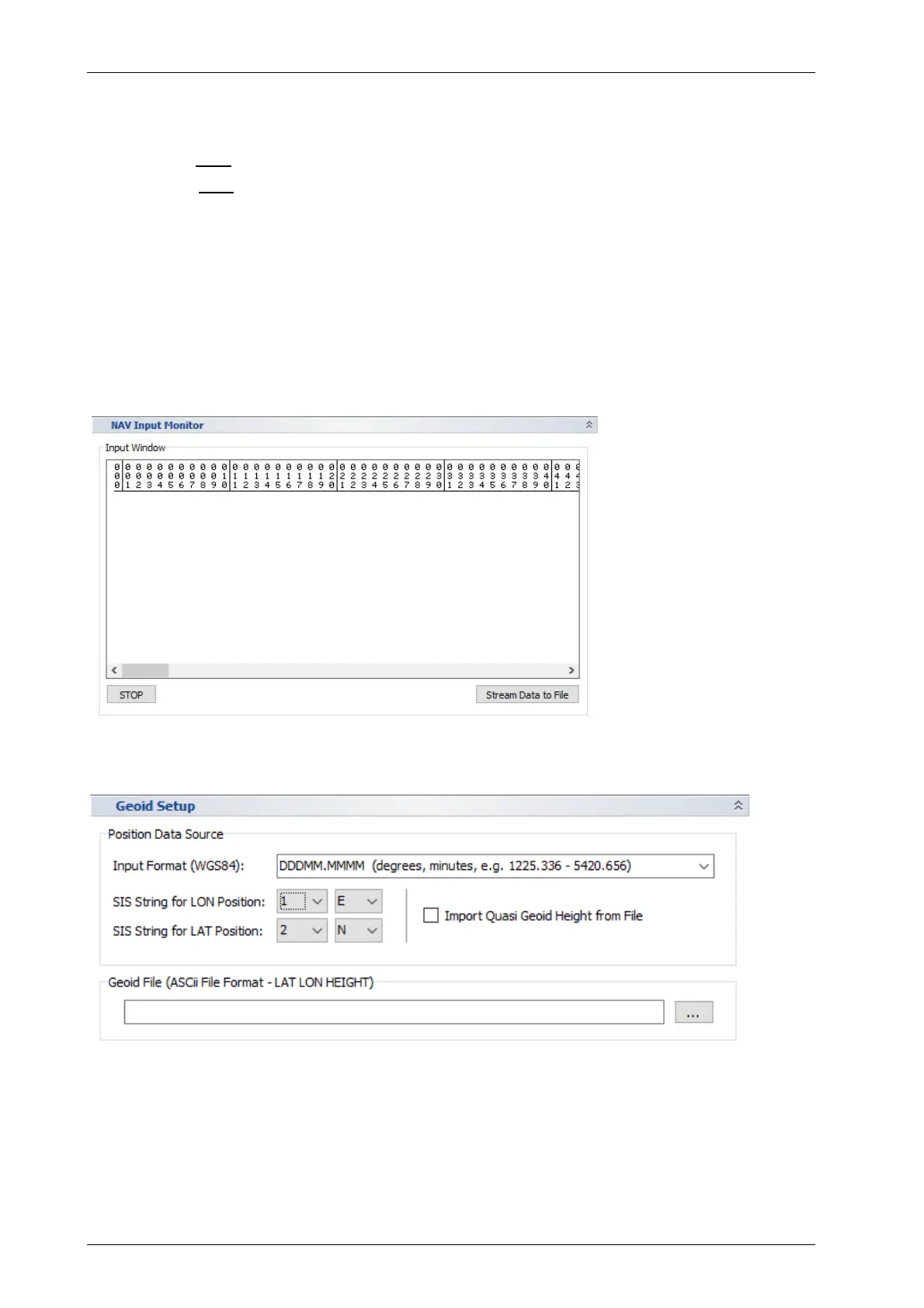
5.11.9 System Setup – Settings – Navigation Input – NAV Input Monitor
For checking the correct
COM port settings and
the incoming data on the
“NAV Input” port, the
integrated NAV Input
Monitor can be used. It
captures the input data of
the assigned COM port.
5.11.10 System Setup – Settings – Navigation Input – Geoid Setup



 To Next Page