User’s Manual INNOMAR Parametric Sub-Bottom Profilers / SESWIN 65
Innomar Technologie GmbH (2023-01) 65
General – Save Scheme: All settings made in this dialog can be saved into a “*.nav” file. It saves
a lot of time if a survey is done with the same GNSS equipment again. Save the data of the
“Navigation Input” settings for example as “NameOfShip.nav” or “NameOfGNSS.nav”
General – Load Scheme: Saved schemes with the “Navigation Input” settings (*.nav files) are
reloaded, see “Save Scheme” above.
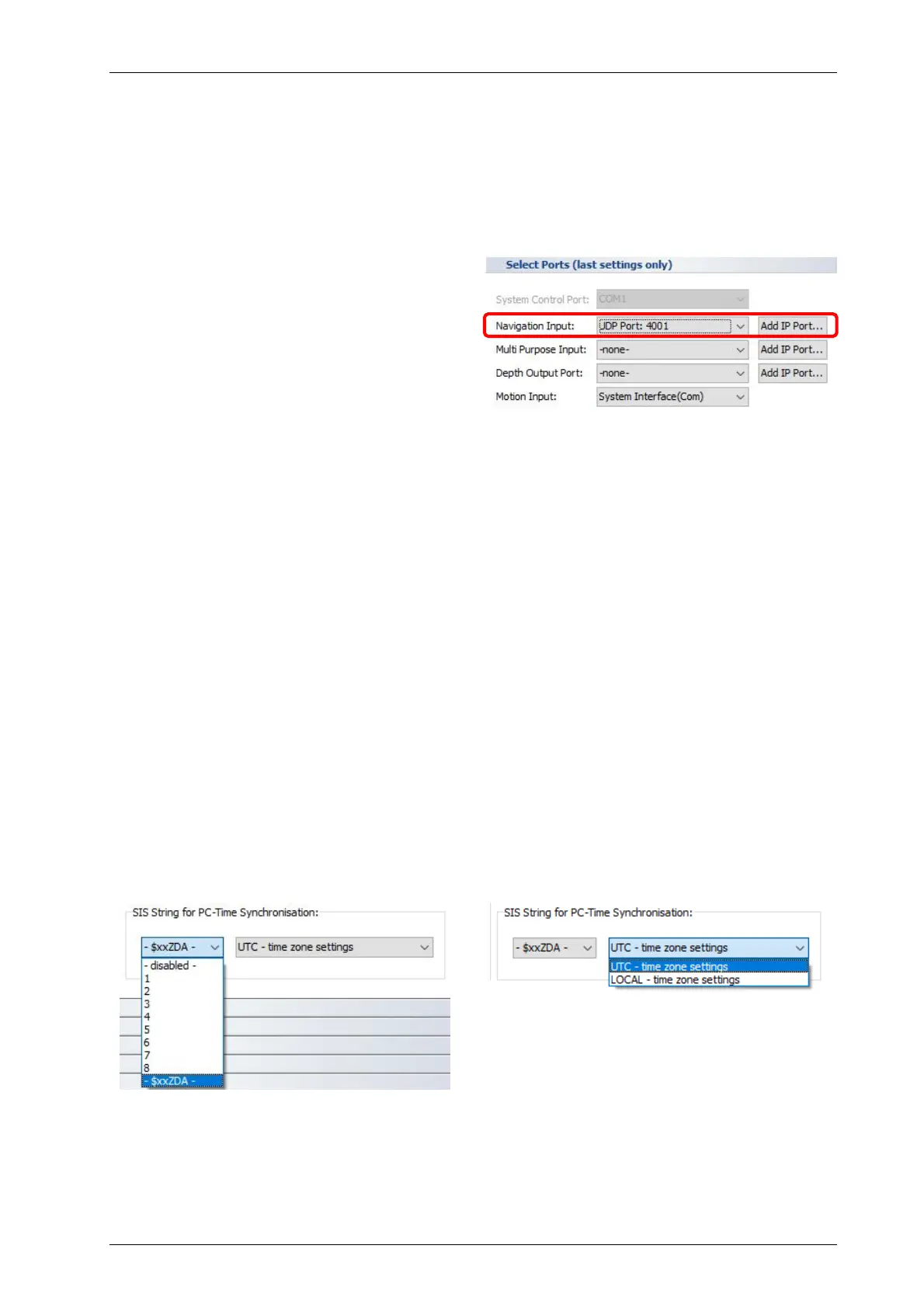
General – Port Definition: These parameters
have to be set according to the GNSS receiver
currently used: Baud Rate, Data Bits and Parity.
Mostly there are “8” data bits and “no parity”
used, the baud rate may change. The port used
is defined in the SESWIN start-up screen, see
page 40.
Use the highest possible baud rate to minimise latencies and to avoid position data
artefacts.
General – Headers: Up to four different NMEA sentence headers can be recognized by the
SESWIN software and have to be set in the “NMEA1” to “NMEA4” boxes. Please note, that for
NMEA compatible datagrams the “$” char has to be defined as part of the header, too.
The field separator (comma or space character) can be defined separately.
String Extraction
Defines which parts of the incoming (NMEA) sentences to used and extracted:
Header: From the drop box select the NMEA sentence ID to be used.
Position: Number (logical position within the NMEA sentence) of the required value
separated by comma (assuming the sentence ID has position 0).
Offset: Usually the first character after the separating comma is taken as start position for
string extraction (offset=0). Sometimes it is useful to apply an offset to start with another
character position, for instance to drop leading zeros because of the length limit for the
“SIS strings”.
For details on NMEA data formats please see appendix A.18 on page 213.
SIS String for PC Time Synchronisation:
It is possible to synchronize the PC clock to the GNSS time obtained from one of the above-
defined “SIS strings” or from the “$xxZDA” NMEA time string (even if not used on one of the 8
SIS fields above). The PC clock will be set to UTC or a synchronized local time (depending on
the WINDOWS OS time zone settings).



 To Next Page