User’s Manual INNOMAR Parametric Sub-Bottom Profilers / SESWIN 157
Innomar Technologie GmbH (2023-01) 157
13.1.8 Are there shortcuts to operate SESWIN with the keyboard?
Q: On a moving vessel it’s sometimes hard to operate SESWIN with the mouse, are there
any keyboard shortcuts?
Yes, there are shortcuts for the most important tasks during the survey:
[F4] Toggles transmitter on/off.
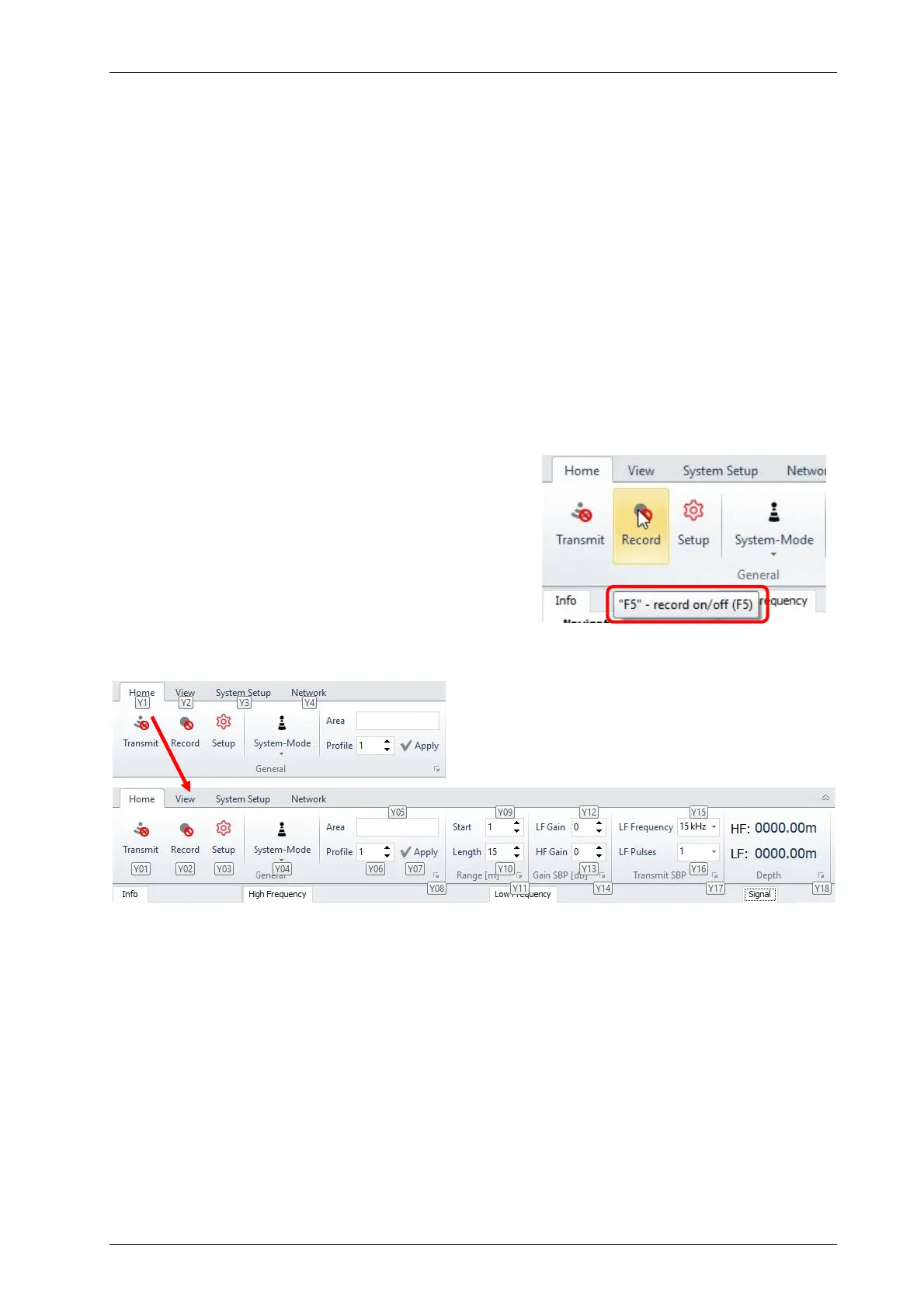
[F5] Toggles data recording on/off.
[Page UP] Decrease range start (shift recording window up).
[Page DOWN] Increase range start (shift recording window down).
[+] Increase LF gain
[-] Decrease LF gain
[Ctrl]+[F11] Save screenshot to the SESWIN folder, file name generated automatically from the
current date and time (ScreenDumpYYYMMDD_hhmmss.gif)
A WINDOWS notification shows up in the system tray.
[F12] Set event marker.
[Alt] Windows short cuts shown to select menu items, see below.
Most shortcut keys are also shown in the
mouse-over tooltips:
As with other ribbon-based Windows applications, pressing the [Alt] key will show short cuts to
move along the (ribbon) menues:
press [y][1]
press [y][0][9] focus is set to range start



 To Next Page