158 User’s Manual INNOMAR Parametric Sub-Bottom Profilers / SESWIN
158 Innomar Technologie GmbH (2023-01)
13.1.9 How can I get a mouse pointer that is better to recognize?
Q: Especially on sunny days it’s hard to see the mouse pointer on the screen, is there a
way to get more prominent or easier to detect?
Yes, there are different possibilities within the Windows operating system.
To make the mouse pointer more prominent
on the screen you may change its size or
colour:
Go to Windows Settings Ease of Access
Cursor & pointer size
On the (almost bright) screen a black cursor
will be better visible than a white one. You may
also wish the cursor to have inverting colour
based on the background.
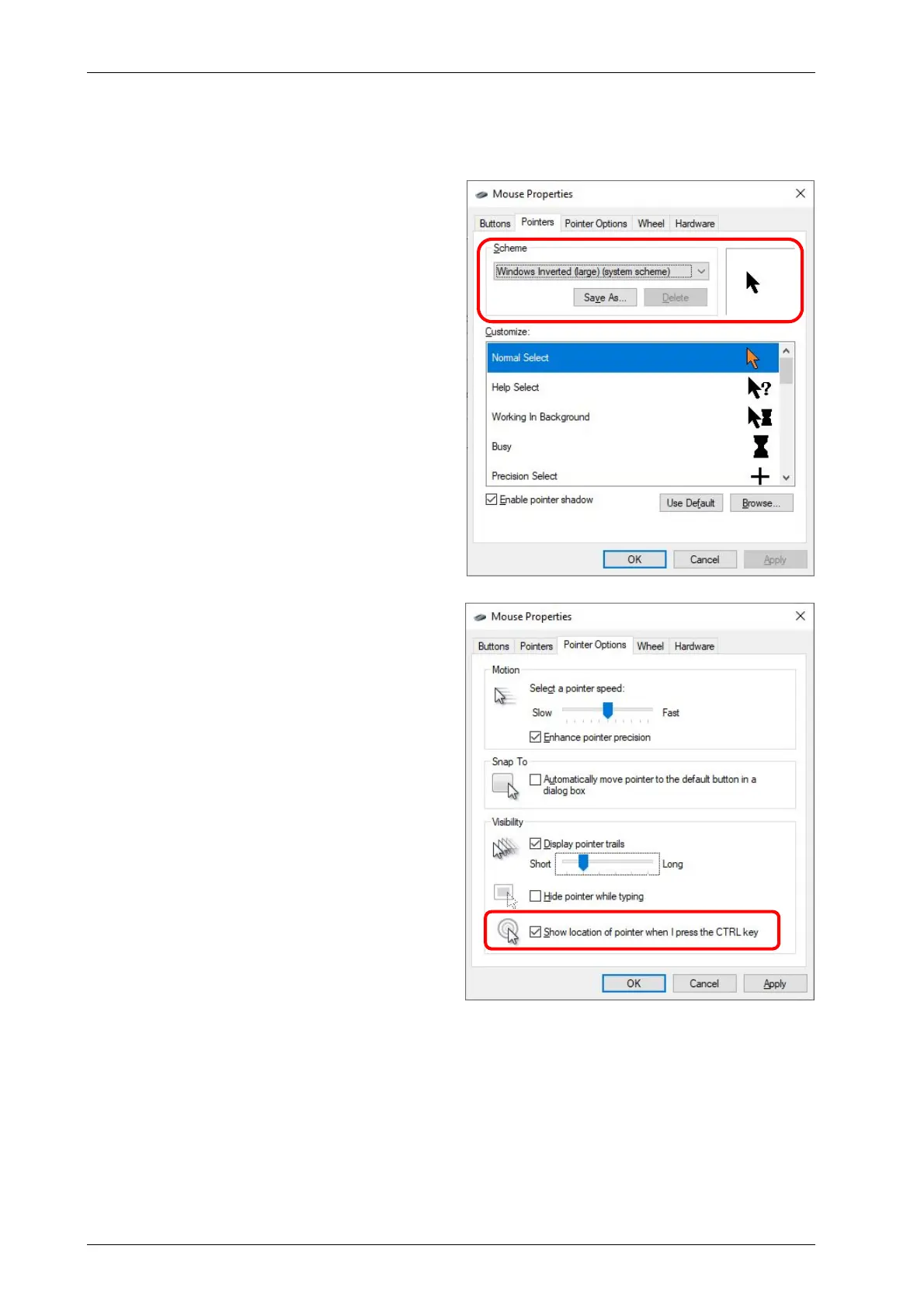
These settings are also available in the “old”
way: Control panel Mouse Pointers:
To make the mouse pointer easier to detect,
you may set Windows to generate concentric
circles popping up at the cursor position when
pressing the [Ctrl] key:
Go to Control panel Mouse Pointers:



 To Next Page