User’s Manual INNOMAR Parametric Sub-Bottom Profilers / SESWIN 131
Innomar Technologie GmbH (2023-01) 131
9 Innomar NetViewer Software
Sometimes it is useful to have echo print data and main system settings available on other
(remote) screens in order to give a second operator or supervisor the possibility to QC the online
data acquisition. For this INNOMAR provides a small software tool “NetViewer” that can be copied
to any computer on the same network as the SBP control computer. There is no installation
required and the software will not do any changes to the system.
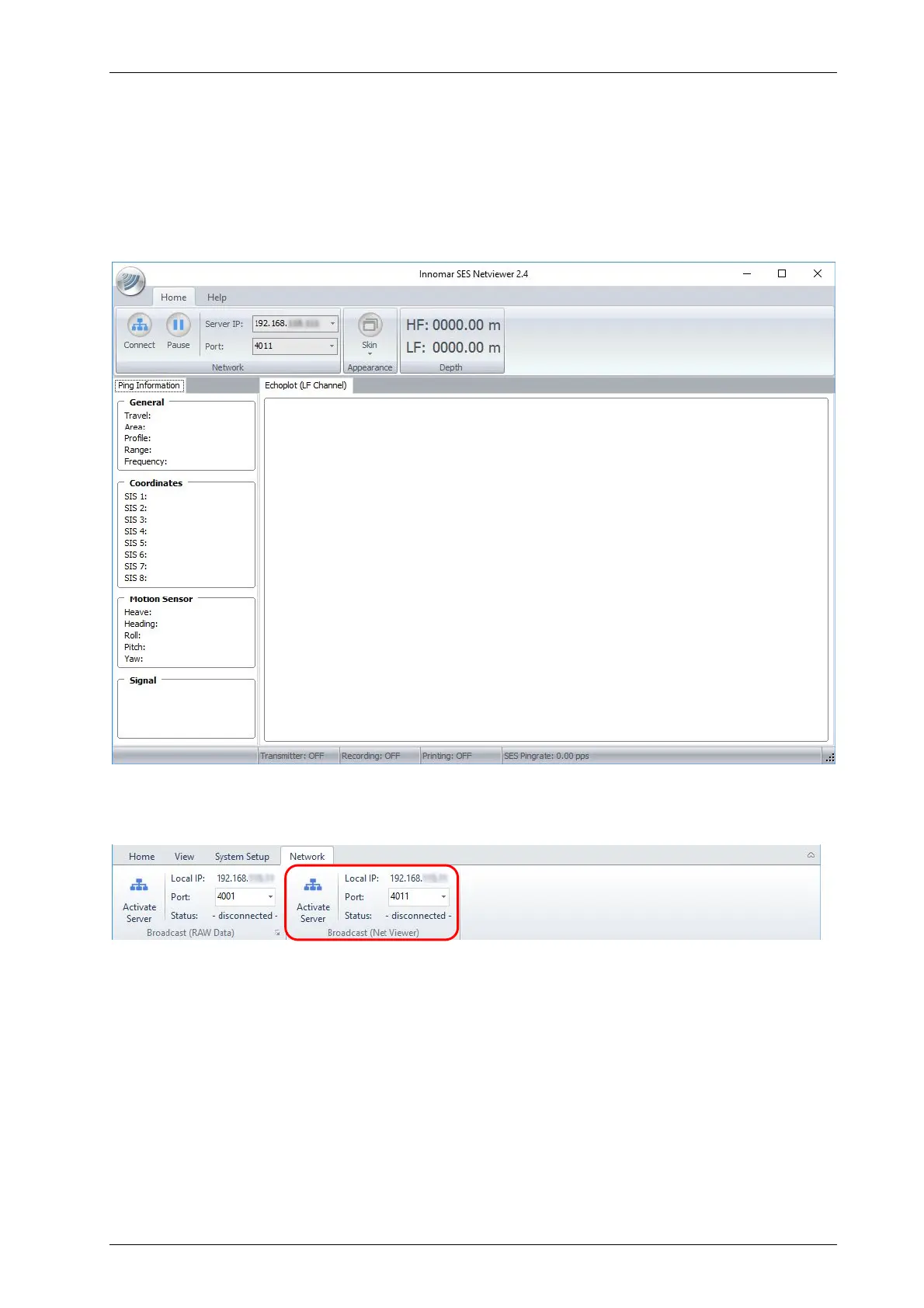
After starting the “NetViewer” application you get the main screen as shown below.
Within the SESWIN software, the Broadcast Server has to be activated, see section 5.14.2 on
page 80.
The server IP address is shown because it has to be set within the “NetViewer” client. The port
number can be changed if necessary, default is 4011. Pressing the button “Activate Server”,
starts the server looking for clients.
In the “NetViewer” software the IP address and port number have to be set according to the
values shown in the SESWIN Network dialog. Pressing the “Connect” button will start the data
connection to the SBP control computer.



 To Next Page