User’s Manual INNOMAR Parametric Sub-Bottom Profilers / SESWIN 35
Innomar Technologie GmbH (2023-01) 35
4 Ethernet / WiFi Setup (“smart”, “compact”, “-usv”)
To use the INNOMAR “smart”, “compact” and “xx-usv” models, a Microsoft
®
Windows
®
operated
PC with properly set-up Ethernet connection is required. To connect this computer (laptop or any
other PC) to the topside unit you need either a crossover network cable or a router/hub and
normal network patch cables. For the first-time setup you should connect the control computer to
the topside unit directly using the crossover cable (grey with red connectors).
The INNOMAR “smart” model also offers a Wi-Fi connection.
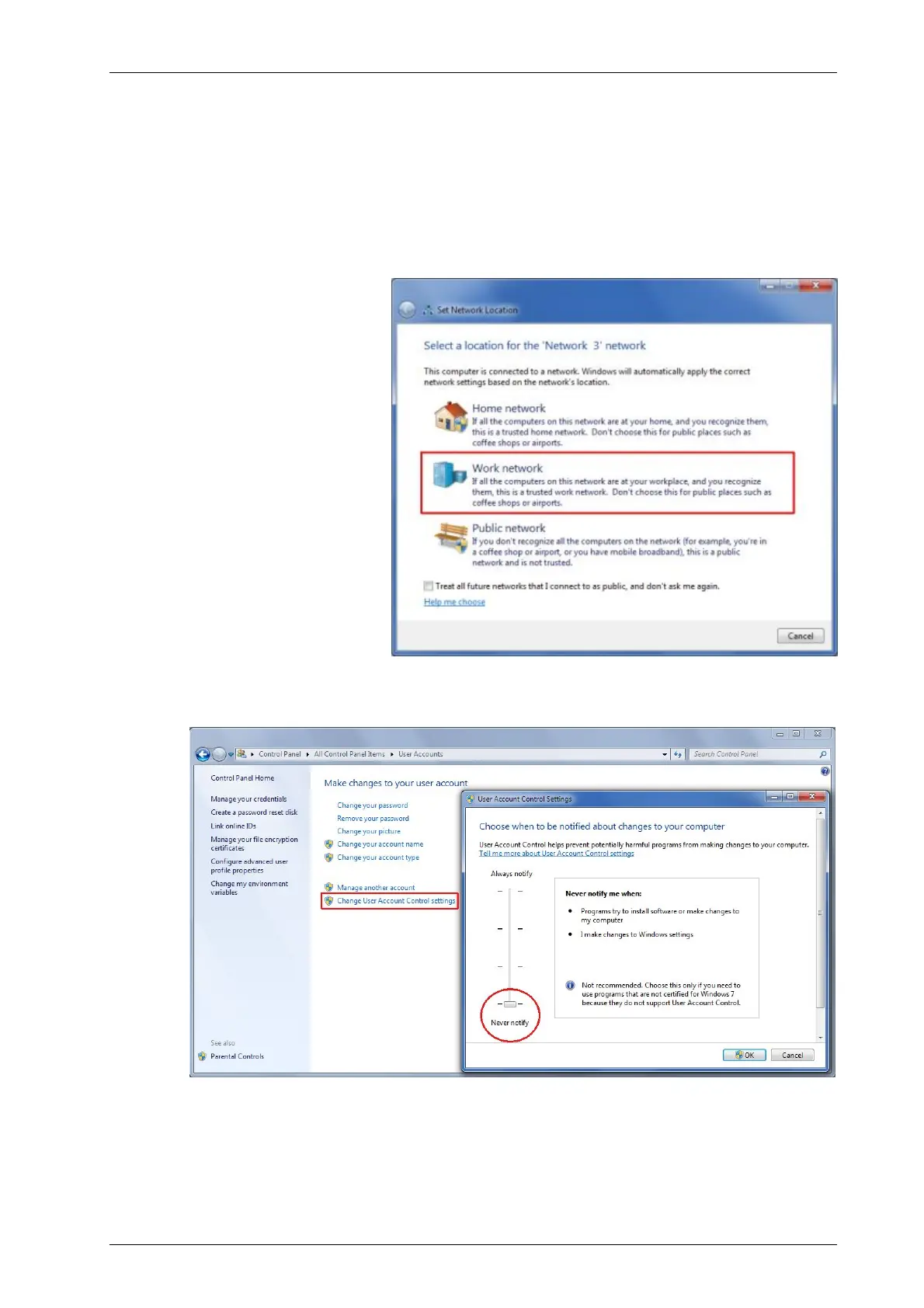
After connecting the network
cable, a window pops up ask-
ing for the network location.
This should be set to “Work
network”:
To make life easier you should change the Windows User Account Control (UAC) to “Never notify”
(Control Panel – User Accounts – Change User Account Control Settings):
Topside unit and control computer need unique IP addresses within the same address range.
Factory default address range is 192.168.115.xxx. There is also a label on the topside unit.



 To Next Page