User’s Manual INNOMAR Parametric Sub-Bottom Profilers / SESWIN 67
Innomar Technologie GmbH (2023-01) 67
5.11.11 System Setup – Settings – Navigation Input – Coordinate Conversion
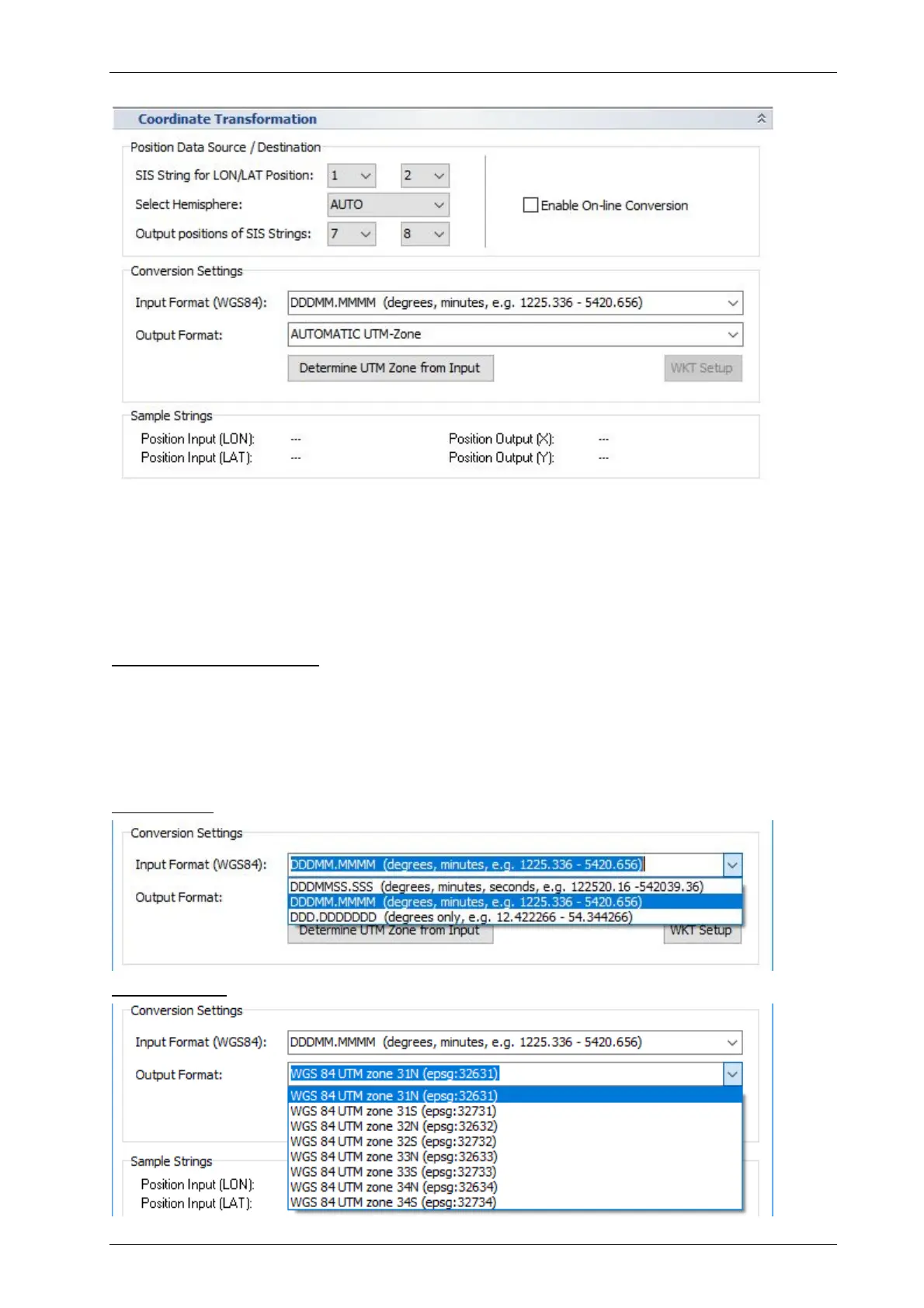
This is used to transform the GNSS receiver’s WGS84 coordinates into other projections.
Position Data Source / Destination
You have to set the “SIS string” IDs for WGS84 position data: longitude (LON) and latitude (LAT)
values as defined in the “Navigation Input” dialog. The correct hemisphere can be either detected
automatically from the (GGA) NMEA data or has to be set manually. The destination “SIS string”
IDs have to be set as well.
Enable On-line Conversion: if checked the conversion takes place and the X, Y values are written
to the specified “SIS strings”.
!
IMPORTANT: The new calculated values will replace the original values on the
“Destination” IDs. Those original values are lost and cannot be restored!
Conversion Settings
Input Format: You can select an input format according to your GNSS data:
Output Format: Either UTM with automatic zone detection or another projection:



 To Next Page