User’s Manual INNOMAR Parametric Sub-Bottom Profilers / SESWIN 155
Innomar Technologie GmbH (2023-01) 155
13.1.7 How do I get “SES” like echo plots from “RAW” and “SES3” data files?
Q: So far, I’m using the “*.ses” data files, but these are not available with my latest SESWIN
version, what I get is either “*.raw” or “*.ses3” files. How do I get echo plots like from the
“*.ses” file format?
The SES file format (“*.ses” files) is obsolete and is not supported by the latest SESWIN versions.
The RAW file format (“*.raw” files) provides much higher resolution, especially when using larger
ranges, and the full-waveform record gives more information on the reflectors.
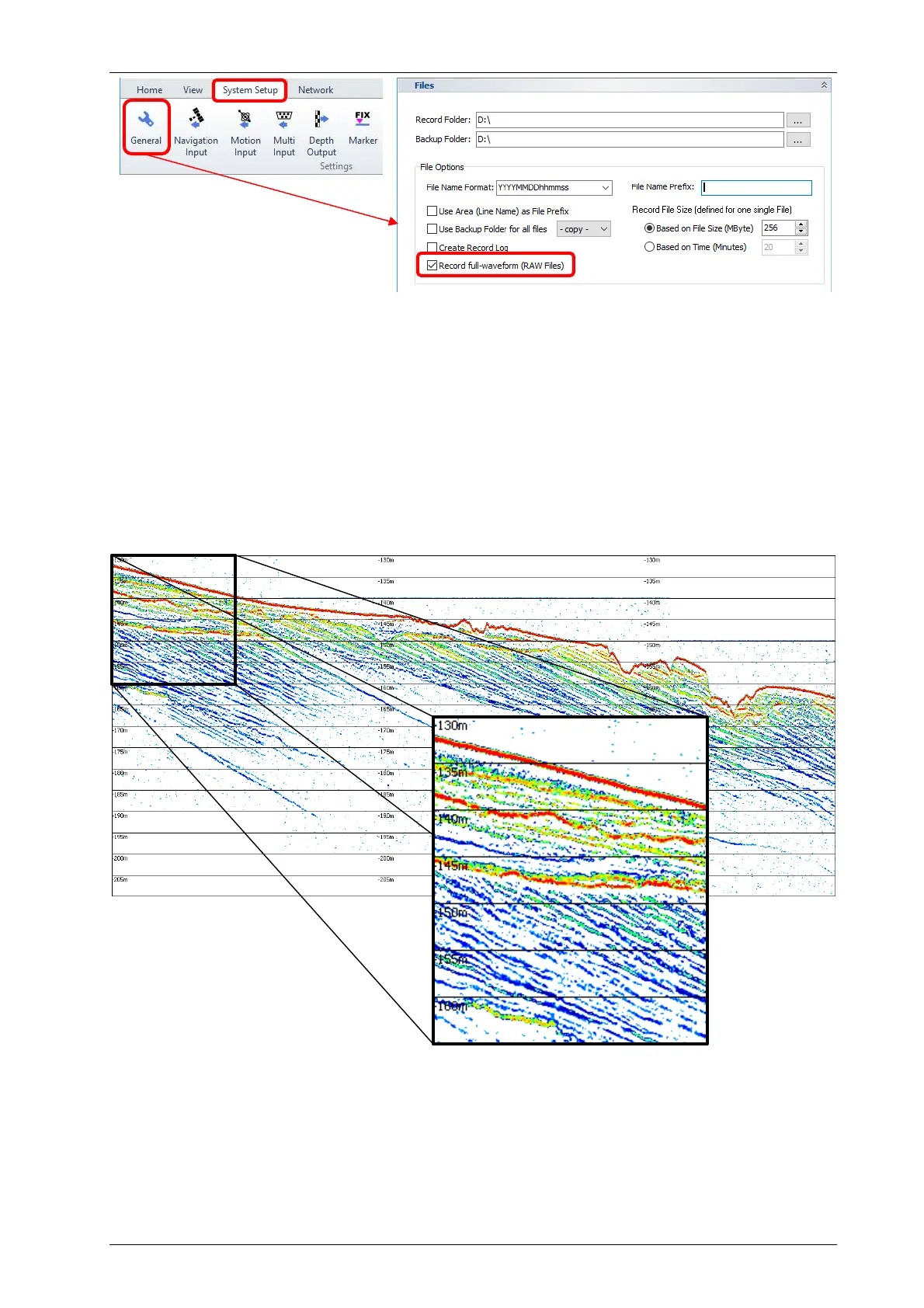
Below there is the same acoustic profile (record range set to 60m) shown from SES data (480
samples per trace) and from RAW data (3800 samples per trace). It is obvious that the RAW file
format preserves much more details than the SES file format.
Echo plot from SES file format
(480 samples per trace of 60m)
and zoom (100% original size).
The SESWIN online echo plots are not affected by the new data formats, but when looking at the
files in the INNOMAR ISE software, the echo plots look different. Anyhow, it is simple to get almost
the same data visualization as you might be familiar with from the SES data files.



 To Next Page