152 User’s Manual INNOMAR Parametric Sub-Bottom Profilers / SESWIN
152 Innomar Technologie GmbH (2023-01)
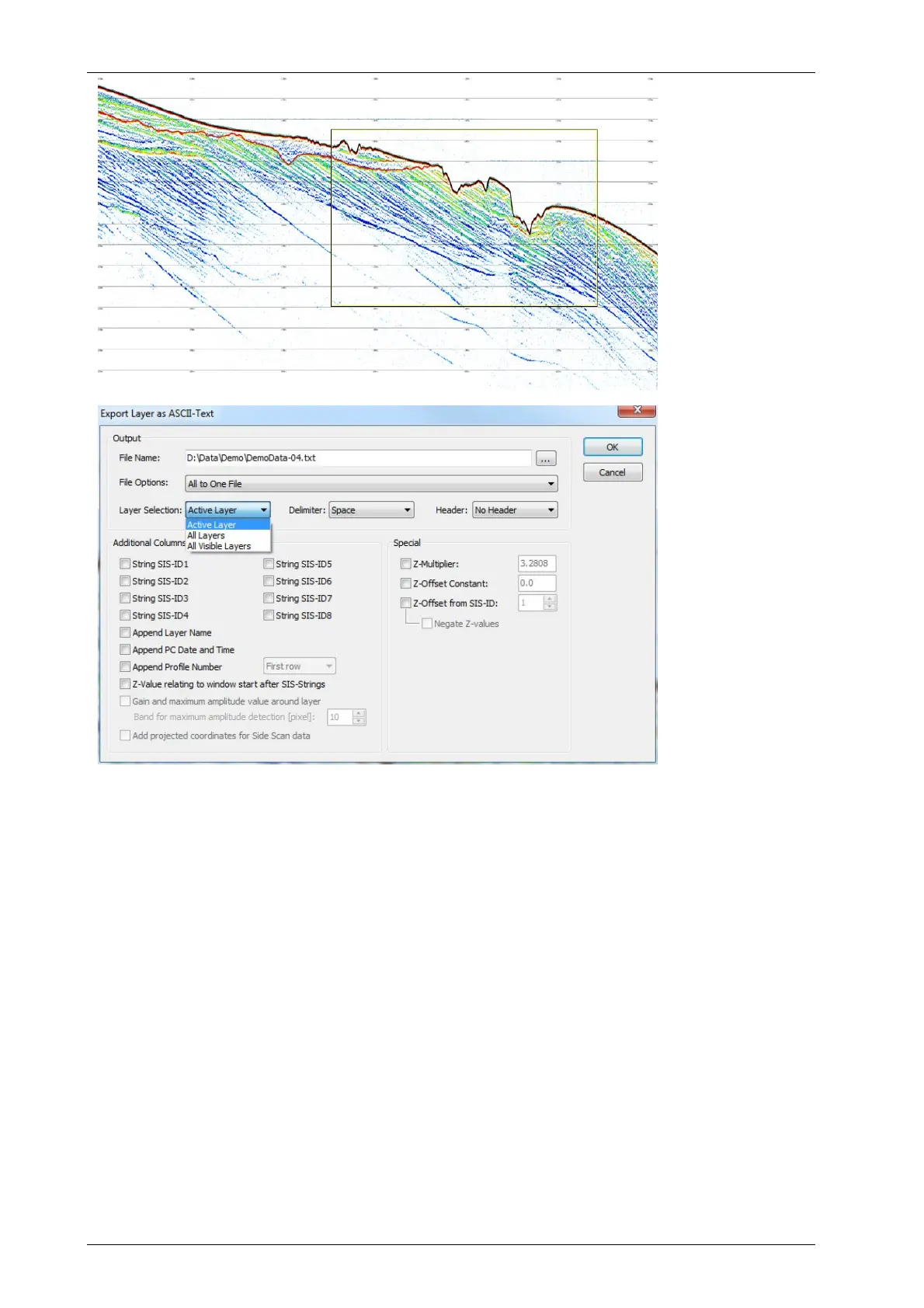
Entire LF echo print
as seen in the ISE
overview box with
automatic bottom
track from HF
channel (black) and
sub-seafloor layer
(red).
ISE Layer export
(ASCII) dialogue
The INNOMAR ISE software provides also a tool to calculate the differences between different
layers, called “Layer combination”. It calculates the differences between the z-values on the same
position. As result a ASCII file with X, Y and the difference will be written to the hard disk. With
these data a volume can be calculated by third party software packages.
Often the same processing steps need to be applied to several data files. For this the ISE
software provides batch processing of several files in one folder (“Tools Process Script”).
Please see also the data post-processing checklist given in appendix A.20 on page 219.
12.7 SEGY Data Export (Innomar SES-Convert Software)
If third-party software shall be used for data processing, the SBP data files have to be converted
to SEG-Y data format. Again, the first step is to ensure unique position data and time stamp for
each ping, see above. Since the ISE software may be only available for a limited time after the
survey, make sure this interpolation is done as soon as possible.
For the data export INNOMAR’s SES-Convert tool is used, which is available as freeware. Make
sure to convert the “RAW” or “SES3” data files, the obsolete “SES” data files are not sufficient for
SEG-Y data processing. For details on using this software, please see chapter 10 on page 133.



 To Next Page