User’s Manual INNOMAR Parametric Sub-Bottom Profilers / SESWIN 23
Innomar Technologie GmbH (2023-01) 23
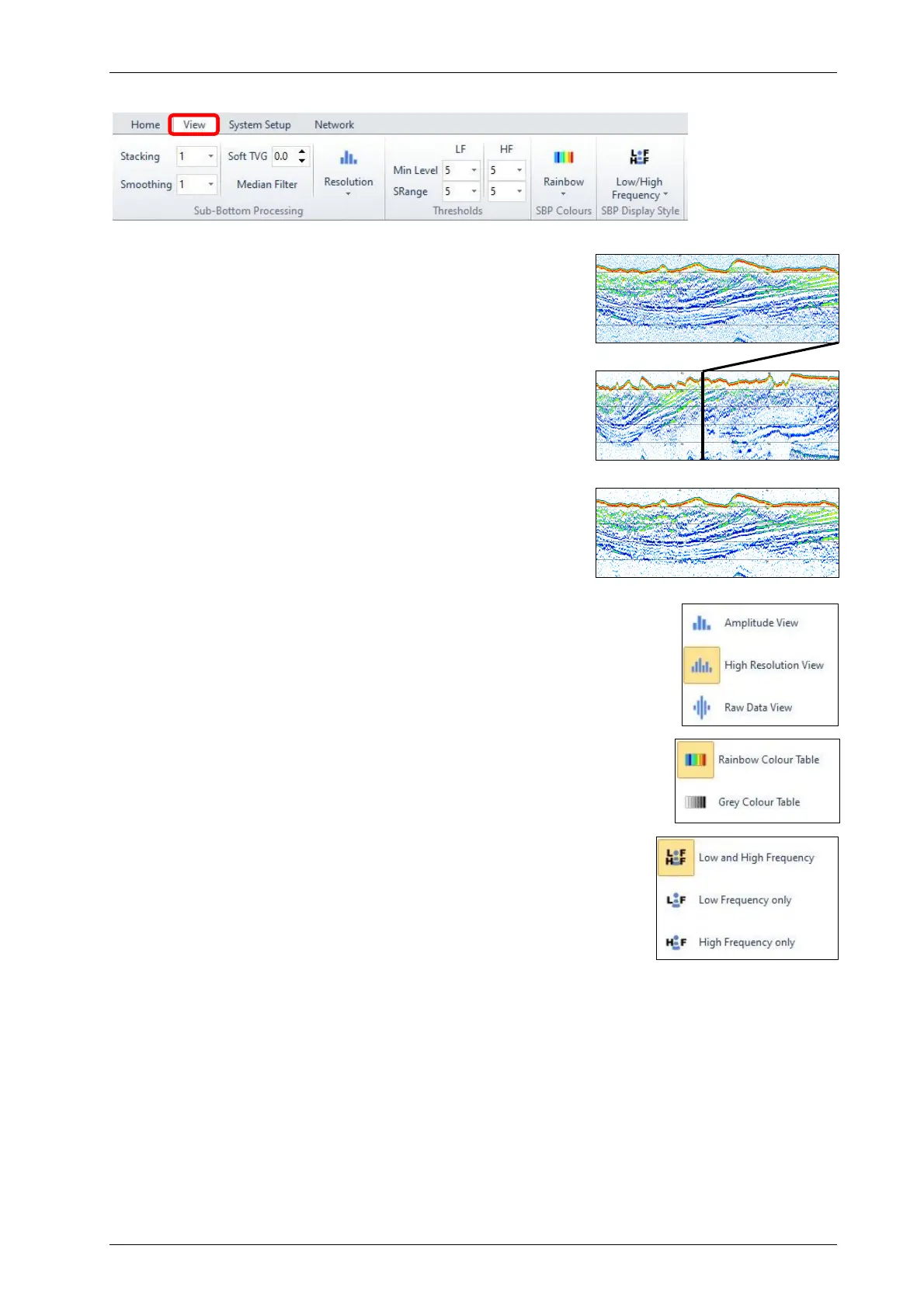
2.9 Online Data Visualisation
All settings outlined below will NOT affect the data
quality and can be changed in post-processing. For the
“View” menu please see section 5.10 on pages 55 ff.
Stacking & Smoothing (1)
o Used to reduce noise visible on screen
o Higher values will better suppress noise, but may also
remove small features, best keep values to “1” or “2”
TVG (time variant gain) (2)
o Compensates for propagation loss
o Higher values may mislead in gain settings, best keep
at low value (e.g. zero)
Median Filter (3)
o Removes spikes (e.g. interference), but may also
remove small features; use with care
Resolution (4)
o “Amplitude” best for noisy data
o “High Resolution” (default) best for general purpose
o “Raw Data” best when looking for pipes/cables
HF & LF Thresholds (5)
o Defines the visible dynamic range
o “Min Level” sets noise removal level
o “SRange” sets dynamic range
Colours (6)
o Set colour mapping used for the echo plot
(rainbow colours or shades of grey)
Display Style (7)
o Defines what echo plot(s) is/are shown
(LF+HF / LF only / HF only)
2.10 Safety Rules
Do not use damaged equipment, check before operating.
Do not plug / unplug the transducer if the system is powered.
Do not operate the system when the transducer is outside water.
Keep the transducer connector dry.
Do not open the topside unit.
Do not operate the system when people are in water near the transducer.
(7)
(6)
(1)
(2)
(3)
(4)
(5)
(6)
(7)
(4)
(1) original
(2) stacking
(3) smoothing



 To Next Page