User’s Manual INNOMAR Parametric Sub-Bottom Profilers / SESWIN 99
Innomar Technologie GmbH (2023-01) 99
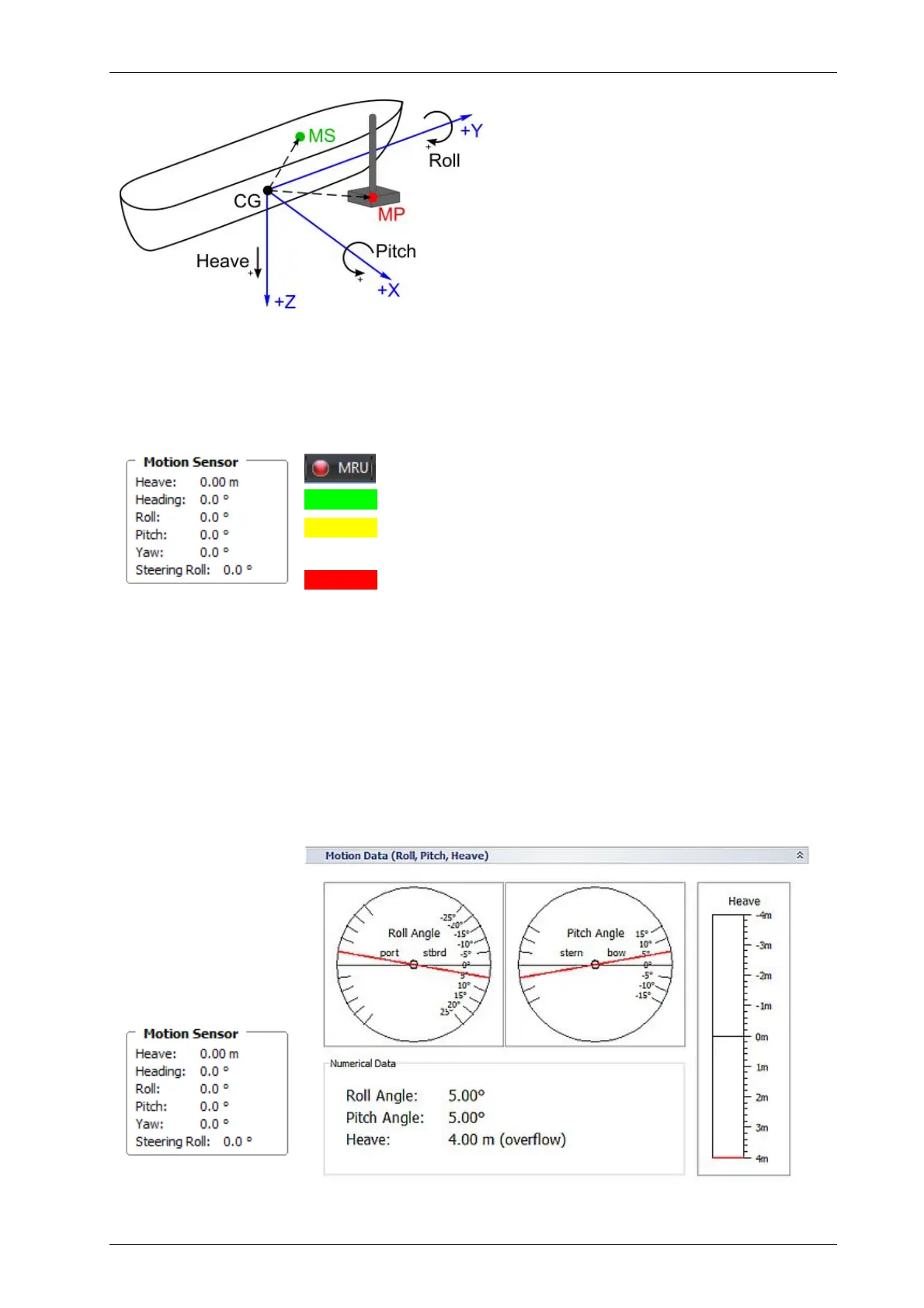
Vessel motions considered:
Heave: positive moving down
Roll: positive starboard down
Pitch: positive bow up
Locations of interest for lever arms:
CG: vessel centre of gravity
(centre of rotation)
MS: motion sensor centre point
MP: monitoring point
(transducer centre)
7.5.3 Motion Sensor Test
Within the SESWIN screen there are two possibilities to check if there are valid data from the
motion sensor received by the INNOMAR system: The Motion Sensor section in the Info panel (left
part of the SESWIN screen) and MRU LED in the status bar.
Green received data OK
Yellow received data are flagged “instable” by the sensor
(Warning!) and will not be used.
Red no data received or no motion sensor connected
It is possible to ignore the “in stable condition” flag set by the sensor by checking the related
check box in the “System Setup – Settings – Motion Input” dialog. Be aware by doing this maybe
faulty motion sensor data will be used. To indicate this, the motion sensor LED in the SESWIN
status bar is encircled yellow if “ignore instable flag” is active.
To check the mounting orientation, you can perform the following motions with the sensor and
observe the changed data in the motion data window in the SESWIN screen:
lift the sensor → heave value goes negative
tilt to starboard (right looking forward) → roll value goes positive and increases
tilt backwards (transducer goes bow up) → pitch value goes positive and increases
If the heave goes into
the wrong direction,
the heave sign can be
changed within the
SESWIN software
(System Setup –
Settings – Motion
Input).



 To Next Page