User’s Manual INNOMAR Parametric Sub-Bottom Profilers / SESWIN 95
Innomar Technologie GmbH (2023-01) 95
7.3.4 Synchronize the PC clock to UTC
The Innomar SBP data are recorded with all 8 SIS strings as specified above and the PC time.
To keep the PC clock up-to-date, it is possible to synchronize the clock to UTC obtained from the
navigation data.
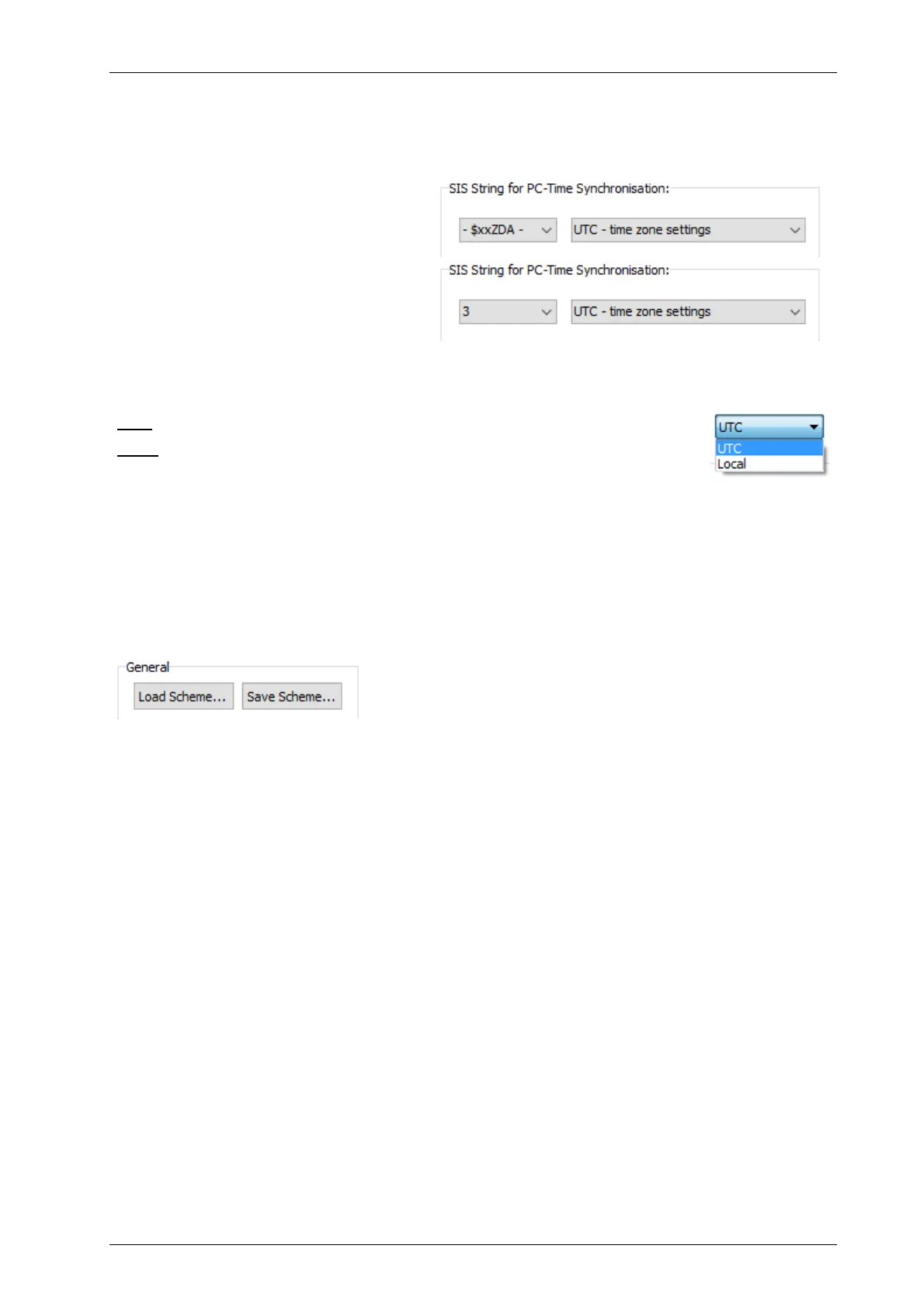
In the example above UTC is taken from
the ZDA string, even if the ZDA time has
not been assigned to a SIS string:
If the $xxZDA string would not be
available, one could also use the
$xxGGA time already assigned to SIS3:
Time values from the GNSS are UTC. The PC clock can be either set to this time or the local PC
time can be just synchronized to GNSS time keeping the time offset according to your Windows
time zone settings.
UTC: the PC clock will be set to the GNSS time as received.
Local: the PC clock keeps its local time zone as set within Windows time zone
settings. But the time is synchronized to GNSS time.
!
This feature must not be used if the data acquisition PC’s clock is already synchronized
to a time server (e.g. NTP)!
7.3.5 Save and Reload SIS Settings
All settings made in the “Navigation Input” dialog can be saved into a *.nav file and reloaded. It
saves a lot of time if a survey takes place on the same ship with the same GNSS equipment once
more. Save the data of the SIS settings for example as NameOfShip.nav or NameOfGNSS.nav
7.3.6 Replace SIS Strings with Other Data
SIS strings defined in the “NAV Input” dialogue may be replaced with other values by some other
SESWIN features like
UTM conversion, see section 5.11.11 on page 67 and section 7.4 on page 96,
Position data offset correction, see section 0 on page 69,
Multi-purpose input (interface to obtain other sensor data), see section 0 on page 71.
!
If one of these features is used, take care not to overwrite any important SIS string!



 To Next Page