98 User’s Manual INNOMAR Parametric Sub-Bottom Profilers / SESWIN
98 Innomar Technologie GmbH (2023-01)
7.5 How to install and set up a motion sensor
The INNOMAR SBPs are equipped with a serial interface to attach a motion sensor. There is no
motion sensor integrated nor included in the standard delivery.
Please make sure The sensor is properly installed and powered and the SESWIN “motion sensor”
interface is set-up correctly as described in this section.
7.5.1 Motion Sensor Installation
The sensor has to be fixed firmly and must not vibrate. It should be placed as close as possible
to the INNOMAR SBP transducer. If that is not possible, make sure the offsets are measured and
noted for setting up a lever arm correction (in the motion sensor or in SESWIN). It is also important
to ensure the correct orientation of the motion sensor related to the transducer.
The performance of the motion sensor can be improved by providing additional information like
heading/course or speed of the ship. Therefore, some motion sensors are able to use NMEA
sentences sent by a GNSS receiver to get the necessary information. Often the VTG sentence
is used to obtain the speed of the vessel.
7.5.2 SESWIN Motion Sensor Setup
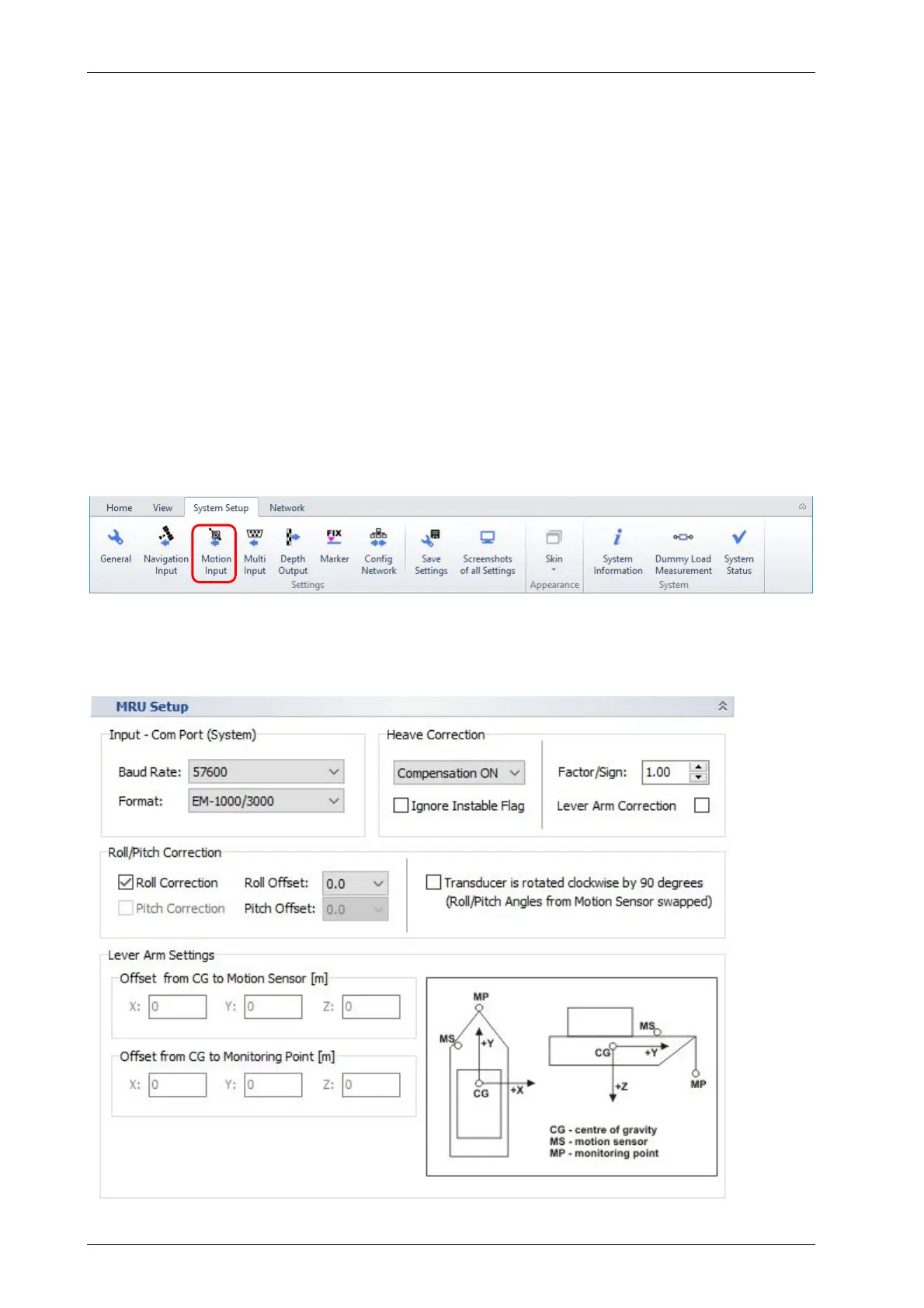
After installing the motion sensor some settings are necessary within the SESWIN software
(System Setup – Settings – Motion Input), see section 5.11.14 on page 70.
Make sure to use the correct sensor model/format and baud rate! Use the highest possible baud
rate.



 To Next Page