User’s Manual INNOMAR Parametric Sub-Bottom Profilers / SESWIN 37
Innomar Technologie GmbH (2023-01) 37
5 SESWIN System Software
The INNOMAR “SESWIN” software is delivered together with the INNOMAR SBP and is unique to
each topside unit. It is used for system control and data acquisition and must not be mixed
between systems, even if systems are the same model and age.
This software is pre-installed on the built-in control PC. If the SBP model requires an external
control PC, then it has to be installed there as described below.
For models with integrated control PC do not change the settings of the BIOS and the Windows
OS and do not install any other software packages and device drivers to ensure proper operation.
A backup of all the delivered software is within the folder “SBackup” on hard disk “C”.
5.1 Installing / Updating the Innomar SESWIN Software
There is no installation required. Just copy all files from the SESWIN folder on the USB thumb
drive or archive provided by INNOMAR into your SESWIN folder on hard disk. Remember to keep
a copy of your old SESWIN and note all settings beforehand (e.g. take screenshots).
You should set a shortcut to the SESWIN application on your
Windows desktop (right click Send to ... Desktop).
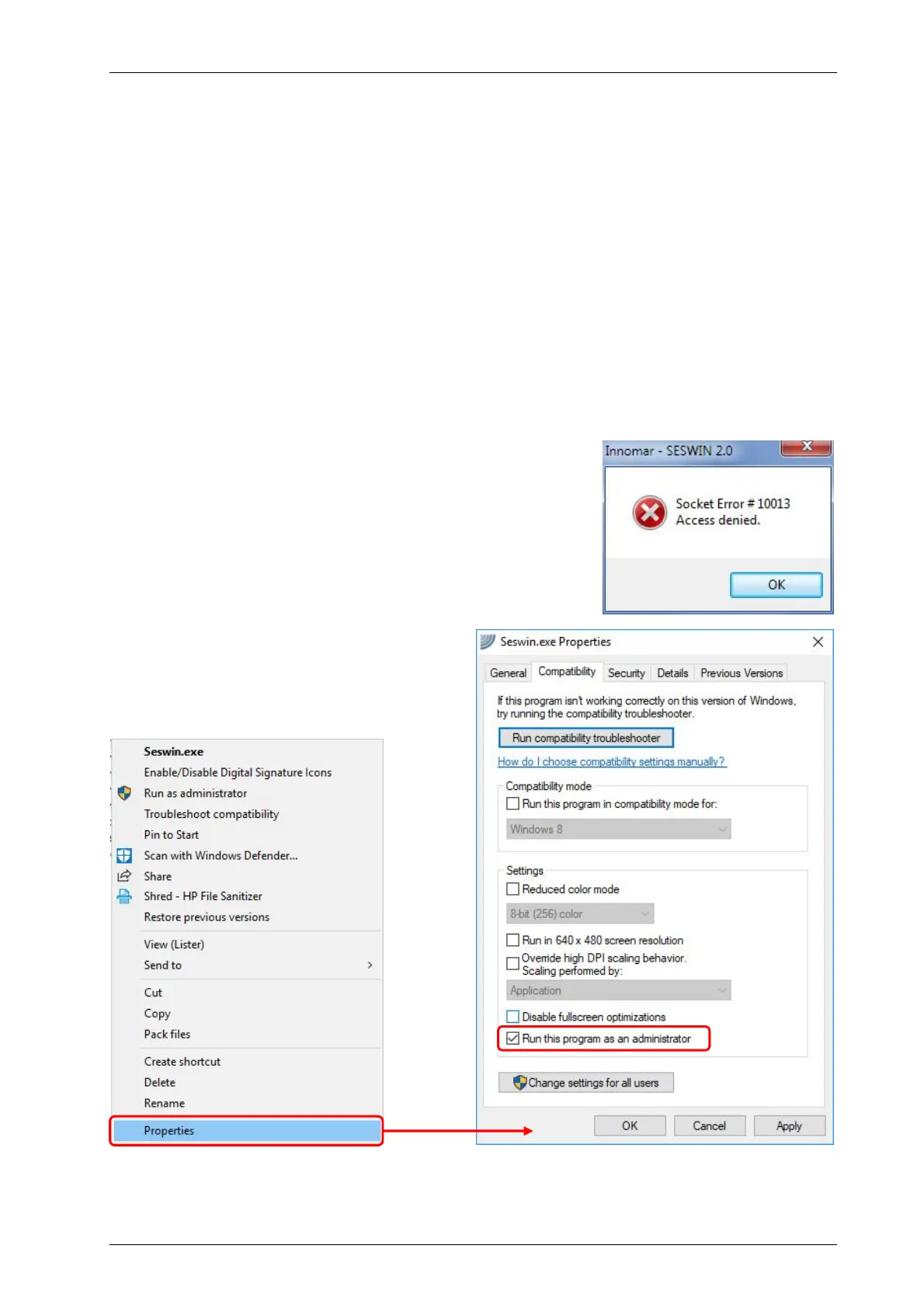
Windows may block some network features of the SESWIN
application if the UAC is not set to a lower level: “WINDOWS
Control Panel All Control Panel Items User Accounts
Change User Account Control Settings”. After changing this to
“never notify”, please re-boot Windows.
Another option is to run SESWIN with
administrator privileges as shown below.
For giving SESWIN administrator privileges,
open the SESWIN folder and right-click
seswin.exe. Then go to “Properties”.



 To Next Page