User’s Manual INNOMAR Parametric Sub-Bottom Profilers / SESWIN 73
Innomar Technologie GmbH (2023-01) 73
5.11.15 System Setup – Settings – Multi Input
There is a “Multi-Purpose Input” serial interface available that can be used to receive
data from additional sensors (e.g. transducer depth, sound velocity, heading, MBES
water depth values).
General – Save Scheme / Load Scheme: All settings made in this dialog can be saved into a
file. Saved schemes can be reloaded.
General – Port definitions: Set port parameters according to the equipment you want to use:
Baud Rate, Data Bits and Parity
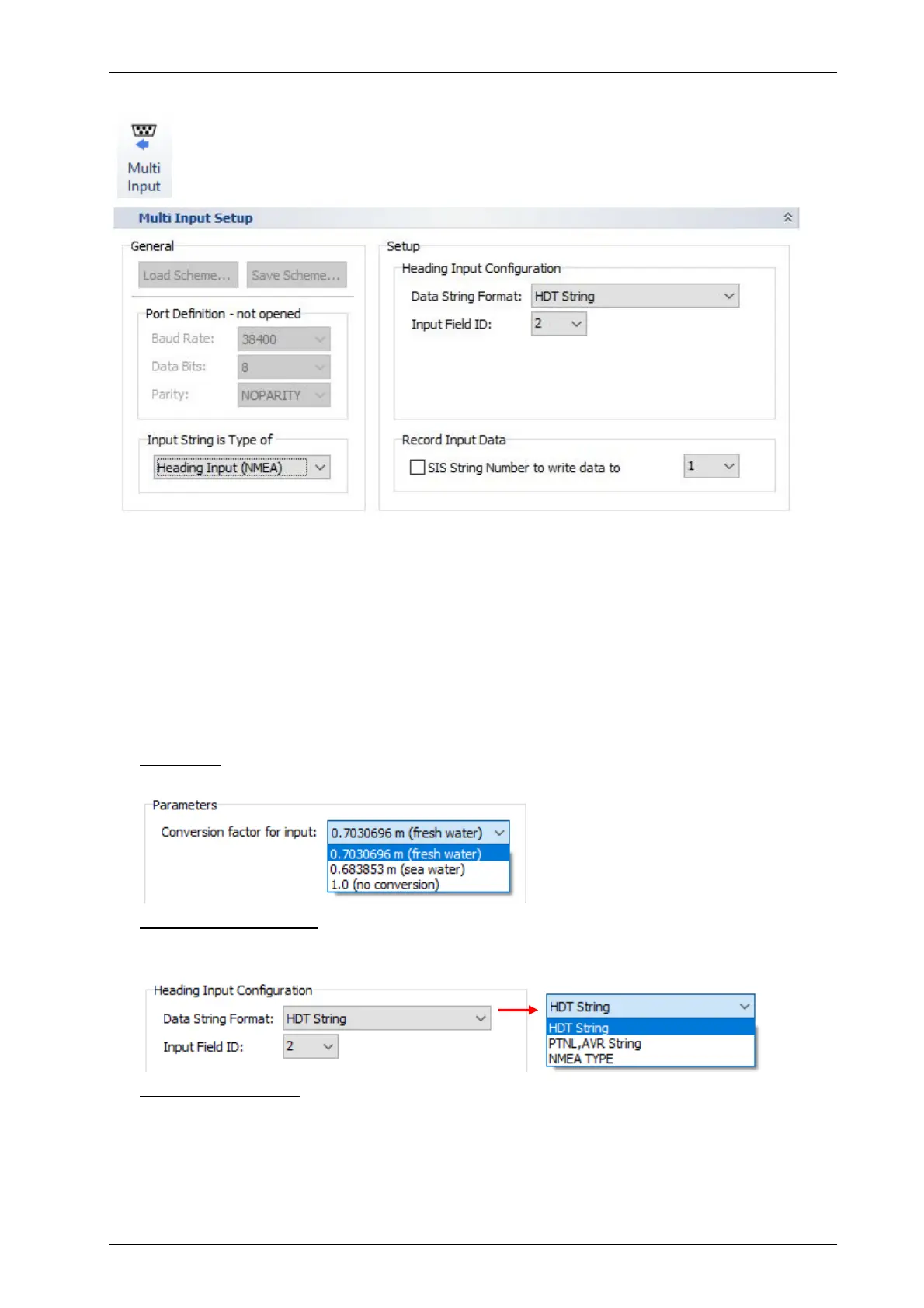
Input String Type / Setup – Input Configuration
You have to choose the usage of the serial port from the drop-down list, the “Setup” section will
change accordingly:
Digiquartz: Get pressure values from a DIGIQUARTZ compatible pressure sensor and store
the value (or a converted depth value) into a SIS string (string ID has to be chosen).
Heading Input (NMEA): The multi-purpose port can be used to receive heading values and
store the data into a specified SIS string ID. Heading values may be used for transducer-
offset correction or side scan data processing.
Depth Input (NMEA): depth values from other devices can be stored with the INNOMAR data
and/or used for the automatic range shift of the INNOMAR system. For the latter the correction
factor and depth offset have to be set correctly! There are several data formats supported.
“NMEA TYPE” can be any comma separated ASCII string starting with a dollar character
(“$”).



 To Next Page