134 User’s Manual INNOMAR Parametric Sub-Bottom Profilers / SESWIN
134 Innomar Technologie GmbH (2023-01)
10.2 Convert Innomar data into SEG-Y format using SESCONVERT
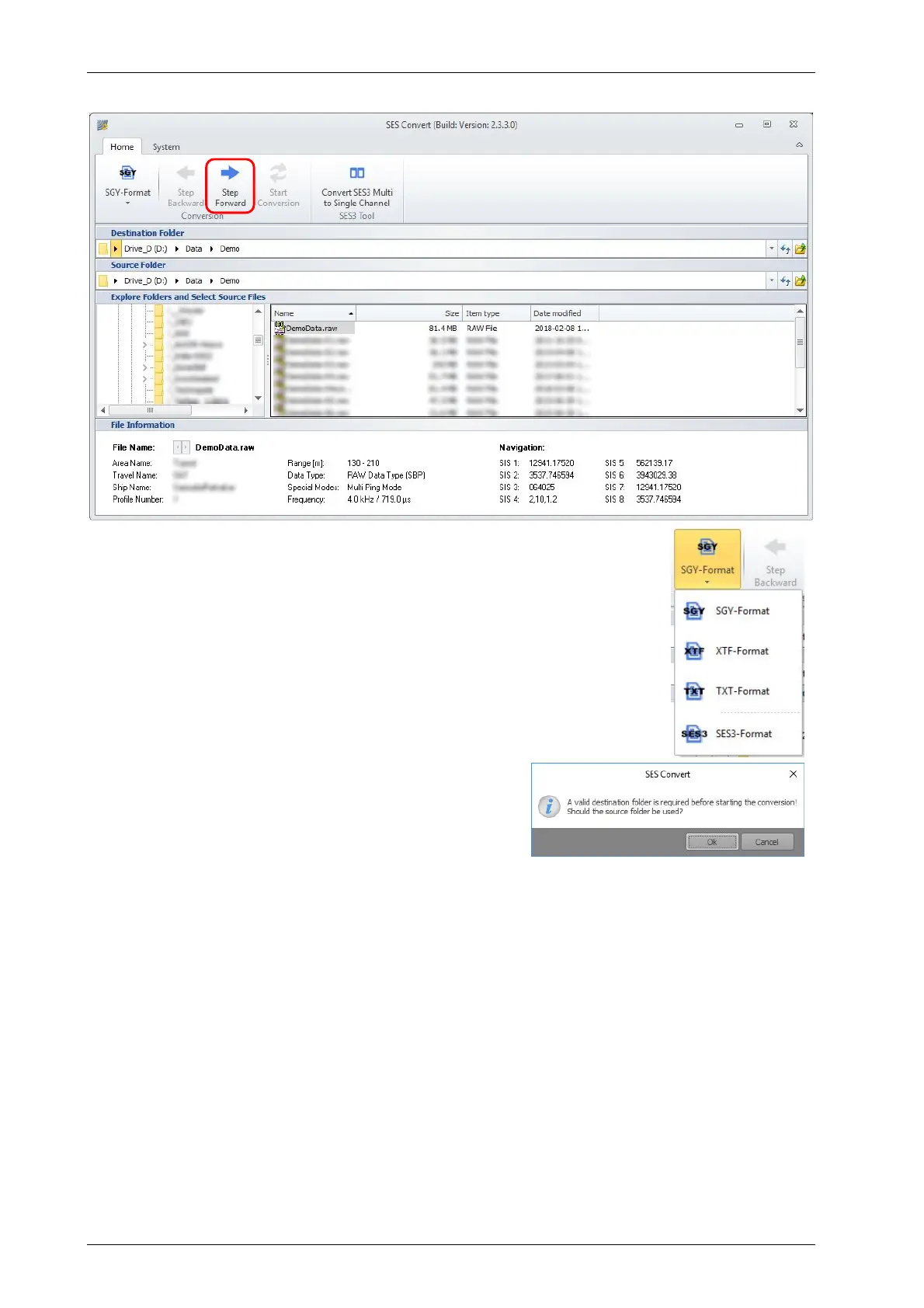
(1) Use the file browser to navigate to the location of the files to be
converted.
(2) If a single file has been selected, there is some file information shown.
(3) Check the SIS-IDs and note the IDs used for time and position data.
(4) Select the desired file format from the “Home” menu, SEG-Y format is
the default.
(5) Press “step forward” to proceed.
If everything has been selected, the red highlighted
button “Step Forward” will proceed to the next window.
If no destination folder has been selected until now, a
warning message shows up.
(1)
(2)
(3)
(4)
(5)
(4)



 To Next Page