64 User’s Manual INNOMAR Parametric Sub-Bottom Profilers / SESWIN
64 Innomar Technologie GmbH (2023-01)
Manual Angle Setup
There can be three (3) different angles defined
(range and steps depend on SBP model) for
subsequent transmission. This reduces the pulse
repetition rate per angle.
This feature may be used to scan the seabed, e.g.
while following a submerged pipeline or cable.
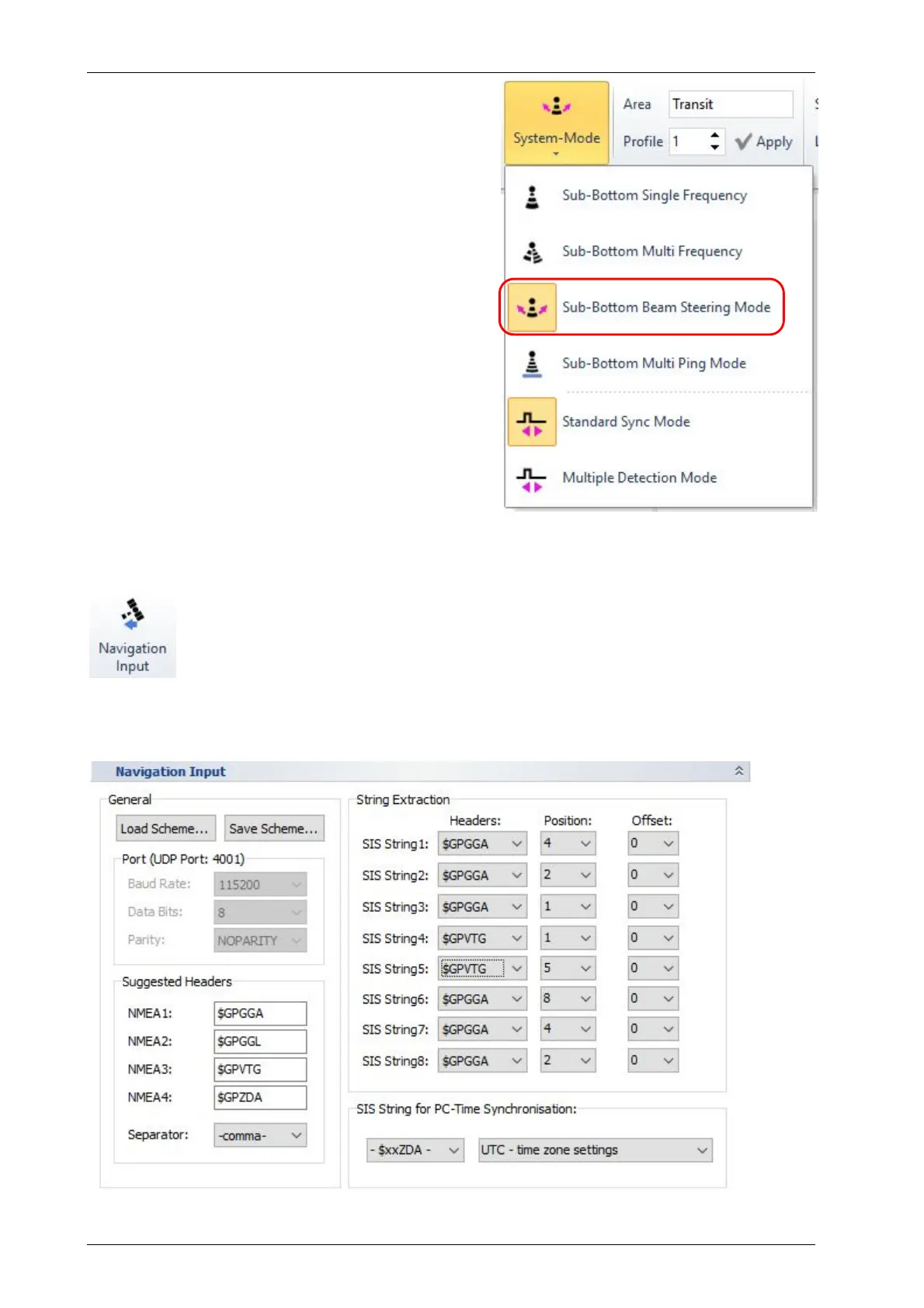
All settings made in this “Beam Steering Options”
dialog are activated via “Home – General – System
Mode” menu, see picture on the right and section
5.9.1 on page 46.
!
This is not for beam stabilisation! That
feature is defined and switched on/off in the
“Motion Sensor” setup, see section 5.11.14.
5.11.8 System Setup – Settings – Navigation Input (GNSS)
With every ping eight (8) “SIS strings” with up to 11 characters are recorded in the
INNOMAR data files. Incoming GNSS data are written to those strings.
For details on NMEA data formats please see appendix A.18 on page 213.
!
The navigation data input COM port is also used to receive a 1-PPS time sync pulse from
the GNSS receiver, see section 6.5 on page 88.
For this Dialog see also section 7.3 on page 92.



 To Next Page