34 User’s Manual INNOMAR Parametric Sub-Bottom Profilers / SESWIN
34 Innomar Technologie GmbH (2023-01)
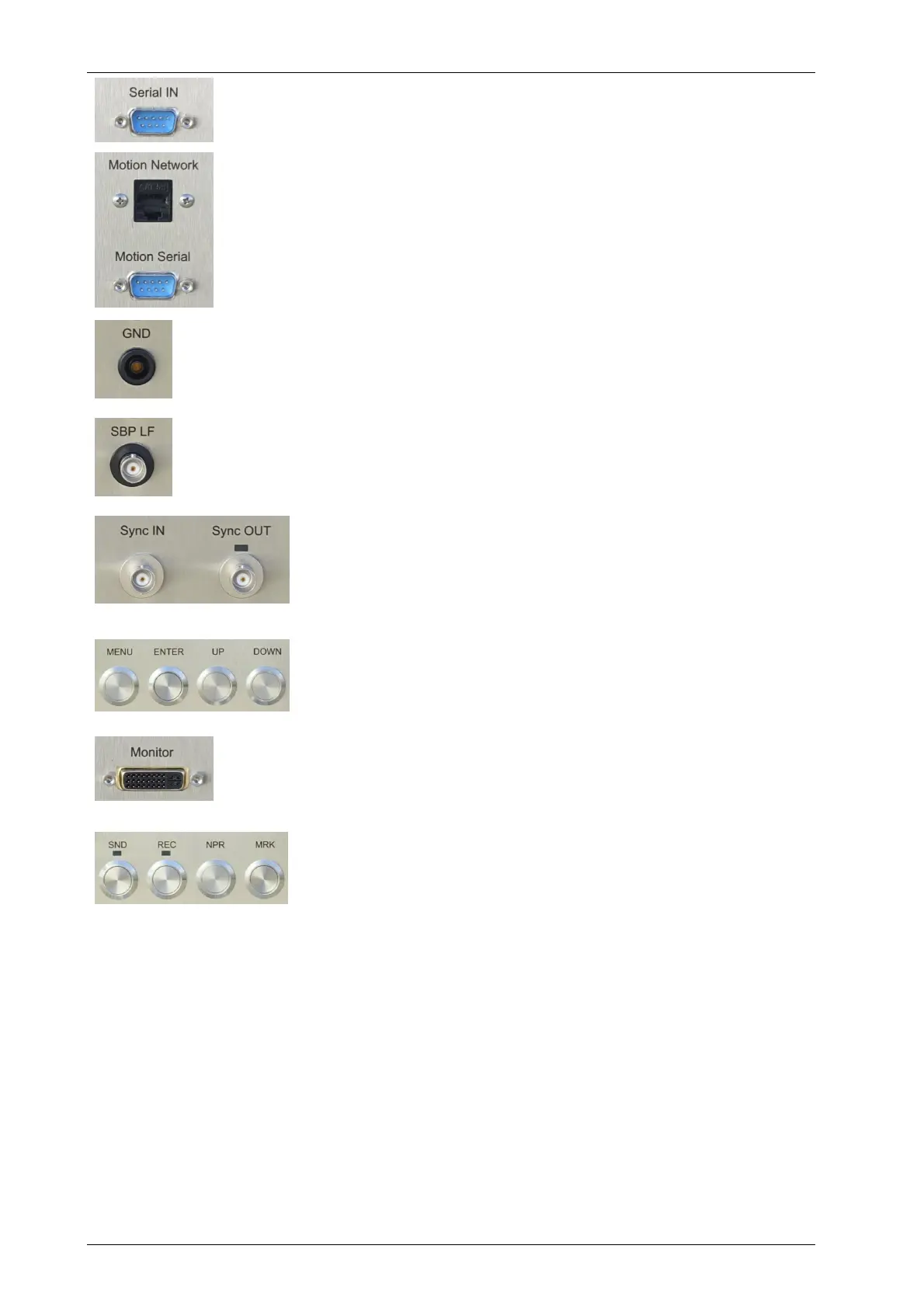
Multi-Purpose Data Input
There is a RS232 input which may be used for various purposes. This
interface is configured within the SESWIN software.
HRP / Motion Sensor Data Input
There is a RS232 input for motion sensor data. A wide range of different
data formats is supported. Next to this there is also a RJ45 Ethernet
connector for motion sensor UDP data. This interface is configured within
the SESWIN software.
NOTE: For most models the motion data is going to an internal
microcontroller and not to the data acquisition PC.
GND Connector
There is a female banana ground connector to connect a separate ground
wire to the transducer. Depending on the power supply on board of the
vessel, this might reduce electrical noise visible in the SBP data.
Analogue Out / Analogue In
At the Analogue Output (BNC) the band limited LF-signal is available
(voltage range ±4V). The (optional) Analogue Input (BNC) can be used to
feed signals from other sources to the INNOMAR SBP (voltage range ±5V).
Sync IN: This is used to trigger the INNOMAR SBP from other
equipment ('external synchronization')
Sync OUT: Output of pulses to trigger other systems.
Trigger LED: next to the Sync OUT connector flashing every time
a sync pulse is generated.
TFT-Display / Display Buttons
Most INNOMAR topside units have an integrated 10.4-inch TFT-
display for system operation. Next to the TFT display there are four
buttons to control the TFT (brightness, contrast etc.).
Monitor / Video Output
INNOMAR topside units with integrated data acquisition PC can
have an external monitor connected. Interface is HDMI. Older units
used DVI or VGA interface connectors.
System Buttons
Some older models have buttons to control the main functions:
SND – switch transmitting on/off
REC – switch data acquisition (recording) on/off
NPR – start new profile
MRK – set manual marker (“event marker”)
3.5 Innomar SBP Rear Panel
At the INNOMAR SBP rear panel there is some information about the system:
INNOMAR SBP model,
serial number,
manufacturing date (month/year).



 To Next Page