User’s Manual INNOMAR Parametric Sub-Bottom Profilers / SESWIN 79
Innomar Technologie GmbH (2023-01) 79
5.13 SESWIN System Setup – System
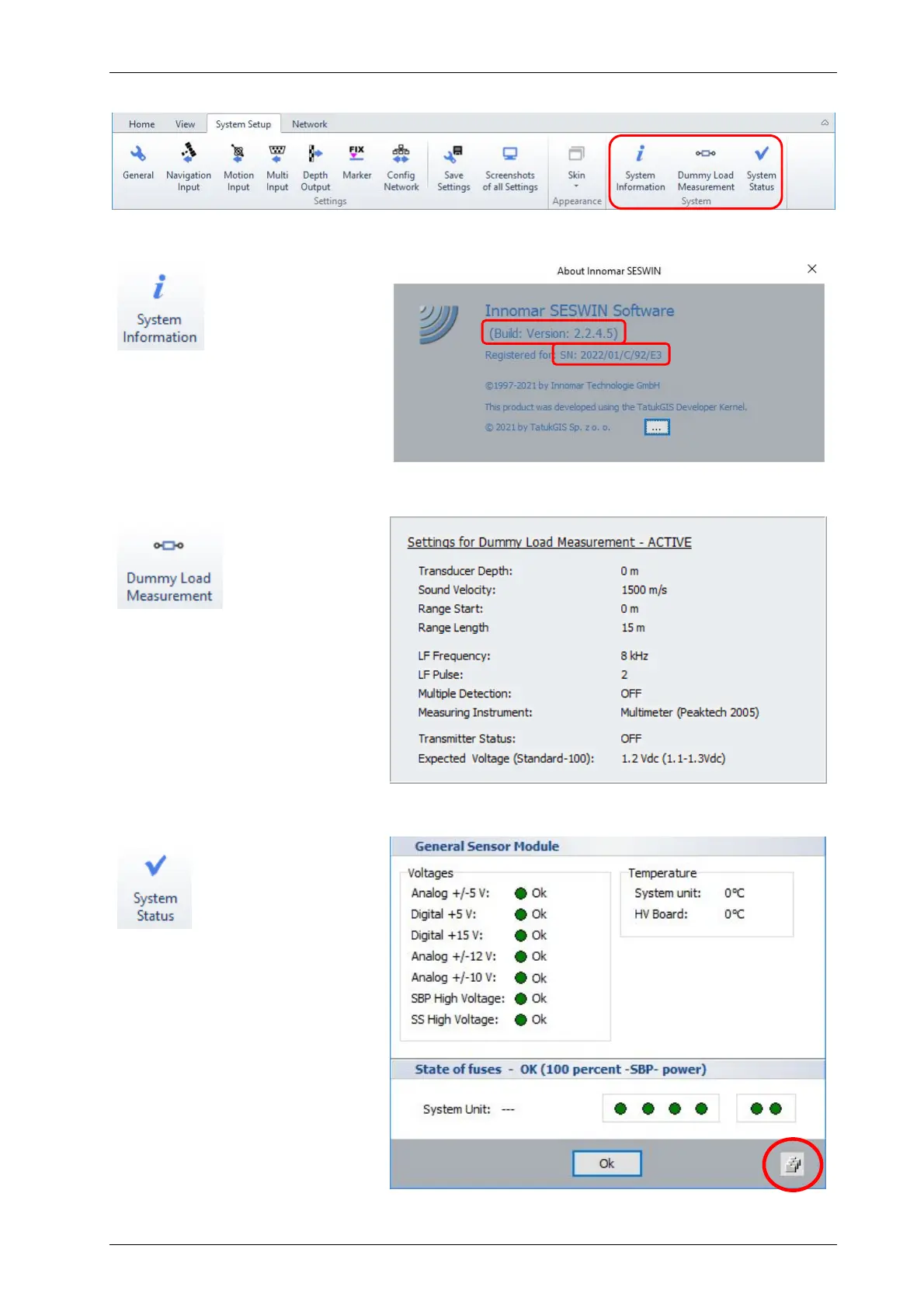
5.13.1 System Setup – System – System Information
Shows the INNOMAR SBP serial
number and SESWIN version
that might be useful in case
support is needed
5.13.2 System Setup – System – Dummy Load Measurement
There is an optional dummy load
available from INNOMAR to check
the transmitters within the top-
side unit. To simplify the test
procedure, system parameters
can be set by this button to the
required valus.
5.13.3 System Setup – System – System Status
Show serial number and hard-
ware sensor information like
voltages, temperature, trans-
mitter status, etc.
The transmitter status section
may be different for different SBP
models.
The button in the lower right
corner can be used to get a
screenshot of this dialog.



 To Next Page