User’s Manual INNOMAR Parametric Sub-Bottom Profilers / SESWIN 61
Innomar Technologie GmbH (2023-01) 61
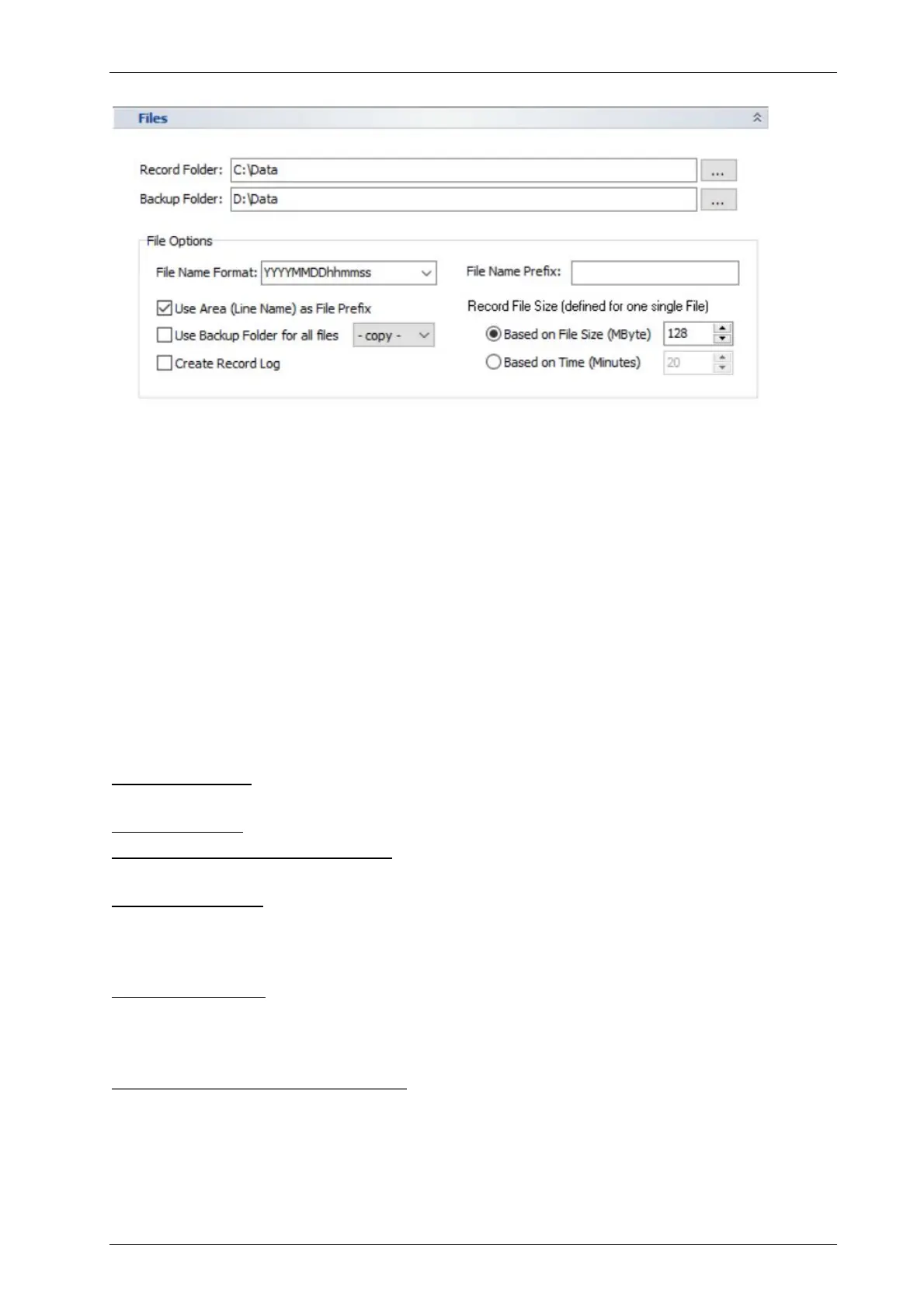
5.11.4 System Setup – Settings – General – Files
Record Folder: Select where the recorded data shall be stored. File names are generated
automatically; see “File Options” below.
!
Make sure to have write permissions on the specified folder!
!
Data has to be recorded on a local hard disk! Do not use network locations or external
(USB) hard drives for direct data recording. Data can be automatically copied/moved to
Backup Folder: Optionally, data files are copied or moved automatically to a remote location.
This feature has to be enabled within the “File Options”, see below.
!
Make sure to have write permissions on the specified folder!
File Options:
File Name Format: Here you can select a pattern how the SESWIN software creates new file
names using the current date and time.
File Name Prefix: optionally defines a static prefix that will be used for any filename created.
Use Area (Line Name) as File Prefix: check this if the file name should start with the area name
set in the SESWIN “Home – General” menu. This helps to organise data files.
Use Backup Folder: If checked all data files will be transferred (copy or move as selected) to a
second data folder defined above. This destination might be a remote computer or data server.
Each data file is transferred immediately after recording. If “move” is selected the original data
file will be deleted after successful transfer only.
Create Record Log: If activated, a log file “sesrec.log” will be created and every data record
start/stop will be logged with date, time, profile number, area, LF-frequency (kHz), LF-pulses,
range start, range length. If the multi frequency mode is active, the frequency combination will be
logged as well. See also section 7.10.2 on page 112.
Record full-waveform (RAW) data files: [obsolete with SESWIN 2.2.3.8] If checked, the raw data
(full waveform) of the received SBP signal will be recorded during data acquisition additionally to
the “SES” data format (envelope) files.
The “SES” data format is obsolete from SESWIN 2.2.3.8 onwards. The new default setting
is either the “RAW” (16-bit full-waveform) or the “SES3” (24-bit full-waveform) format.



 To Next Page