142 User’s Manual INNOMAR Parametric Sub-Bottom Profilers / SESWIN
142 Innomar Technologie GmbH (2023-01)
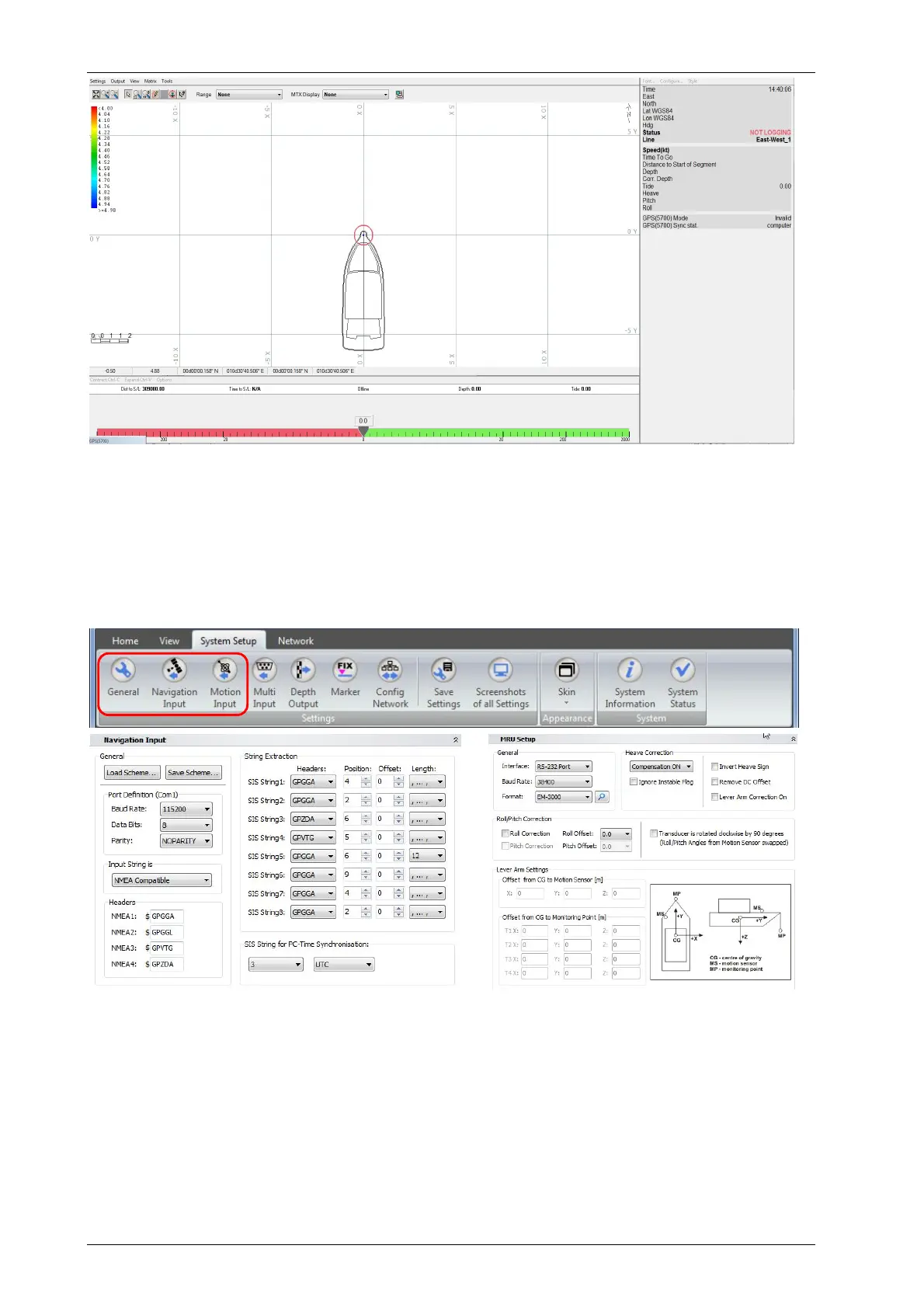
Example screen dump of the HYPACK
®
navigation software, map view, left-right indicator and data view
Connect auxiliary sensors (GNSS, motion) and configure the SESWIN online software to store
sensor data within the SBP data file. It is possible to apply correction for offsets between positions
of transducer and GNSS antenna as well as between positions of transducer and motion sensor.
For this measure all offsets and set up the SESWIN software accordingly (“System Setup
Navigation Input”, “System Setup Motion Input”).
SESWIN “System Setup” toolbar (top) and dialogs for setting up the GNSS interface (bottom left) as well as the motion
sensor interface (bottom right).
To get water depth values related to water surface the measured transducer draught has to be
set in the SESWIN software, too (“System Setup General”).
Please see also the checklists given in appendix A.20 on page 219.



 To Next Page