148 User’s Manual INNOMAR Parametric Sub-Bottom Profilers / SESWIN
148 Innomar Technologie GmbH (2023-01)
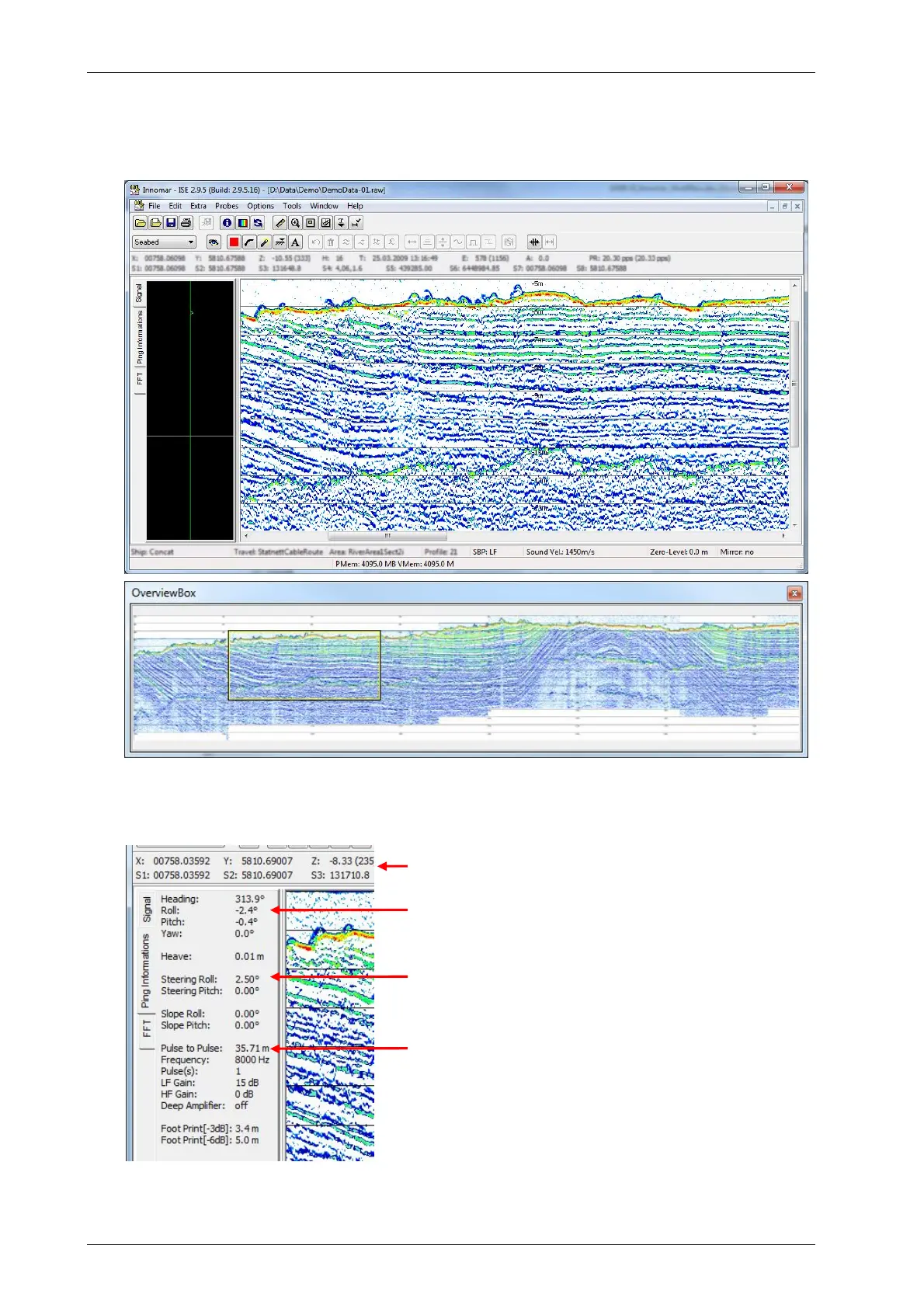
4) Once the data file is loaded and shown in a separate data window you may drag around
the echo plot by using the right mouse button. With the menu item “Options
Toolboxes…” you can enable an overview window (“OverviewBox”) of the entire echo plot
and also a tool to measure distances and slope angles (“ToolBox”).
Data file opened in ISE main window (top) and entire echo print in the ISE “Overview Box” with rectangle
marking the part visible in the main window (bottom)
5) You should also check the sensor data (GNSS position data and motion sensor data):
GNSS data stored in SIS1 … SIS8 data fields
Motion Sensor data
Transmit beam steering applied during data acquisition
Transmit pulse and receiver gain settings applied
ISE “Ping information” tab showing sensor data and system
setting applied during data acquisition.



 To Next Page