KDC User Manual SYNCHRONIZATION
176
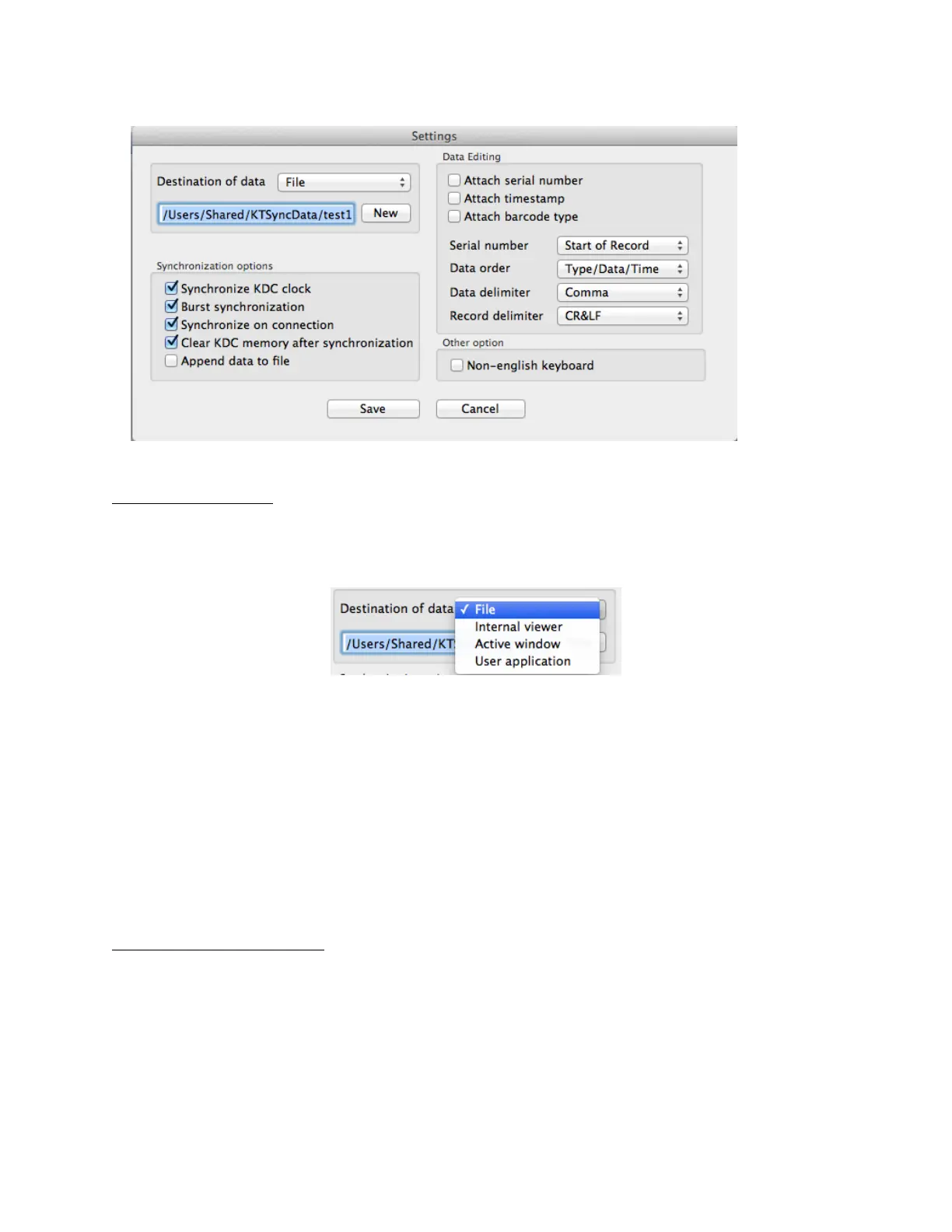
Destination of Data
The KTSync program wedges or downloads barcode data to one of the following four
destinations:
• File: The KTSync makes a file name based on 3.11 if file name is specified as an
“sn_timestamp.txt”. The default directory is /Users/Shared/KTSyncData directory. The
user may define another directory or another filename by clicking the “New” button.
The maximum file path length is 128 characters.
• Internal Viewer: The KTSync displays barcode data in KTSync internal text viewer.
• Active Window: The KTSync sends barcode data to current active window if Active
window option is selected.
• User Application: The user may define the target application by pressing the “New”
button. The maximum application name path length is 128 characters.
Synchronization Options
• Synchronize KDC Clock
KTSync will set the KDC’s date and time with Mac PC date and time when the KDC is
connected to Mac, if this option is enabled.
• Burst Synchronization



 To Next Page