2 - L - 12
PAPER FEED UNIT
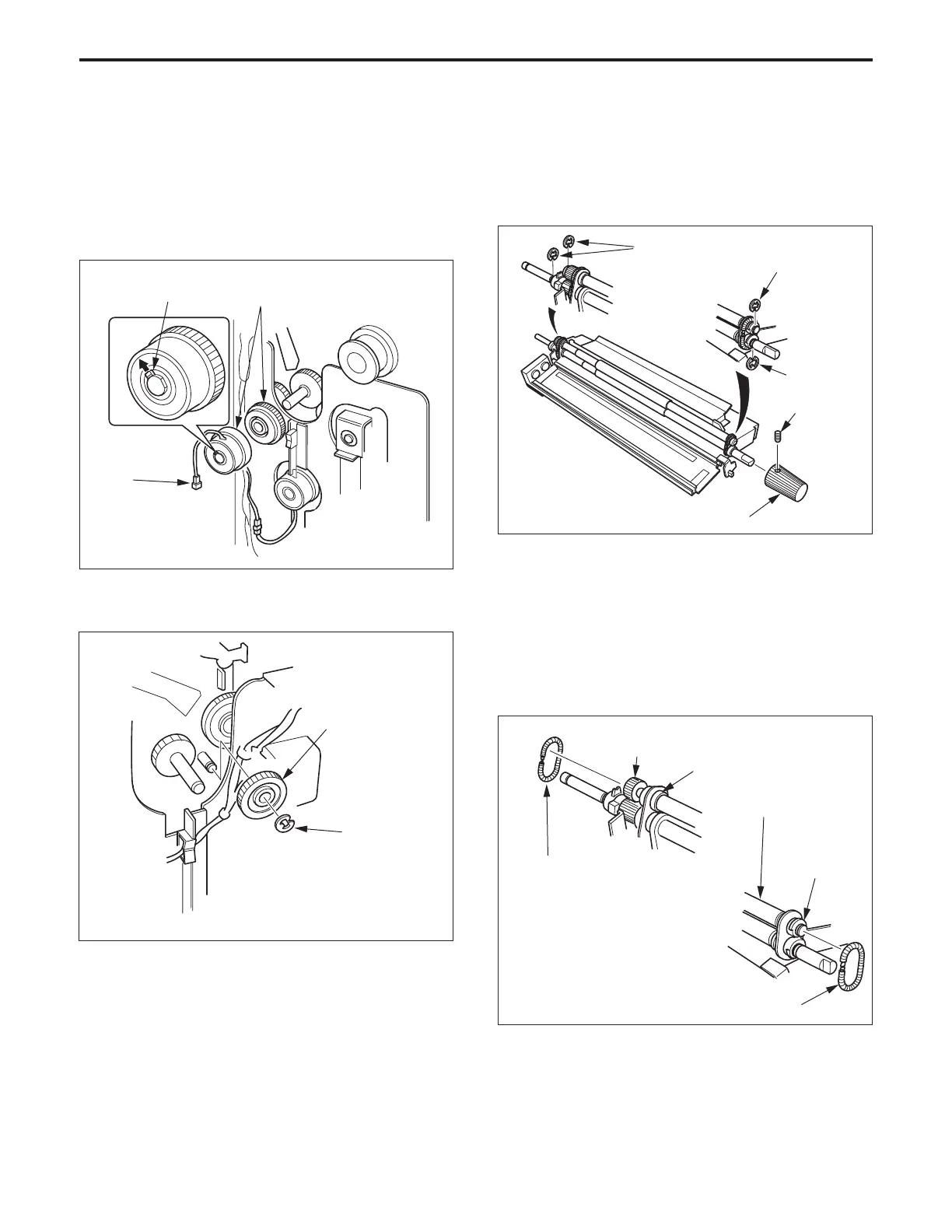
14.Replacing the Paper Feed Regulating Gear A
a. Procedure
(1) Remove the paper feed unit.
(2) Remove the connector (CN464) from the intermediate
conveyance clutch.
(3) Remove the intermediate conveyance clutch (MC9)
while pulling the claw outward.
(4) Remove the E ring then remove the paper feed regu-
lating gear A.
(5) Re-install the above parts in the opposite sequence to
removal. (Push the end of the rotation stopper of the
clutch against the plate.)
Claw
Intermediate conveyance
clutch (MC9)
Connector
(CN464)
Paper feed
regulating
gear A
E ring
15.Replacing the Registration Roller (Upper/Lower)
a. Procedure
(1) Remove the 2nd paper feed unit.
(2) Remove the set screw, then remove the roller knob.
(3) Remove the two E rings from each registration roller.
(4) Remove the two (front and rear) paper registration
springs.
Caution: When installing and removing the registration
springs, ensure that the hooks on the ends of the
registration spring are engaged with each other.
(5) Remove the paper registration gear (upper) and the
two bearings (upper), then remove the registration
roller (upper).
E rings
E ring
E ring
Roller knob
Paper registration
spring(White)
Paper registration
gear (upper)
Bearing (upper)
Registration
roller (upper)
Bearing (upper)
Paper registration spring (Black)
Set screw



 To Next Page