DIAGNOSTICS
4 - 42
[18] Test Pattern Output
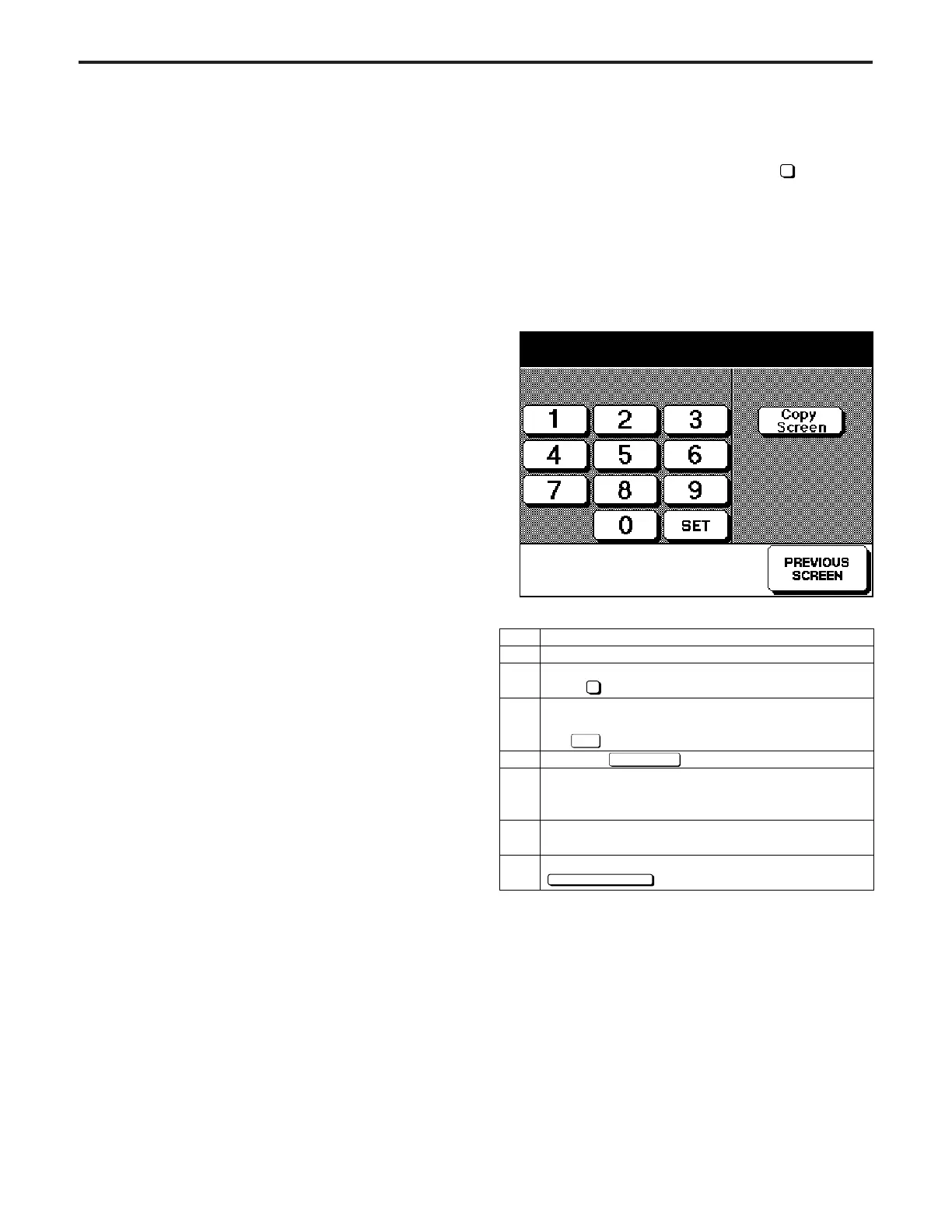
Output a test pattern using the procedure described below.
If the 36 mode menu screen is opened, then Test Pattern
Output Mode selected, the test pattern setting screen will be
displayed.
Caution: Do not operate for any mode that is not particularly
specified.
[Test Pattern Output Screen]
Step
1
2
3
4
5
6
7
Operation
Enter the 36 mode.
[36 MODE SCREEN]
press Test Pattern Output.
[Test Pattern Output Screen]
Enter a value from the numeric keypad, then press
the key.
Press the key.
[Basic Screen]
Press the START PRINT button, and output a test
pattern.
To output a different test pattern, press the C button
while pressing the P button, and repeat steps 3 to 5.
To end the test pattern output operation, press the
key.
4
SET
Copy Screen
PREVIOUS SCREEN
Test pattern output mode
<00>
*1: Contents of the running mode
Running mode 1
Running mode 1 is an intermittent copy mode. In this
mode, after the set number of copy operations has been
completed, the machine goes into the copy ready sta-
tus, waits 0.5 sec, then starts the same operation again.
* Running mode 2
Running mode 2 is a paperless intermittent copy mode.
It makes copies at roughly the same timing as for a
normal copy, without performing paper detection or jam
detection. Also, like running mode 1, after the set
number of copy operations has been completed, the
machine goes into the copy ready status, waits 0.5 sec,
then starts the same operation again.
* Running mode 3
Running mode 3 is a paperless mode. It makes cop-
ies at roughly the same timing as for a normal copy,
without performing paper detection or jam detection.
* Running mode 4
Running mode 4 is a paperless endless mode. It auto-
matically sets the copy quantity to infinity. Also, like
running mode 3, it makes copies at roughly the same
timing as for a normal copy, without performing paper
detection or jam detection.
** Running mode 5
Running mode 5 is a process running mode. It con-
sists of running mode 4 plus an operation consisting of
an optics each-time scan and an automatic paper feed
tray change.
*Must remove paper from selected cassettes.
**Must remove paper from all cassettes.
4



 To Next Page