185
M
ANAGING CALLS MOBILELINK
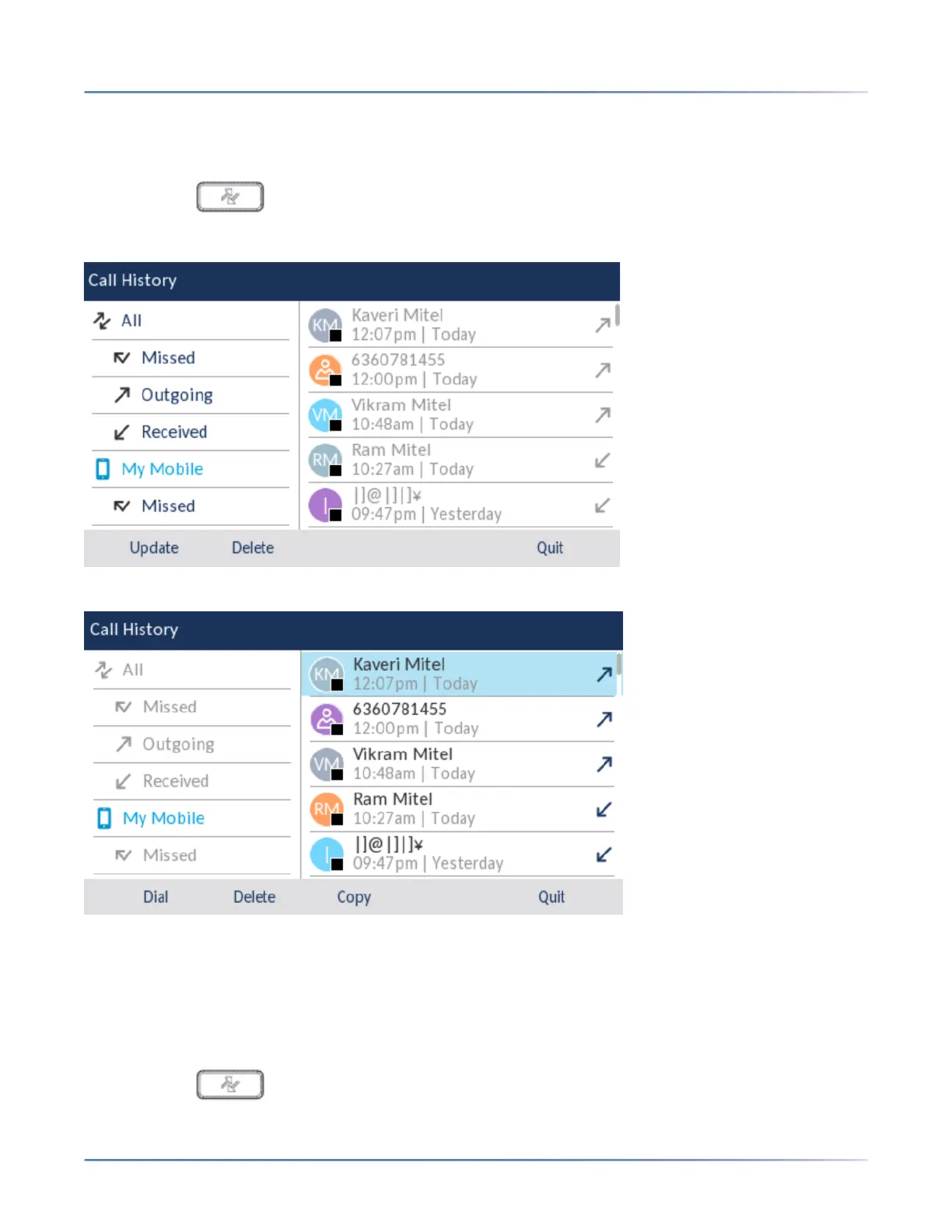
To dial a mobile phone call history or missed call entry:
1. Ensure that you have paired your mobile phone with your 6930 IP phone. See Pairing a Bluetooth
device.
2. Press the ( Call History) key.
3. Navigate to the My Mobile or Missed folder.
4. Press the right navigation key to move to the call history or missed calls selection column.
5. Use the up and down navigation keys to select the call history or missed call entry you want to dial.
6. Press the Dial softkey to dial the number associated with the entry.
Adding an entry to Contacts
To add a mobile phone call history or missed call entry to the Contacts application:
1. Ensure that you have paired your mobile phone with your 6930 IP phone.
2. Press the ( Call History) key.





 To Next Page