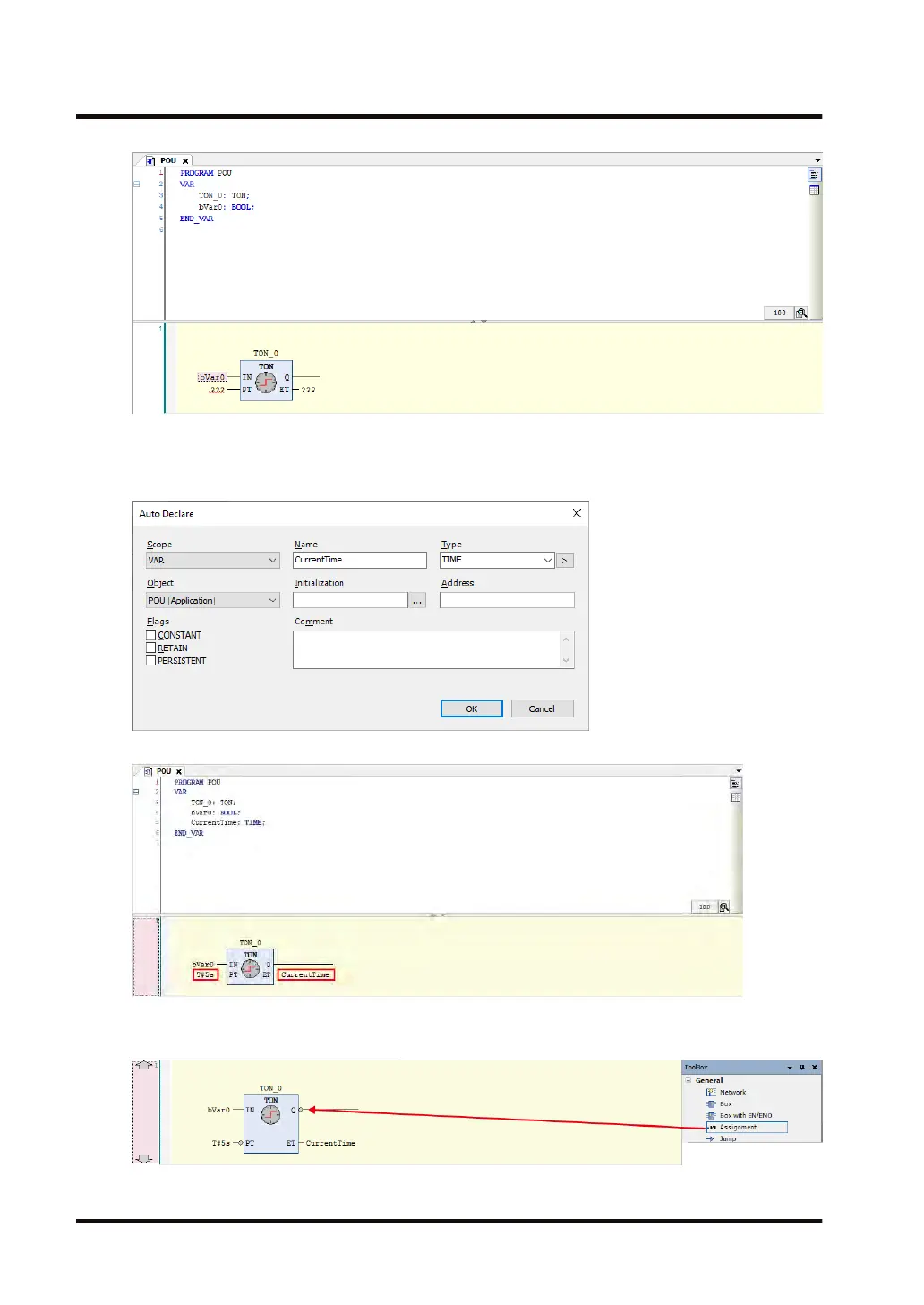
6. In function block T
ON, enter "T#5s" for input PT ("IN PT") and variable "CurrentTime" for
output ET ("O ET").
When "CurrentTime" is entered, the "Auto Declare" dialog box is displayed.
When making a declaration, check that the type is "Time".
7. In T
oolbox, select General>Assignment and drag the mouse until a diamond-shaped icon
appears on the right side of output "Q" in function block TON.
7.4 Programming in Function Block Diagram (FBD)
7-30 WUME-GM1RTXOP-01












 To Next Page