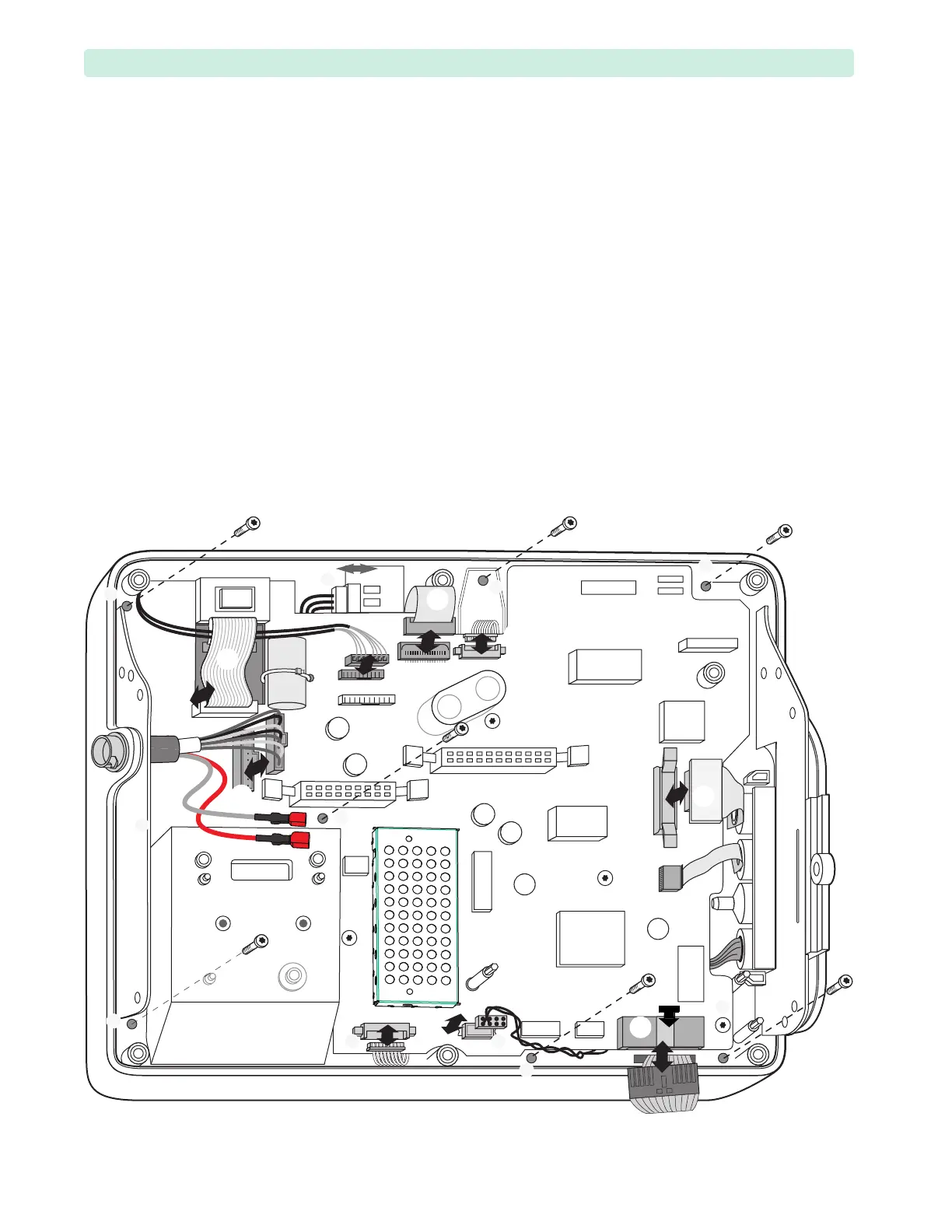
4: Repair Internal Assemblies — Front Chassis
142
Front Chassis Removal and Replacement
Remove the Front Chassis with the Processor PCA to access these Front Case assemblies:
• Human Interface PCA
•Therapy Buttons
•Display Assembly
•Speaker Assembly
Preparation
1 Remove the Printer Assembly. See “Printer Assembly” on page 85.
2 Open the device. See “Opening the Case” on page 87.
3 Remove the Rear Chassis. See “Front Chassis and Case Access” on page 134.
4 Remove the Printer PCA. See “Printer PCA” on page 124.
5 If present, remove the SpO
2
PCA. See “SpO2 PCA” on page 126.
Removal
1 Disconnect cables
➀ – ➈. See Tab le 35 on page 135 and Figure 96.
Figure 96 Front Chassis Connectors and Screws








 To Next Page