3: Troubleshooting Service Mode Tests
40
Additional Notes about the Operational Check
Keep in mind the following points about the Operational Check:
• You can run Op Check from the Other menu in Clinical Mode or from the Service Mode Main
menu – the Op Check is the same in both modes, with the following exceptions:
– The Op Check in Service Mode runs in English, while in Clinical Mode it runs in the installed
language.
– When you exit the Op Check from Service Mode, you remain in the Service Mode.
• The Op Check runs the Therapy Delivery test on battery power to reflect typical operating
conditions for defibrillation. The device automatically disconnects AC power for the time of this test.
• If the HeartStart XL+ is equipped with multifunction defib pads only and does not have a paddle
tray, you cannot test paddles during an Op Check.
• Options that are not on the device do not appear on the screen or printed report.
• The message In Progress is displayed as each test is run. The test result (Pass or Fail) is displayed at
the completion of each test and failures are logged in the Hardware Error Log. If you cancel the
Operational Check before it completes, it is not recorded in the Operational Check Summary.
Service Mode Tests
These tests include manual interaction with the display and controls and help you isolate problems with
the device. See “Service Mode Tests” on page 161 for more information on Service Mode tests.
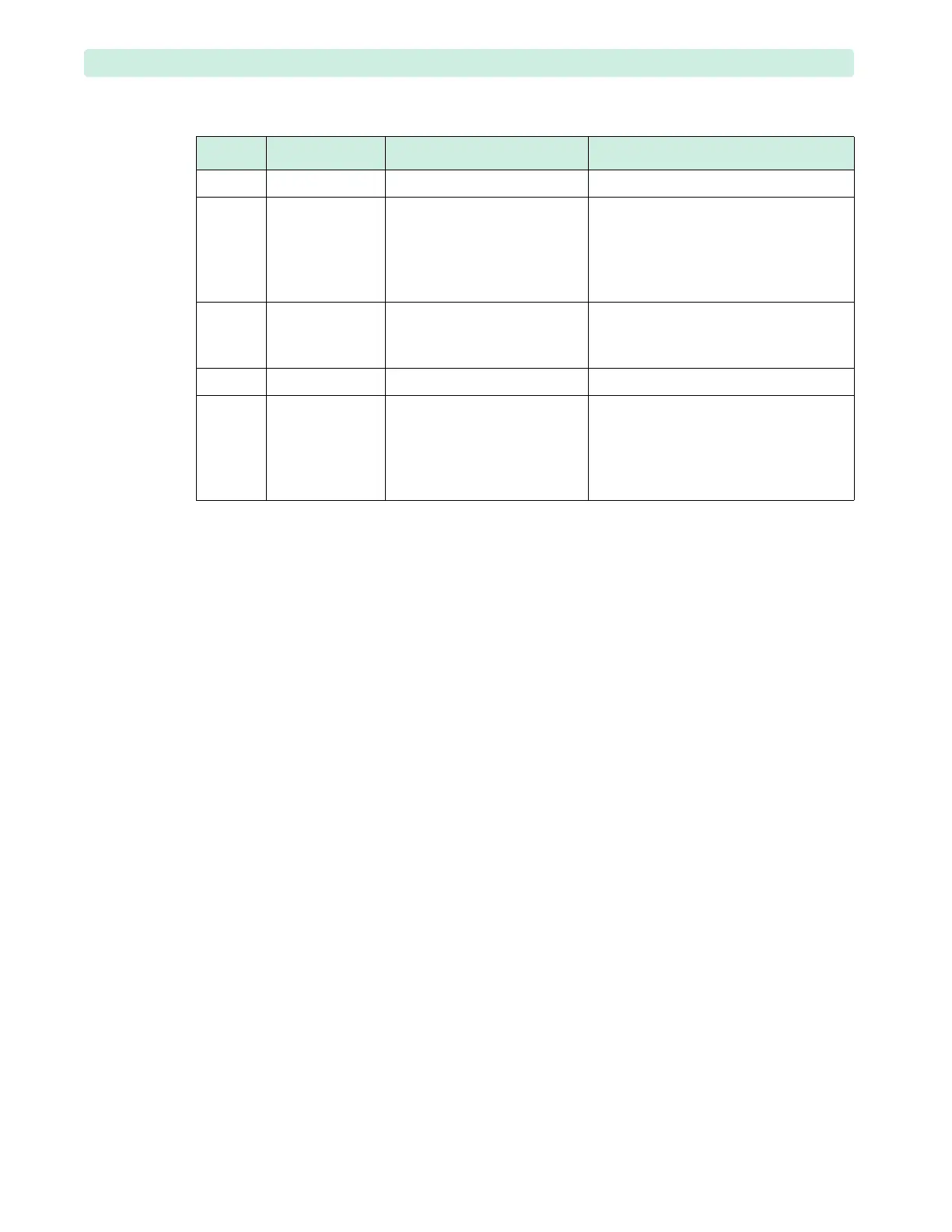
Table 8 Operational Check Summary Results
Result RFU Indicator Definition Required Action
Pass Hourglass All tests passed None
Fail/DX Solid red X,
chirp
A critical device failure has
been detected. The failure may
prevent the delivery of a
shock, pacing, or ECG
acquisition.
Exit Op Check Summary. A Technical
Alarm indicating the problem is
displayed. Troubleshoot as described in
“Troubleshooting Process” on page 43.
Fail/CX Solid red X,
chirp.
A critical cable failure has been
detected.
Exit Op Check Summary. A Technical
Alarm indicating the failed cable is
displayed. Replace the failed cable.
Fail/BW Varies
*
* The Automated Tests continually check for a low battery condition and set the RFU Indicator
appropriately.
A battery failure was detected. Troubleshoot the battery.
Fail/D Hourglass A problem has been detected
with a component that does
not affect therapy delivery.
Exit Op Check Summary. A Technical
Alarm indicating the failed component
is displayed. Troubleshoot as described
in “Troubleshooting Process” on
page 43.








 To Next Page