User’s Manual of GSD-1002M
4.2.7.5 SNMP Community
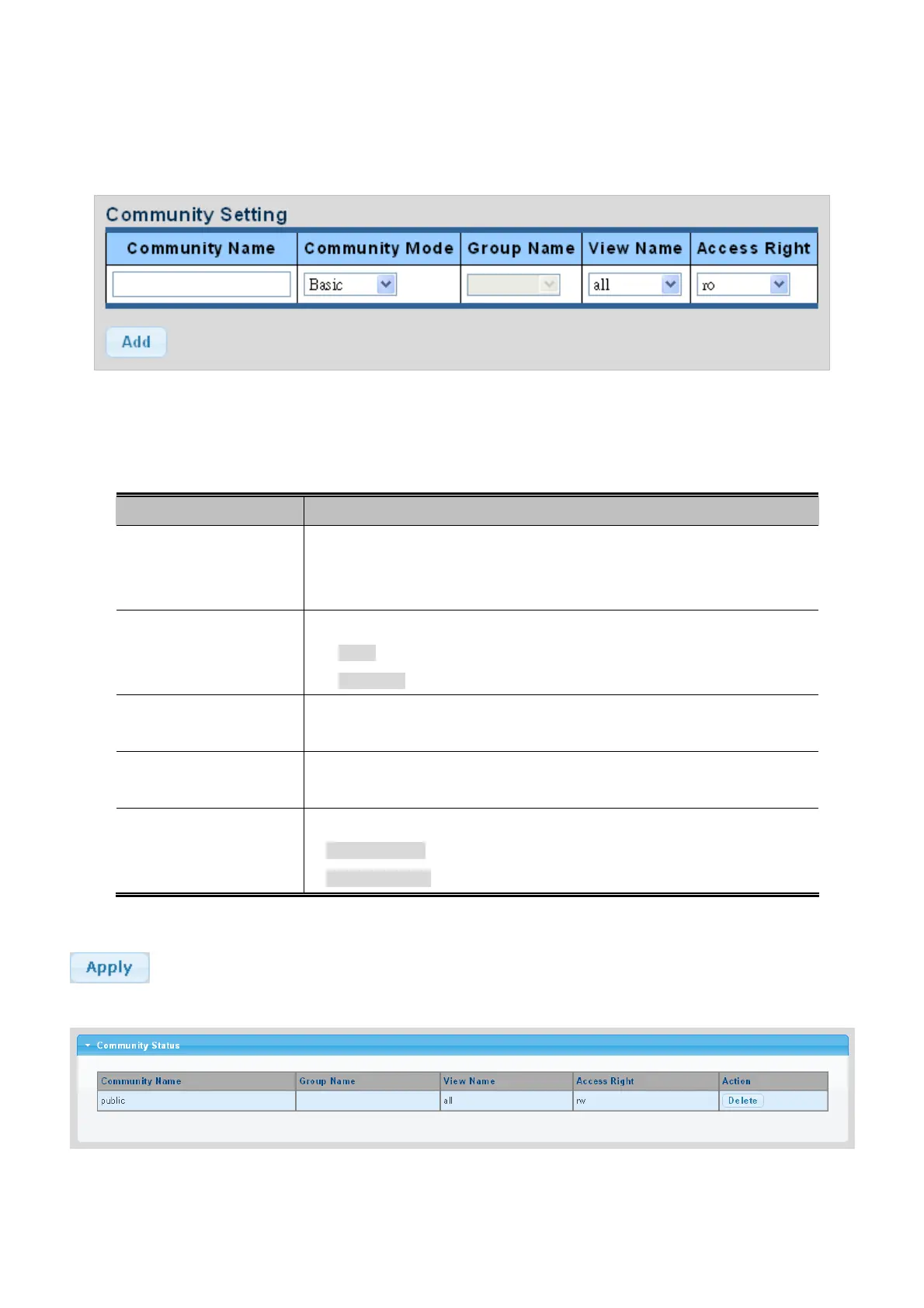
Configure SNMP Community on this page. The SNMP Community screens in Figure 4-2-27 & Figure 4-2-28 appear.
Figure 4-2-27 Community Setting page screenshot
The page includes the following fields:
Object Description
Community Name
Indicates the community read/write access string to permit access to SNMP
agent.
The allowed string length is 0 to 16.
Community Mode
Indicates the SNMP community supported mode. Possible versions are:
Basic: Set SNMP community mode supported version 1 and 2c.
Advanced: Set SNMP community mode supported version 3.
Group Name
A string identifying the group name that this entry should belong to.
The allowed string length is 1 to 16.
View Name
A string identifying the view name that this entry should belong to.
The allowed string length is 1 to 16.
Access Right
Indicates the SNMP community type operation. Possible types are:
RO=Read-Only: Set access string type in read-only mode.
RW=Read-Write: Set access string type in read-write mode.
Buttons
: Click to apply changes.
Figure 4-2-28 Community Status page screenshot
58



 To Next Page