User’s Manual of GSD-1002M
Displa
y the current typ
Type
Displa
y the link state
Link State
Displa
y the active member
Active Member
Displa
y the standby member
Standby Member
Modify
Click
to modify LAG configuraiton.
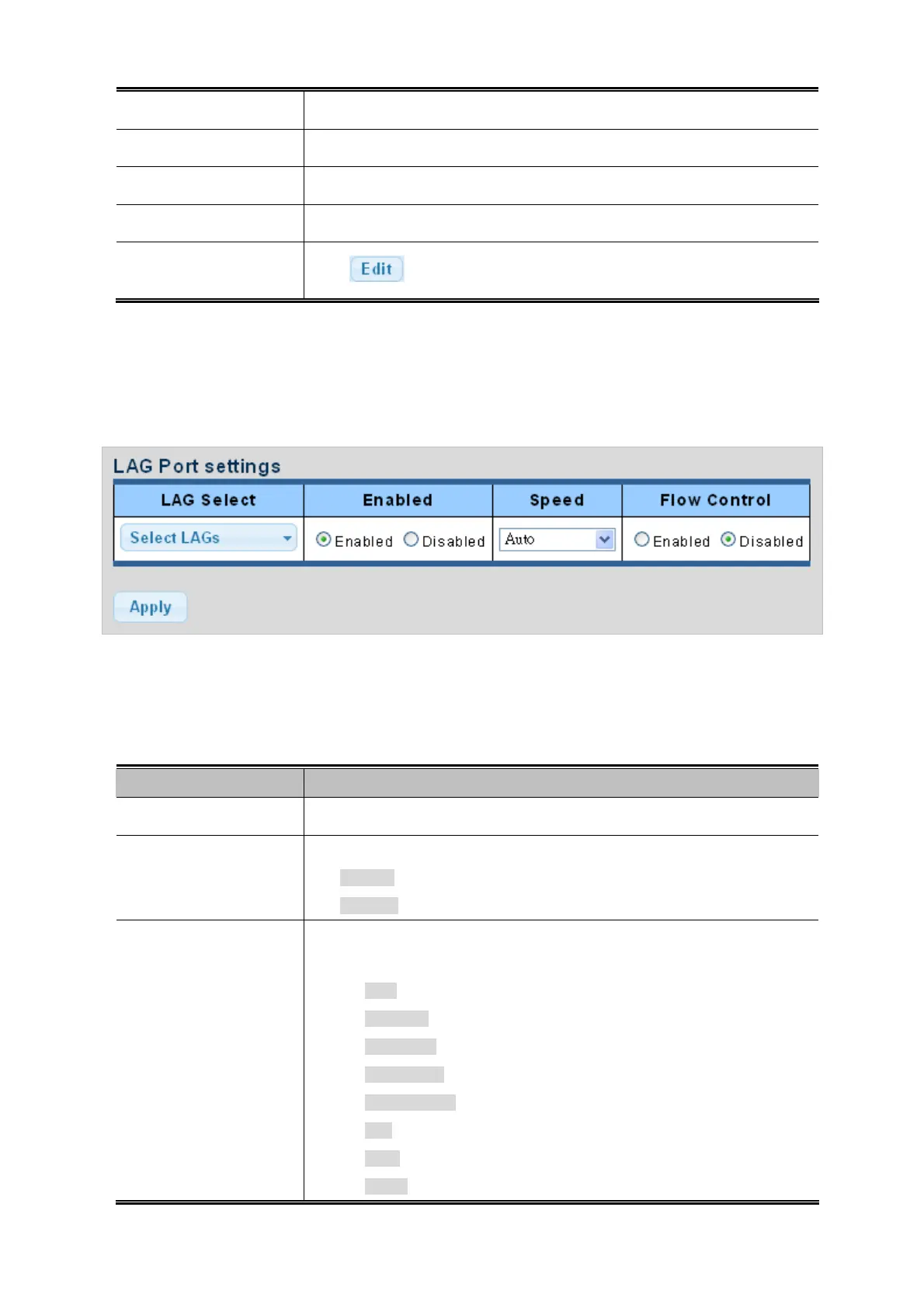
4.4.3 LAG Port Setting
This page allows setting configuration for per LAG. The LAG Port Setting screens in Figure 4-4-7 & Figure 4-4-8 appear.
Figure 4-4-7 LAG Port Setting Information page screenshot
The page includes the following fields:
Object Description
Select LAG number for this dr
op down list.
LAG Selet
Enable
Indicates the LAGt state operation. Possible state are:
Enabled - Start up the LAG manually.
Disabled - Shutdown the LAG manually.
Speed
Select any available link speed for the given switch port. Draw the menu bar to
select the mode.
Auto - Setup Auto negotiation.
Auto-10M - Setup 10M Auto negotiation.
Auto-100M - Setup 100M Auto negotiation.
Auto-1000M - Setup 1000M Auto negotiation.
Auto-10/100M - Setup 10/100M Auto negotiation.
10M - Setup 10M Force mode.
100M - Setup 100M Force mode.
1000M - Setup 1000M Force mode.
90



 To Next Page