User’s Manual of IGS-10020MT
Static Aggregation Group Configuration
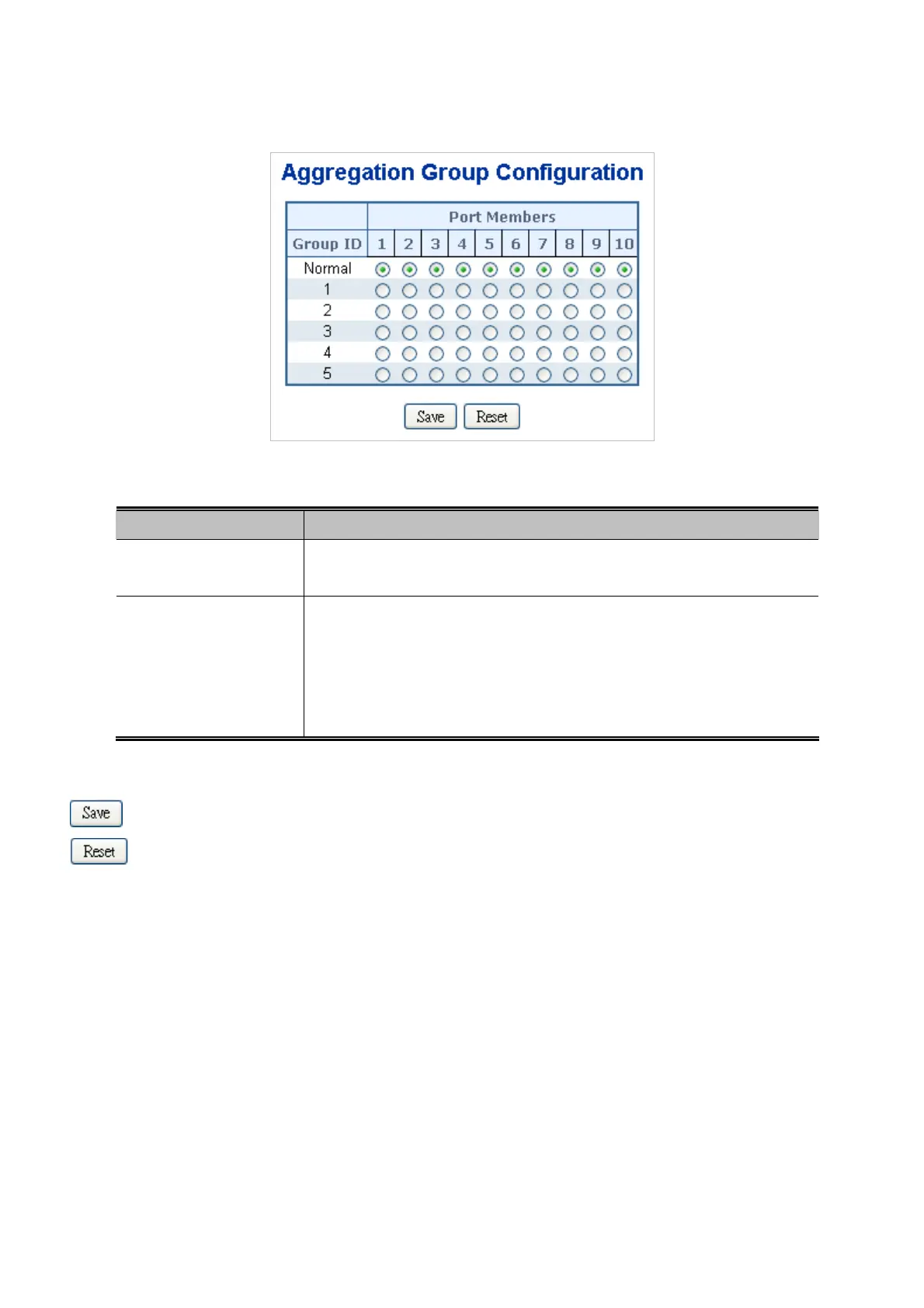
The Aggregation Group Configuration screen in Figure 4-5-3 appears.
Figure 4-5-3: Aggregation Group Configuration Page Screenshot
The page includes the following fields:
.Object Description
Group ID
Indicates the group ID for the settings contained in the same row. Group ID
"Normal" indicates there is no aggregation. Only one group ID is valid per port.
Port Members
Each switch port is listed for each group ID. Select a radio button to include a port
in an aggregation, or clear the radio button to remove the port from the
aggregation. By default, no ports belong to any aggregation group. Only full
duplex ports can join an aggregation and ports must be in the same speed in
each group.
Buttons
: Click to save changes.
: Click to undo any changes made locally and revert to previously saved values.
112











 To Next Page