User’s Manual of IGS-10020MT
4.10.3 ACE Configuration
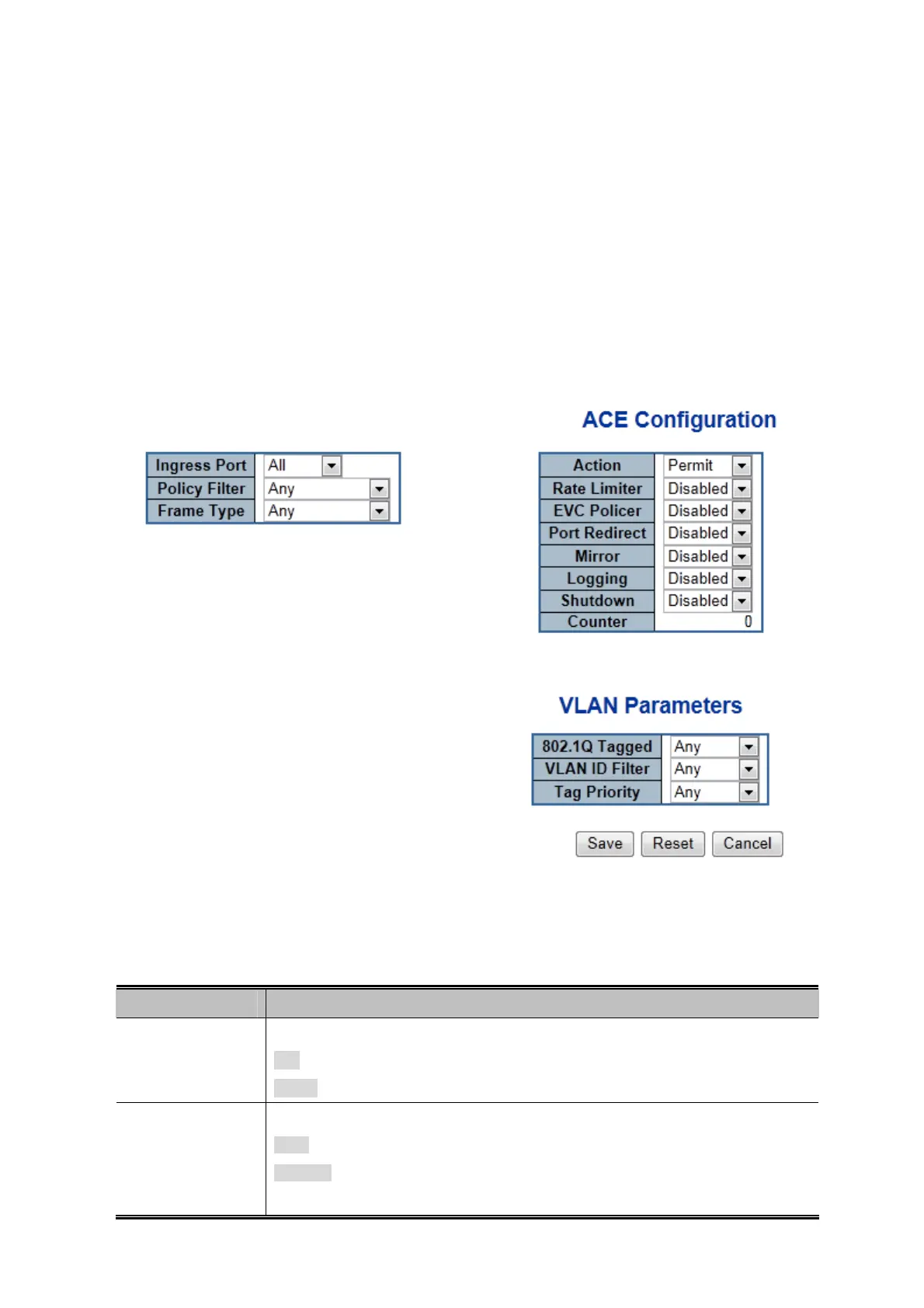
Configure an ACE (Access Control Entry) on this page.
An ACE consists of several parameters. These parameters vary according to the frame type that you select. First select the
ingress port for the ACE, and then select the frame type. Different parameter options are displayed depending on the frame type
selected.
A frame that hits this ACE matches the configuration that is defined here. The ACE Configuration screen in Figure 4-10-3
appears.
Figure 4-10-3: ACE Configuration Page Screenshot
The page includes the following fields:
Object Description
Ingress Port
Select the ingress port for which this ACE applies.
All: The ACE applies to all port.
Port
n
: The ACE applies to this port number, where n is the number of the switch port.
Policy Filter
Specify the policy number filter for this ACE.
Any: No policy filter is specified. (policy filter status is "don't-care".)
Specific: If you want to filter a specific policy with this ACE, choose this value. Two field
for entering an policy value and bitmask appears.
218











 To Next Page