User’s Manual of IGS-10020MT
4.2.13 Remote Syslog
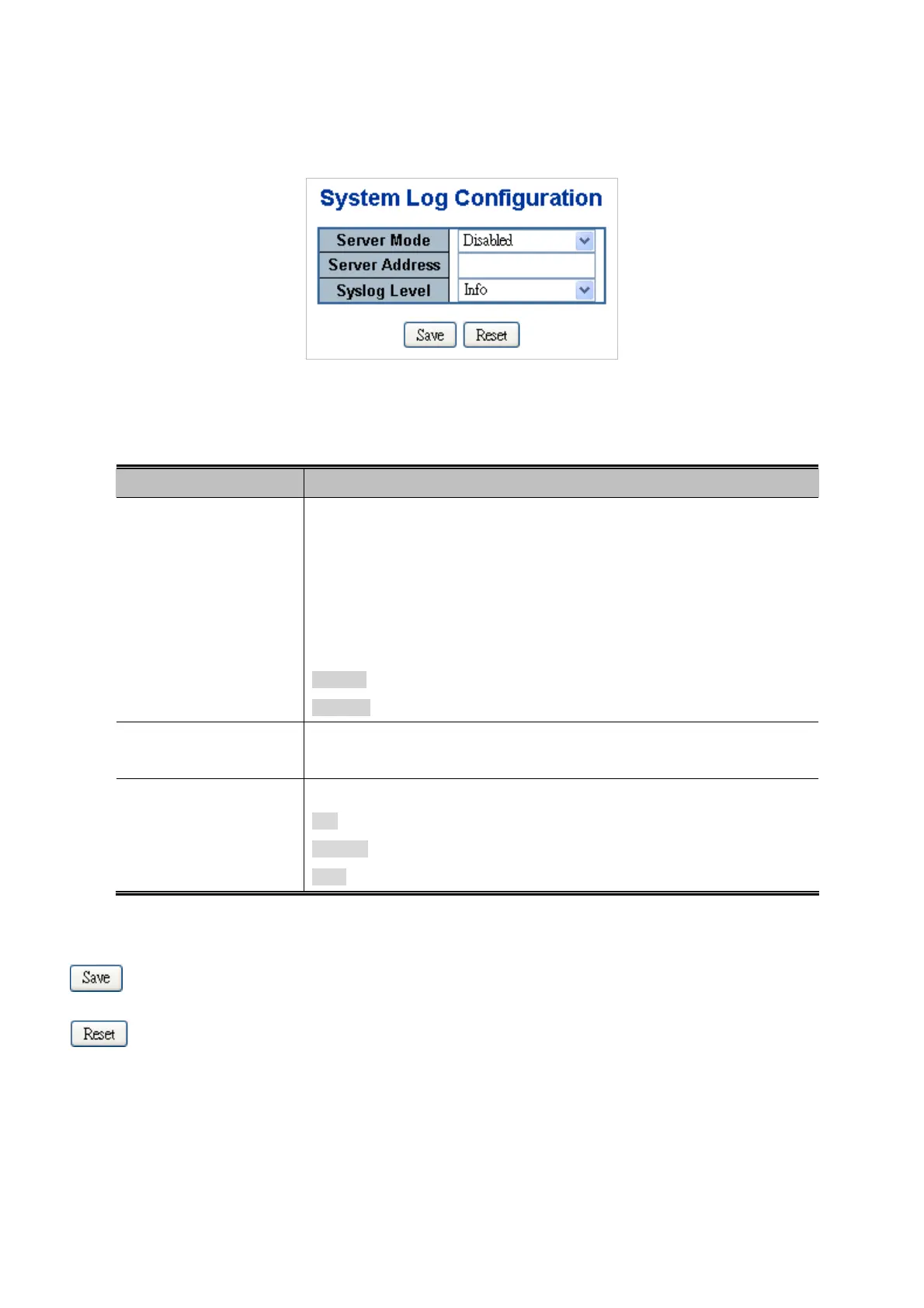
Configure remote syslog on this page. The Remote Syslog screen in Figure 4-2-16 appears.
Figure 4-2-16: Remote Syslog Page Screenshot
The page includes the following fields:
Object Description
Server Mode
Indicates the server mode operation. When the mode operation is enabled, the
syslog message will send out to syslog server. The syslog protocol is based on
UDP communication and received on UDP port 514 and the syslog server will not
send acknowledgments back sender since UDP is a connectionless protocol and
it does not provide acknowledgments. The syslog packet will always send out
even if the syslog server does not exist. Possible modes are:
Enabled: Enable server mode operation.
Disabled: Disable server mode operation.
Server Address
Indicates the IPv4 host address of syslog server. If the switch provide DNS
feature, it also can be a host name.
Syslog Level
Indicates what kind of message will send to syslog server. Possible modes are:
Info: Send informations, warnings and errors.
Warning: Send warnings and errors.
Error: Send errors.
Buttons
: Click to save changes.
: Click to undo any changes made locally and revert to previously saved values.
72











 To Next Page