User’s Manual of IGS-10020MT
285
4.12.8 DHCP Snooping
DHCP Snooping is used to block intruder on the untrusted ports of DUT when it tries to intervene by injecting a bogus DHCP
reply packet to a legitimate conversation between the DHCP client and server. Configure DHCP Snooping on this page. The
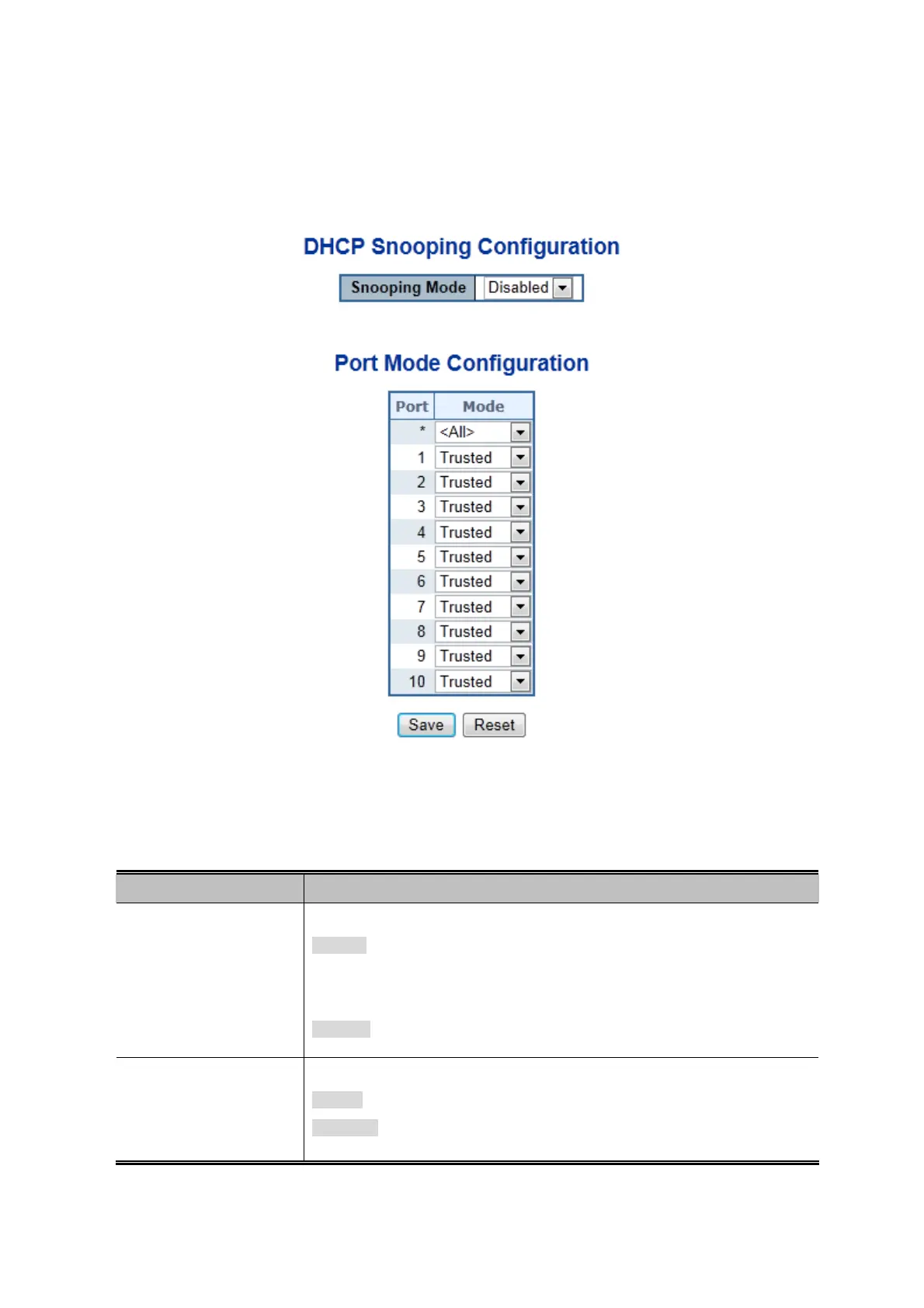
DHCP Snooping Configuration screen in Figure 4-12-8 appears.
Figure 4-12-8: DHCP Snooping Configuration Screen Page Screenshot
The page includes the following fields:
Object Description
Snooping Mode
Indicates the DHCP snooping mode operation. Possible modes are:
Enabled: Enable DHCP snooping mode operation. When enable DHCP
snooping mode operation, the request DHCP messages will be forwarded to
trusted ports and only allowed reply packets from trusted ports.
Disabled: Disable DHCP snooping mode operation.
Port Mode
Indicates the DHCP snooping port mode. Possible port modes are:
Trusted: Configures the port as trusted sources of the DHCP message.
Untrusted: Configures the port as untrusted sources of the DHCP message.
All means all ports will have one specific setting











 To Next Page