User’s Manual of IGS-10020MT
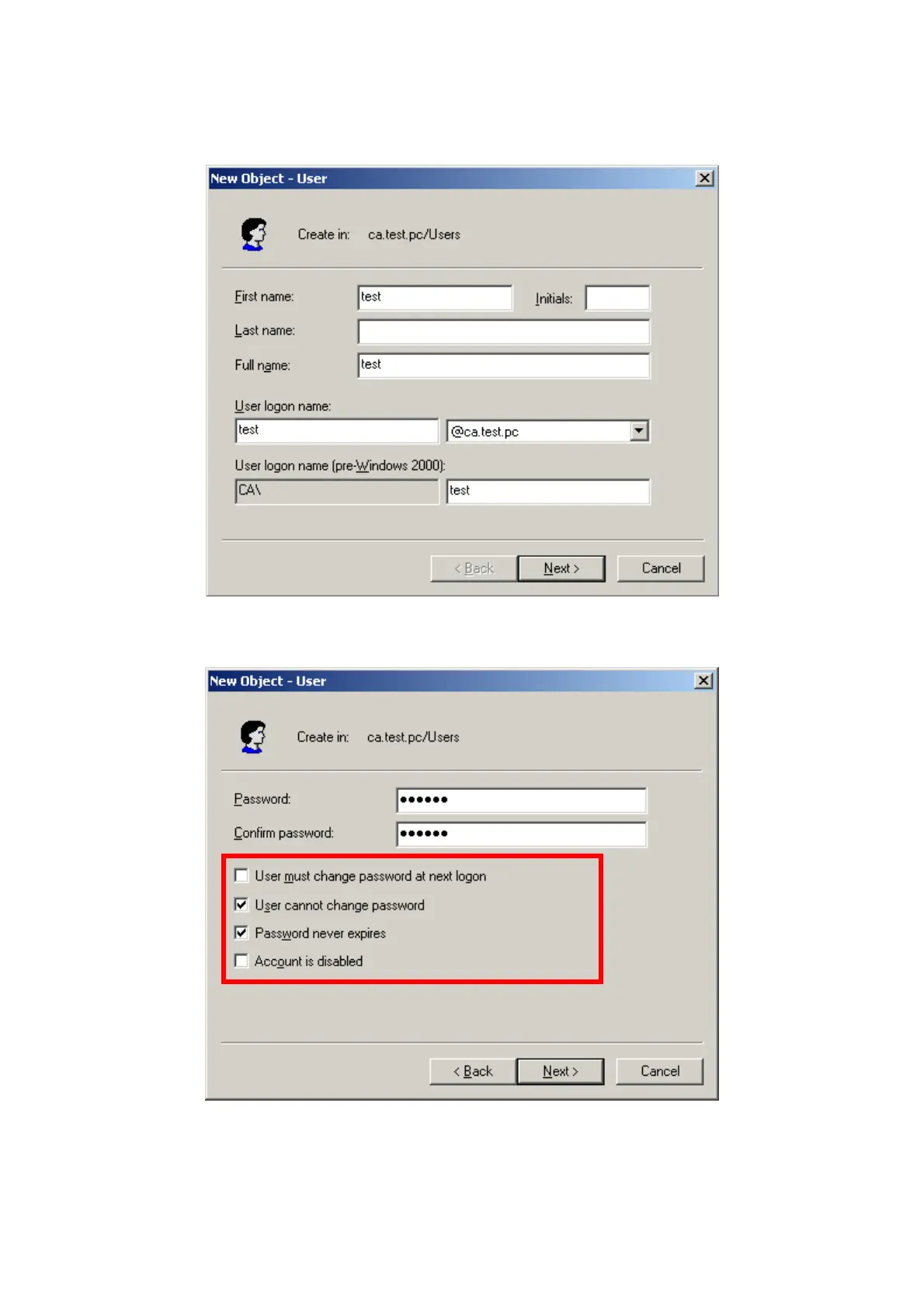
7. Enter ” Active Directory Users and Computers”, create legal user data, the next, right-click a user what you created
to enter properties, and what to be noticed:
Figure 4-11-16: Add User Properties Screen
Figure 4-11-17: Add User Properties Screen
270











 To Next Page