Sirius 800 Series User Manual 1290 Sirius 850 Video Expansion Output Rear Panel Sirius 850: Video and Audio Expansion 12.5
Iss 5 Rev 7 Page 220 © 2017 SAM
12.5 1290 Sirius 850 Video Expansion Output Rear Panel
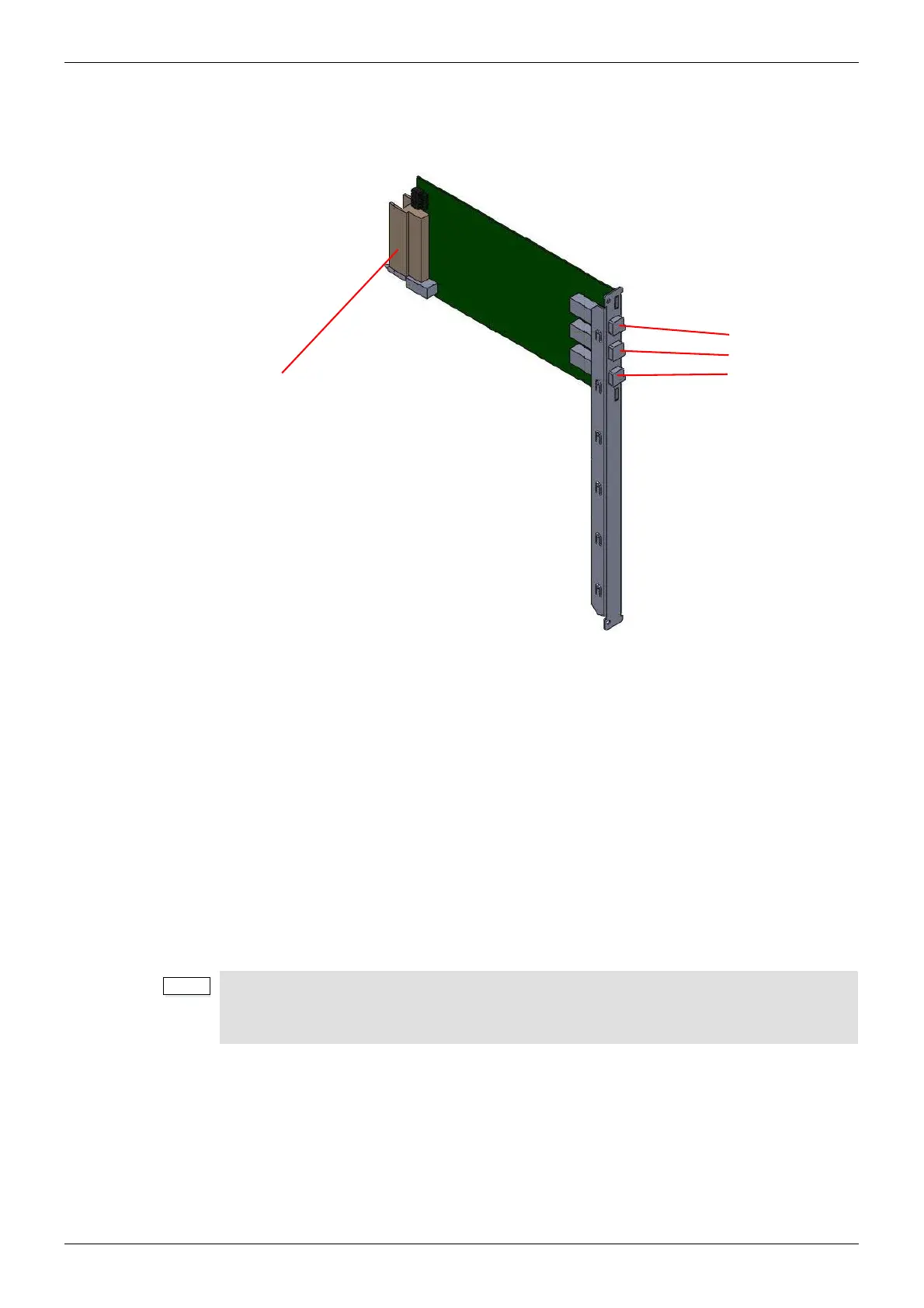
The 1290 Sirius 850 Video Expansion Output Rear Panel is used to connect 24 signals to a
second Sirius 850 expansion router, driving destinations 577 to 1152.
A video input signal passes through the 5928 expansion output module and out from the 1290
expansion rear panel to an output (577 to 1152) in the second frame.
Output from a frame to the expanded frame is via three expansion cables per 1290 expansion
output rear panel. The three expansion cables must be purchased separately, cable order
codes are shown below.
• 1 x 6 meter (19 Feet) expansion cable SAM order code: FGAEY WDS6THIN
• 1 x 12 meter (39 Feet) expansion cable SAM order code: FGAEY WDS12THICK
Each 1290 rear panel must be connected to the expansion inputs of the corresponding output
module in the second Sirius 850 frame, i.e. slot 1 to slot 1, slot 2 to slot 2, etc. The expansion
input connectors are located below the output module rear panel connectors (1 to 24) and are
marked a, b and c. The connections on the 1290 rear panel are marked A, B and C. The
expansion cables connect A to a, B to b and C to c. See section 12.2 for further information.
Figure 144 1290 Expansion Output Rear Panel
• It is not possible to mix the 1290/1365 and 1366/1293 Output Rear Panels in a
frame.
• 1365 and 1290 rear panels can be mixed if required.
Expansion Output
Ports labelled:
A
B
C
Connects to 5928
Expansion Output Module



 To Next Page