Sirius 800 Series User Manual Signals Door PC 5.3
Iss 5 Rev 7 Page 58 © 2017 SAM
5.3 Signals
The Signals box on the main menu screen contains the Video Inputs, MADI Inputs and
References buttons.
5.3.1 Video Inputs
Video Inputs
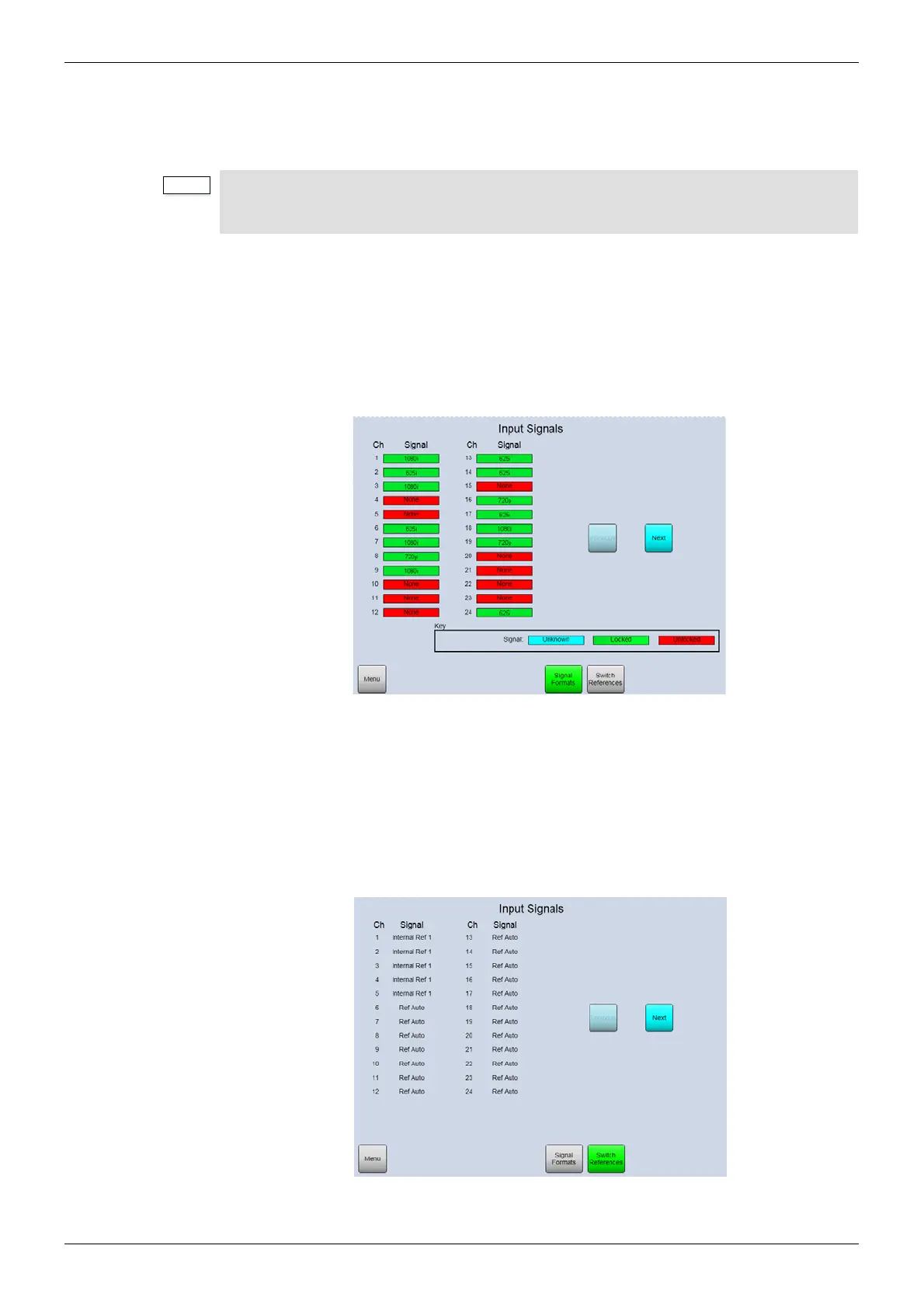
This screen displays details of the video input signals for each module fitted in the router. Use
the Next and Previous buttons to move through the modules. Touch the Switch References
button to view the switching point references used by the incoming video signals for the
selected module (see Figure 29).
Video Input Switching Point References
This screen displays the switch point reference configured for each video input of the selected
module. For details on using switch point references see section 3.11. Use the Next and
Previous buttons to move through the modules.
Touch the Signal Formats button to view the incoming video signals for the selected module
(see Figure 28).
• Modules are configured from the Local Router hardware tab | Advanced
Configuration | Edit Module Configurations... in Workbench. See the
Workbench manual for full details.
Figure 28 Video Inputs (Slot 1)
Figure 29 Video Input Reference Switching Points (Slot 1)



 To Next Page